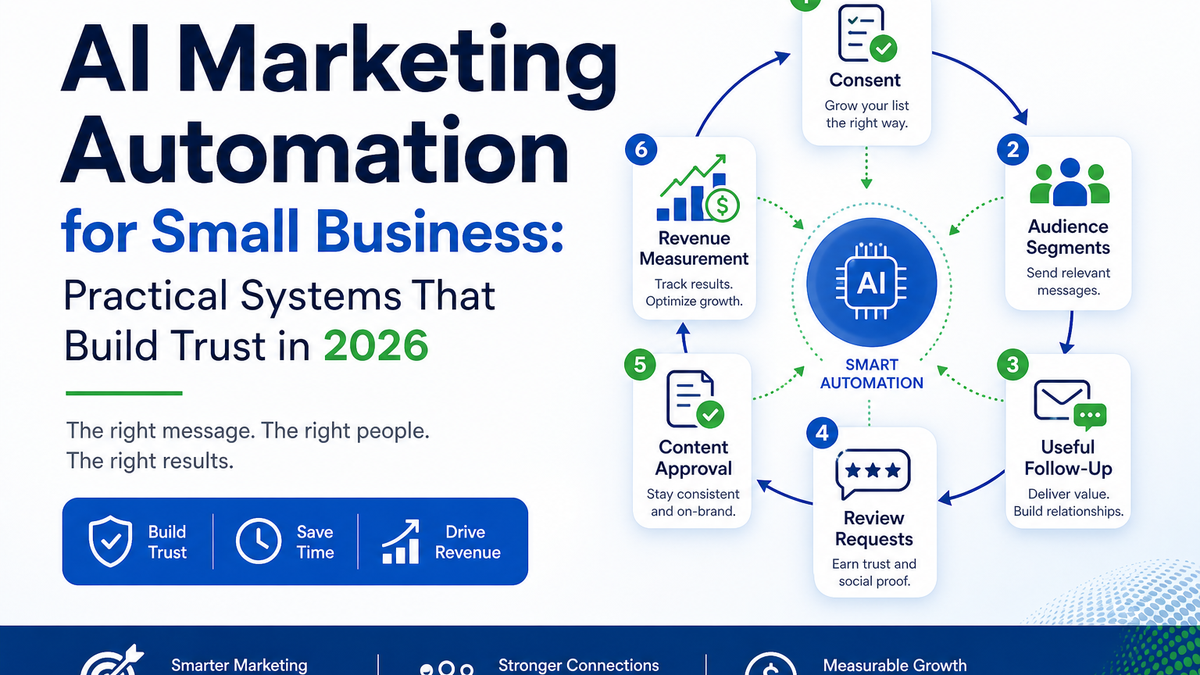
AI Marketing Automation for Small Business: Practical Systems That Build Trust in 2026

AI Marketing Automation for Small Business is not about replacing your team or flooding inboxes with robot messages. It is about building repeatable systems that follow up faster, stay consistent, and free your people to do the work that actually requires a human. Done right, it earns trust. Done carelessly, it burns it.

Most small business owners come to AI Marketing Automation for Small Business after one of two pain points: leads falling through the cracks, or marketing tasks eating hours that should go toward customers. Both problems are real. Both are solvable. But the solution is not to automate everything — it is to automate the right things in the right order.

This article walks you through what AI Marketing Automation for Small Business should actually look like in practice: which systems to build, where humans must stay involved, how to roll it out without annoying your customers, and how to measure whether any of it is working.

If you are a business owner in the South Bay or anywhere else trying to figure out where to start, this is the honest version of that conversation. Our SEO & Content Management work is built around exactly these kinds of practical, measurable systems.

Key Takeaways

  • AI Marketing Automation for Small Business works best when it is built around the customer journey, not the tool.
  • Automation should be permission-aware. Consent matters for both email and text, and the rules are not optional.
  • Lead nurture, review requests, and content workflows are the three highest-value automation targets for most small businesses.
  • Human oversight is not optional — brand voice, offers, and sensitive messages need a person in the loop.
  • A 30-day rollout is realistic. A 30-day full transformation is not. Start with one system.
  • Measurement should connect marketing activity to revenue, not just open rates and impressions.
  • Automation that only helps you move faster is not the same as automation that helps your customer get what they need.

What AI Marketing Automation for Small Business Should Actually Do

Infographic map of an AI marketing automation system with consent, segmentation, follow-up, review requests, and measurement.

AI Marketing Automation for Small Business should make your marketing more consistent, more timely, and more relevant — without making it feel robotic or intrusive.

For most local companies, AI Marketing Automation for Small Business works best when it starts with one visible customer moment, not a dozen disconnected campaigns.

That means automating the follow-up that happens after someone fills out a form. It means segmenting your contacts so a first-time inquiry gets a different message than a repeat customer. It means sending a review request at the right moment instead of never, or at the wrong one.

What it does not mean is blasting your list every week because you can. Automation that helps the business spam faster is not a marketing system — it is a trust-destruction machine.

The practical goal is simple: when a potential customer reaches out, they should hear back quickly. When a job is done, they should get a thoughtful follow-up. When they have not heard from you in a while, they should get something useful — not a generic promotional blast.

That kind of consistency is hard to maintain manually. That is exactly where AI Marketing Automation for Small Business earns its keep.

It is also worth being direct about what AI does in these systems. In most small-business marketing stacks, AI contributes to drafting messages, scoring or tagging leads, suggesting send timing, and flagging content for review. The automation layer handles the sequencing and delivery. These are different things, and conflating them leads to unrealistic expectations

.

Start With The Customer Journey, Not The Tool

Customer journey map from first inquiry through follow-up, review request, and repeat customer.

The most common mistake small businesses make with AI Marketing Automation for Small Business is buying a tool before mapping the journey.

Good AI Marketing Automation for Small Business starts with that map because the customer never experiences your marketing as separate channels.

Before you automate anything, answer these questions: What happens the moment someone contacts you How long before they hear back What do they receive after the first response What happens if they do not book or buy right away

If you cannot answer those questions clearly, AI Marketing Automation for Small Business will just make your current gaps faster and more consistent. That is not an improvement.

Start by writing out your customer journey on paper or a whiteboard. Map every touchpoint from first inquiry to repeat customer. Note where things fall through the cracks. Those gaps are your automation targets.

A good AI readiness audit will surface these gaps systematically. But even without a formal assessment, most business owners already know where the holes are — they just have not had a framework to fix them.

Once the journey is mapped, prioritize by impact. Which gap costs you the most leads Which touchpoint, if improved, would most directly affect revenue Start there — not with the flashiest feature in whatever tool your competitor is using.

This approach also keeps your AI Marketing Automation for Small Business human-centered. Every sequence you build should answer one question: what does the customer need at this moment

Build A Useful Lead Nurture System

Lead nurture sequence with immediate response, follow-up messages, and human review gates.

A lead nurture system is the backbone of AI Marketing Automation for Small Business. It is what keeps a potential customer engaged between their first contact and their first purchase — without requiring your team to manually follow up with every single person.

In practical terms, AI Marketing Automation for Small Business should make the next useful message easier to send, not make the business louder.

Here is what a basic, effective nurture system looks like for a service-based small business:

  • Immediate acknowledgment: An automated response goes out the moment someone fills in a form or sends an inquiry. It confirms receipt, sets expectations for response time, and feels human — not like a ticket number.
  • Follow-up at 24 hours: If no reply has come from the prospect, a second message goes out. This one adds value — a relevant resource, an answer to a common question, or a simple check-in.
  • Follow-up at day 4 or 5: A third touch, shorter and warmer. This is often where a human should review before sending, especially if the message references anything specific about the prospect’s situation.
  • Re-engagement at day 10-14: If still no response, a final message that gives the prospect an easy out. Something like “no worries if the timing isn’t right — here’s how to reach us when it is.”

That four-step sequence handles the majority of lead follow-up for most small businesses. It is not complicated. The value is in the consistency — it happens every time, for every lead, without anyone having to remember.

AI Marketing Automation for Small Business adds value here in drafting and personalizing messages based on what the lead originally asked about. A prospect who asked about commercial cleaning gets a different follow-up than one who asked about residential services. That segmentation used to require manual effort. Now it does not.

For a deeper look at the mechanics of this, the guide to automating lead follow-up covers the system in more detail.

One important note on consent: before you send any automated email or text, you need permission. The FTC’s CAN-SPAM compliance guide covers the email side.

For text messages, the FCC’s guidance on unwanted texts and robocalls is the place to start. This is not legal advice it is a reminder that AI Marketing Automation for Small Business does not exempt you from consent requirements.

If anything, automation makes compliance more important because the volume is higher.

š Consent Is Not Optional

Automating your follow-up does not change your legal obligations around email and text consent. It raises the stakes, because a single misconfigured sequence can send non-compliant messages to hundreds of people at once. Build consent collection into your intake process before you build your nurture sequences.

Automate Review Requests Without Annoying Customers

Review request automation flow with service completion, timing, satisfaction check, and honest review request.

Review requests are one of the highest-return automations available to small businesses, and also one of the most commonly mishandled.

In this area, AI Marketing Automation for Small Business should protect trust before it chases review volume.

The right approach is simple: after a job is completed or a service is delivered, an automated message goes out to the customer asking for honest feedback. It includes a direct link to your Google Business Profile. It does not offer a discount, a gift, or any incentive for leaving a review. It goes out once.

That last part matters. Google’s review policies are clear that businesses should not incentivize reviews or use gating tactics — meaning you cannot send customers to a pre-screening page that only forwards happy customers to leave a public review. Both practices violate platform policy and can result in review removal or account action.

Timing is everything with review requests. The best window is usually 24 to 48 hours after service completion, when the experience is fresh but the customer has had time to settle. Too soon feels pushy. Too late and the moment has passed.

AI Marketing Automation for Small Business makes this timing consistent. Instead of relying on a team member to remember to send the request, the system triggers it automatically when the job status is updated to complete. That one change alone can significantly increase review volume for businesses that have been inconsistent about asking.

For businesses in areas like Redondo Beach or Torrance, where local search visibility is competitive, a consistent review cadence can meaningfully shift where you appear in local results. Reviews are a local SEO signal. Automating the ask is one of the most direct ways to improve that signal over time.

Use AI To Keep Content Workflows Organized

AI-assisted content workflow from idea to draft, human edit, approval, scheduled publish, and performance review.

Content is where many small businesses feel the most overwhelmed, and where AI Marketing Automation for Small Business can genuinely reduce friction — without replacing the human judgment that makes content worth reading.

For content, AI Marketing Automation for Small Business should create a better approval rhythm before it creates more drafts.

The workflow problem is usually not a lack of ideas. It is a lack of process. Topics get discussed in a meeting and never written. Drafts sit in someone’s inbox for three weeks. Posts go out inconsistently, or not at all.

AI Marketing Automation for Small Business can help at several stages of this workflow. It can generate first drafts from a brief, suggest topic clusters based on what your audience is searching for, and repurpose a blog post into social captions or an email intro. It can also flag when a draft is missing key information or sounds off-brand.

What AI cannot do is decide what your business actually stands for, what offer to lead with this month, or whether a particular message is appropriate for your audience right now. Those decisions stay with humans.

A practical content workflow for a small business looks like this: a human sets the topic and the angle. AI produces a working draft. A human edits for voice, accuracy, and relevance. A human approves before publish. AI handles scheduling and distribution.

This is not a shortcut to publishing without thinking. It is a way to reduce the time between “we should write about this” and “it is live on our site.”

It is also worth noting that search engines evaluate content quality, not just quantity. Google’s guidance on AI-generated content is clear that helpful, accurate, human-reviewed content performs well — and that content produced purely to game rankings does not. The human review layer is what keeps your content trustworthy.

Keep Humans In Brand, Offers, And Sensitive Messages

Human approval layer for AI marketing messages with brand, offer, and sensitivity checks before sending.

Not everything should be automated. Knowing where to draw that line is what separates a well-built AI Marketing Automation for Small Business system from one that eventually causes a problem.

That is why AI Marketing Automation for Small Business needs clear review gates, especially around anything a customer could misunderstand.

There are three categories where a human must stay in the loop, every time.

Brand voice and tone. AI can match a style guide, but it does not understand the subtle difference between how your business talks to a long-time customer versus a brand-new one. It does not know when a joke lands and when it does not. Brand voice decisions belong to people who know the brand.

Offers and pricing. Any message that includes a promotion, a price, a discount, or a special offer needs human review before it goes out. Errors here are not just embarrassing — they can create legal obligations or damage customer trust in ways that are hard to recover from.

Sensitive or high-stakes messages. Apologies, complaint responses, messages to customers who have had a bad experience, and anything involving a dispute should never be fully automated. These moments require empathy, judgment, and accountability — qualities that AI does not have.

Building human review gates into your AI Marketing Automation for Small Business system is not a weakness. It is risk management. The NIST AI Risk Management Framework identifies human oversight as a core component of responsible AI deployment — not because AI is always wrong, but because the cost of certain errors is high enough that a human check is worth the time.

If you are building or reviewing your AI policies and want a structured way to define where human oversight is required, AI governance documents can give your team a clear framework to work from.

A Simple Rule for Human Review Gates

If a message going out wrong would cost you a customer, damage your reputation, or create a legal issue — a human reviews it before it sends. Build that rule into your system from day one. It is much easier to add automation later than to rebuild trust after a mistake.

Measure What Actually Moves Revenue

Revenue metrics scorecard for marketing automation tracking lead source, response rate, conversion, repeat purchase, and review growth.

AI Marketing Automation for Small Business generates data. The question is whether you are measuring the right data.

Measured correctly, AI Marketing Automation for Small Business should show whether customers are moving closer to buying, booking, returning, or referring.

Most small business owners, when they first start tracking marketing metrics, focus on vanity numbers: email open rates, social media followers, website page views. These numbers are easy to see and easy to feel good about. They are also largely disconnected from revenue.

The metrics that actually matter are further down the funnel.

Metric What It Tells You Vanity or Revenue
Email open rate Subject line appeal Mostly vanity
Lead response rate How many leads engage after first contact Revenue-connected
Lead-to-customer conversion rate How many inquiries become paying customers Revenue-connected
Cost per acquired customer What each new customer actually costs Revenue-connected
Repeat purchase / rebooking rate How well you retain customers Revenue-connected
Social media followers Audience size Mostly vanity

When you build your AI Marketing Automation for Small Business system, build your measurement system at the same time. Know which lead source each contact came from. Track whether automated follow-up sequences are producing replies. Monitor whether review requests are generating reviews. Connect the dots between marketing activity and actual bookings or sales.

If you cannot connect a marketing activity to revenue, you either need better tracking or you need to question whether that activity is worth continuing.

This is where AI consulting for small business can be genuinely useful — not just in setting up the automation, but in helping you define what success looks like before you start building.

“The goal is not to have more data. The goal is to know which three numbers tell you whether your marketing is working — and to check them every week.”

Roll Out AI Marketing Automation for Small Business In 30 Days

Thirty-day AI marketing automation rollout roadmap with weekly phases for mapping, nurture, review requests, and measurement.

A 30-day rollout for AI Marketing Automation for Small Business is realistic if you focus on one system at a time and resist the urge to automate everything at once.

Here is a practical four-week framework:

Week 1 — Map and audit. Write out your customer journey. Identify your top two or three gaps. Audit your current contact list for consent. Make sure your intake forms are capturing permission for email and text follow-up. Do not build anything yet.

Week 2 — Build the lead nurture sequence. Draft your four-step follow-up sequence. Get human review on each message. Set up the trigger (usually a form submission or CRM tag). Test it on yourself and a team member before it goes live to real leads.

Week 3 — Add the review request. Set up the job-completion trigger. Write one clear, incentive-free review request message. Connect it to your Google Business Profile link. Test the timing. Turn it on.

Week 4 — Set up content workflow and measurement. Define your content process: who sets topics, who drafts, who approves, who publishes. Set up the three to five revenue-connected metrics you will track weekly. Build a simple dashboard or even a spreadsheet — the tool does not matter, the habit does.

At the end of 30 days, you will have three working systems: lead nurture, review requests, and a content workflow. That is enough to meaningfully improve your marketing consistency without overwhelming your team or your customers.

If you want a structured assessment of where your business stands before you start building, an AI readiness assessment can help you prioritize the right starting points for your specific situation.

For businesses in the South Bay — whether you are in El Segundo, Manhattan Beach, or anywhere else in the area — the 30-day framework for AI Marketing Automation for Small Business works the same way. The systems are not geography-dependent. The local advantage is in knowing which customer behaviors and competitive dynamics are specific to your market, and building your sequences to reflect that.

If your team will be the ones managing these systems day-to-day, team training and AI workflow rollout support can reduce the learning curve and help your people feel confident running the systems rather than just tolerating them.

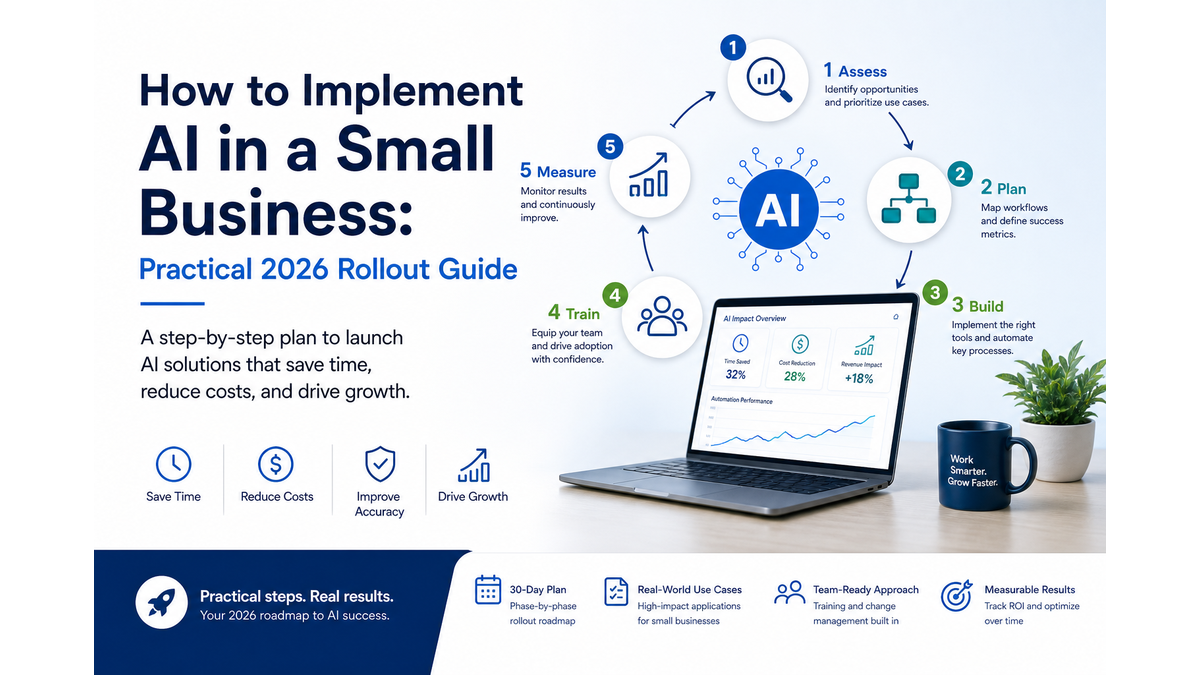
For a broader look at how to bring AI into your business operations beyond marketing, the practical guide to implementing AI in a small business covers the full picture.

Free download

The South Bay Small-Business AI Starter Kit.

28 pages. Three free quick wins, five revenue areas, a self-assessment, and a simple roadmap for South Bay businesses trying to understand where AI actually makes money.

No spam, ever Unsubscribe in one click
Roving Leads - v2026
The South Bay AI Starter Kit
28 PAGES - FREE
PDF

FAQ – AI Marketing Automation for Small Business

What is AI Marketing Automation for Small Business, and how is it different from regular marketing automation

Regular marketing automation handles sequencing and delivery — sending emails on a schedule, triggering messages based on actions. AI Marketing Automation for Small Business adds a layer of intelligence: drafting personalized messages, segmenting contacts based on behavior, suggesting timing, and flagging content for review. The combination makes your follow-up faster and more relevant, without requiring manual effort for every contact.

How much does it cost to set up AI marketing automation for a small business

Costs vary widely depending on the tools you choose and whether you build in-house or with outside help. Most small businesses can get a functional lead nurture and review request system running for a few hundred dollars per month in software costs. The bigger investment is usually setup time and the occasional expert help to build it correctly. Cutting corners on setup tends to cost more in fixes later.

Will automated messages feel impersonal to my customers

They do not have to. The key is writing messages that sound like a real person wrote them — because a real person should write or review them before they go into the sequence. AI Marketing Automation for Small Business works best when the automation handles timing and delivery, and humans handle voice and tone. A well-written automated message often feels more personal than a rushed manual one.

Do I need to get customer permission before sending automated emails or texts

Yes. Consent is required for both email and text marketing, and automation does not change that — it amplifies the risk if you get it wrong. Build consent collection into your intake forms before you build any sequences. The FTC’s CAN-SPAM guide covers email requirements. The FCC’s guidance covers text messages. When in doubt, ask a qualified attorney, not a marketing tool’s help documentation.

Can I use AI to generate all of my marketing content

AI can draft content quickly, but fully automated content without human review tends to be generic, occasionally inaccurate, and often off-brand. Search engines also evaluate content quality, and AI-only content without genuine expertise or human editing does not perform as well. Use AI Marketing Automation for Small Business to speed up the drafting process, but keep a human in the review and approval loop before anything goes live.

How do I know if my AI marketing automation is actually working

Track revenue-connected metrics: lead response rate, lead-to-customer conversion rate, review volume, and repeat customer rate. If those numbers improve after you implement AI Marketing Automation for Small Business, the system is working. If they stay flat or decline, something in the sequence needs adjustment. Open rates and social followers are not reliable indicators of whether your automation is driving business results.

Bottom Line

AI Marketing Automation for Small Business is not a magic growth system. It is a set of practical tools that make your follow-up more consistent, your content workflow less chaotic, and your review cadence more reliable.

The businesses that get the most out of AI Marketing Automation for Small Business are the ones that map their customer journey first, build consent into their intake process, keep humans in the loop on brand and offers, and measure the metrics that actually connect to revenue.

Start with one system. Build it right. Measure it. Then add the next one. That is how AI Marketing Automation for Small Business builds trust instead of burning it.

If you are ready to figure out where to start or where your current systems are breaking down Roving Leads works with small businesses across the South Bay to build marketing automation systems that are practical, compliant, and built around how your customers actually behave.

No hype. No one-size-fits-all software recommendations. Just honest work on the systems that move the needle for your specific business.

Reach out when you are ready to have that conversation.
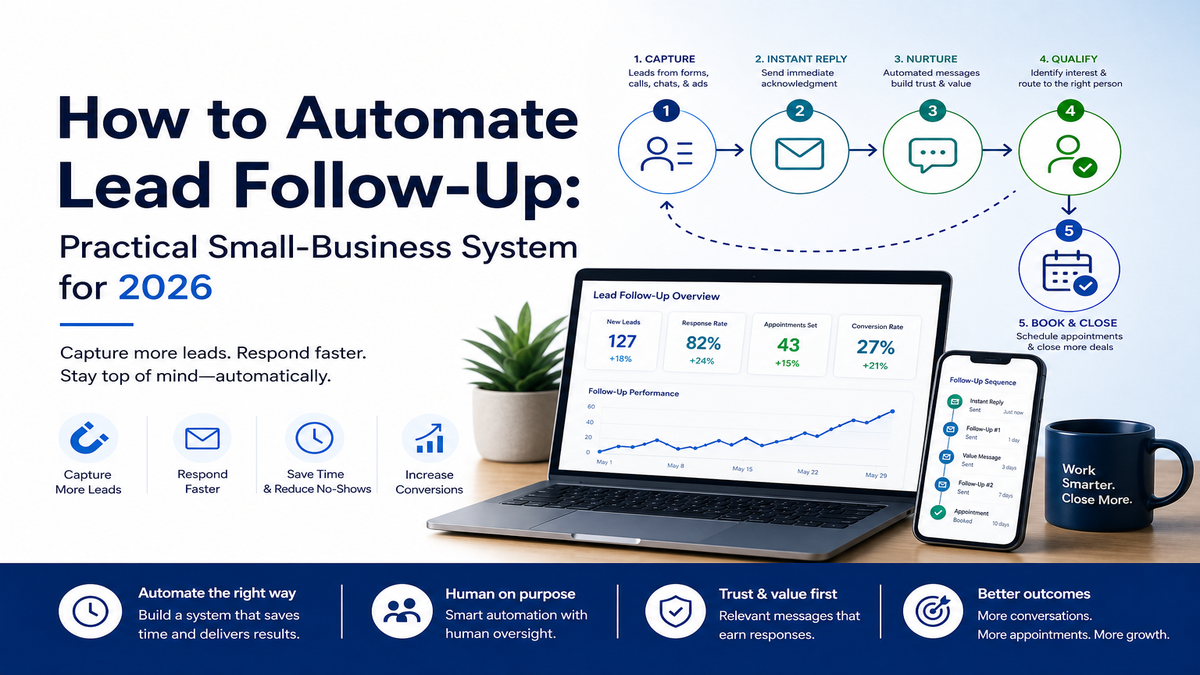
How to Automate Lead Follow-Up: Practical Small-Business System for 2026

How to Automate Lead Follow-Up is one of the most searched questions among South Bay small-business owners — and for good reason. Most businesses are not losing leads because their offer is bad. They are losing leads because nobody followed up fast enough, or at all.

The good news is that How to Automate Lead Follow-Up does not require a big sales team or expensive enterprise software. A well-designed system can run on tools you likely already pay for, with a few smart connections and clear rules about when a human steps in.

This guide walks you through a practical, layered approach — from the first response to the final handoff — built specifically for small businesses in Los Angeles and the South Bay who need results, not theory. If you want a shortcut, Custom AI Workflow Systems can help you build this faster than going it alone.

⚡ Key Takeaways
  • How to Automate Lead Follow-Up starts with mapping your lead journey before touching any tool.
  • Speed matters — research consistently shows that responding within minutes dramatically improves contact rates.
  • A good follow-up system layers instant response, qualification, and a respectful multi-touch sequence.
  • Automation should handle repetition; humans should handle trust moments like pricing, objections, and closing.
  • A 30-day rollout plan with weekly measurement keeps the system improving instead of drifting.

Why Lead Follow-Up Breaks In Small Businesses

Timeline showing how a missed lead can move from inquiry to competitor booking when follow-up is delayed.

The practical goal of How to Automate Lead Follow-Up is to make ownership visible before a lead gets forgotten.

How to Automate Lead Follow-Up only makes sense once you understand why manual follow-up fails so consistently. The answer is almost never laziness — it is system design.

Leads arrive through five different channels at once: a website form, a Google Business message, a Facebook DM, a phone call, and a text. Nobody owns the inbox for all five.

The person who should follow up is busy with a job in the field, a client on the phone, or a stack of invoices. The lead sits for two hours.

Then four. Then it is tomorrow.

By then, the prospect has already booked with someone else — often a competitor who responded in under ten minutes.

Research summarized by XANT/InsideSales consistently points to fast response as a key factor in whether a lead gets contacted and qualified at all. The famous MIT lead response study, available here as a PDF, put a five-minute benchmark on the table that still shapes how sales teams think about speed today.

Small businesses cannot staff a five-minute human response around the clock. That is exactly why How to Automate Lead Follow-Up matters so much for owners who are doing everything themselves.

⚠️ Common Breakdown Points
  • No single inbox for all lead sources
  • Follow-up depends on one person remembering
  • No standard message — every reply is written from scratch
  • No sequence after the first message
  • No way to tell which leads were ever contacted

If two or more of those points hit close to home, you are in the right place. Understanding How to Automate Lead Follow-Up starts with admitting the current process is not a process at all — it is a hope.

Map The Lead Journey Before You Automate

Lead journey map from inquiry to booked call with acknowledgment, routing, qualification, review, and confirmation steps.

How to Automate Lead Follow-Up done wrong means automating chaos. Before you connect a single tool, draw out what actually happens to a lead from the moment they reach out to the moment they become a paying customer.

That is why AI Automation Consulting should begin with the workflow, not a list of tools.

This does not need to be a fancy diagram. A whiteboard or a notes app works fine. The goal is to see every step, every gap, and every handoff point.

Start by answering these questions on paper:

  • Where do leads come from? List every source: forms, calls, texts, social, referrals, walk-ins.
  • Where does each lead land? Which inbox, app, or spreadsheet receives it?
  • Who is supposed to respond? Is that written down anywhere?
  • What is the first message supposed to say?
  • What happens if the lead does not reply to the first message?
  • When does a lead get handed to a human for a real conversation?
  • When is a lead officially dead, and what happens to that data?

Most small businesses discover three things when they do this exercise: the journey is shorter than they thought, the gaps are bigger than they realized, and the handoffs are completely informal.

Once you have the map, you can see exactly where automation adds value and where a human must stay in the loop. That distinction is the foundation of a system that actually works.

If you want outside eyes on this exercise, an AI Readiness Assessment can surface gaps you might miss when you are too close to your own process.

How to Automate Lead Follow-Up without this map is like installing a security system before you know which doors exist. Do the map first. Everything else builds on it.

💡 Pro Tip
Keep your lead journey map somewhere the whole team can see it. A shared document or a printed sheet on the wall beats a diagram buried in someone’s laptop. When the process changes, update the map first — then update the automation.

Build The First Response Layer

Workflow showing lead sources entering one intake point, receiving instant acknowledgment, and routing to the right next action.

In How to Automate Lead Follow-Up, this first response layer is the safety net that catches new inquiries immediately.

How to Automate Lead Follow-Up begins in earnest with the first response layer — the automated message that goes out the moment a lead submits a form, sends a text, or drops a DM.

This is not a generic “thanks for reaching out” message. Done right, it does four things at once.

What The First Message Does Why It Matters
Confirms receipt immediately Stops the prospect from assuming nobody saw their message
Sets a realistic response window Manages expectations so they do not book elsewhere in the next 30 minutes
Asks one qualifying question Starts gathering information without feeling like an interrogation
Routes the lead to the right person or queue Ensures the right human sees it when they are ready to respond

The routing piece is often overlooked. How to Automate Lead Follow-Up means the system needs to know where to send a lead after the first message fires — not just that a message was sent.

For a solo operator, routing might mean a notification to your phone. For a small team, it might mean assigning the lead to a specific person based on service type, zip code, or job size.

The channel matters too. A lead who texted you expects a text back.

A lead who filled out a web form may expect email. Match the channel to where they started.

South Bay businesses — from Torrance contractors to Redondo Beach service providers — often have leads coming in from multiple channels simultaneously. If that sounds familiar, AI Consulting in Torrance and AI Consulting in Redondo Beach are both available to help you build this layer correctly from the start.

How to Automate Lead Follow-Up at this layer is about speed and clarity. The first message should go out in under two minutes, every time, without anyone having to remember to send it.

Add Qualification Without Making It Robotic

Decision tree showing lead qualification steps with a human review gate before approval or nurture.

How to Automate Lead Follow-Up does not mean turning your follow-up into a chatbot interrogation. Qualification should feel like a helpful conversation, not a form with a pulse.

The goal of automated qualification is simple: find out if this lead is worth a human’s time before a human spends time on it.

You are trying to answer three questions without asking them all at once:

  1. Is this lead a real fit? Do they need what you actually offer, in the area you serve, at a budget that makes sense?
  2. Are they ready to move? Are they shopping now, or just gathering information for a project six months away?
  3. What do they need next? A quote, a consultation, a quick question answered, or a referral somewhere else?

A well-designed qualification sequence asks one question per message, waits for a reply, and branches based on the answer. This is where a decision tree — even a simple one — pays off.

If the lead says they need service next week, the system flags them as high priority and notifies a human immediately. If they say they are just browsing, the system drops them into a longer nurture sequence and checks back in 30 days.

How to Automate Lead Follow-Up at this stage requires honest answers to one question: what does a qualified lead actually look like for your business? Write that down before you build anything.

“The best automated qualification feels like a helpful assistant asking smart questions — not a gatekeeper trying to filter people out.”

Keep the tone warm. Use the prospect’s name if you have it.

Reference what they asked about. A message that says “Hey Sarah, thanks for reaching out about your kitchen remodel — are you looking to start before the end of the year?” will always outperform a generic “Please answer the following questions.”

How to Automate Lead Follow-Up with good qualification means fewer wasted calls, faster closes, and a better experience for the prospect — even before they talk to a real person.

Create A Follow-Up Sequence Buyers Respect

Fourteen-day lead follow-up cadence showing respectful touchpoints, opt-out control, and human reply moments.

A good How to Automate Lead Follow-Up sequence keeps the conversation open without treating the buyer like a number.

How to Automate Lead Follow-Up means building a sequence that keeps showing up without becoming spam. Most leads do not buy on the first contact. They need a few touchpoints before they are ready to talk.

The key is spacing and value. Each message should either answer a question, offer something useful, or remind them why they reached out in the first place.

Here is a simple 14-day follow-up cadence that works well for most South Bay service businesses:

Day Message Type Channel Goal
0 (instant) Confirmation + one question Match source Acknowledge and qualify
1 Value follow-up Email or text Share a helpful tip or answer a common question
3 Social proof Email Share a short customer story or review
7 Soft check-in Text Ask if they still need help — no pressure
14 Final nudge Email or text Offer an easy next step or close the loop

After day 14, leads who have not responded move to a long-term nurture list. That list gets a light touch once a month — a useful tip, a seasonal offer, or a quick check-in. How to Automate Lead Follow-Up at this stage is about staying visible without being annoying.

Every message in the sequence should have one clear call to action. Not three options.

One. “Reply to this message,” “click here to book a call,” or “text us back” — pick one and make it easy.

The Salesforce 2026 State of Sales report notes that AI-assisted workflows are increasingly part of how sales teams operate — but the emphasis is on supporting human judgment, not replacing it. A good sequence reflects that balance.

How to Automate Lead Follow-Up with a sequence like this means no lead falls through the cracks, and no prospect feels chased. That is the balance every small business needs.

Keep Humans In The High-Trust Moments

Workflow showing when automated lead follow-up pauses for human review, approval, and next-step decisions.

How to Automate Lead Follow-Up is not about removing humans from the sales process. It is about making sure humans show up at exactly the right moments — and are not wasting time on the wrong ones.

There are specific moments in every sales conversation where automation should stop and a real person should take over.

  • Pricing conversations. When a lead asks about cost, a human should answer — not a templated message with a range.
  • Objections. “I already got a lower quote” or “I’m not sure this is right for me” needs a real response, not a pre-written deflection.
  • Booking a call or appointment. The handoff from automated sequence to calendar invite should feel personal, not mechanical.
  • Complaints or frustration. Any message with a negative tone should trigger an immediate human notification.
  • Referrals and repeat customers. These relationships deserve a personal touch, not an automated drip.

Building these handoff triggers into your system is not complicated. It usually means setting a rule: if a lead uses certain words, replies more than twice, or reaches a specific point in the sequence, a human gets notified and takes over.

The NIST AI Risk Management Framework makes a clear point about AI-assisted customer communication: human oversight and accountability are not optional features. They are governance requirements, especially when the communication involves trust, money, or service commitments.

How to Automate Lead Follow-Up responsibly means your system has documented handoff rules, not just vibes about when a human should jump in. Write the rules down.

Train your team on them. Review them quarterly.

If you want help building those governance rules into your workflow, AI Governance Documents are one of the services Roving Leads offers specifically for small businesses navigating this challenge.

✅ Human Handoff Checklist
  • Pricing question received → notify assigned human within 15 minutes
  • Lead replies with frustration or complaint → immediate alert, pause sequence
  • Lead books a call → human sends a personal confirmation within the hour
  • Lead asks a question the automation cannot answer → flag and route
  • Lead is a referral or returning customer → skip automation, go direct

How to Automate Lead Follow-Up with clear human handoff rules means your prospects never feel like they are talking to a machine when it matters most. That is what keeps your reputation intact while the automation handles the volume.

Measure The Follow-Up System Weekly

Weekly lead follow-up metrics board with response time, contact rate, booked calls, handoff rate, and lost lead reasons.

How to Automate Lead Follow-Up is not a set-it-and-forget-it project. A system that is not measured will drift, break, or quietly stop working — and you will not know until leads start complaining or going silent.

Weekly measurement does not have to take more than 15 minutes. You need to track a small set of numbers that tell you whether the system is healthy.

Metric What It Tells You Healthy Benchmark
First response time Is the automation firing on time? Under 2 minutes for automated; under 4 hours for human
Reply rate Are leads engaging with your messages? 20–40% for a warm local audience
Qualification rate What percentage of leads are a real fit? Depends on your lead source quality
Handoff rate How many leads reach a human? Should match your qualified lead rate
Conversion rate How many leads become customers? Track week-over-week trend, not just a number
Unsubscribe / opt-out rate Are you messaging too much or too poorly? Under 2% per sequence

Review these numbers every Monday morning. If first response time is creeping up, something broke in the automation.

If reply rate drops, the message copy needs work. If opt-outs spike, the sequence is too aggressive.

How to Automate Lead Follow-Up with good measurement means you catch problems in week two instead of month three. Small adjustments made early save a lot of lost revenue later.

For teams who want help building a measurement dashboard and reading the numbers correctly, AI Automation for Small Businesses covers the full workflow ROI picture, including how to tie follow-up metrics to actual revenue outcomes.

How to Automate Lead Follow-Up is a living system. Measure it, adjust it, and it will keep improving. Ignore the numbers and it will quietly stop working.

Roll Out The System In 30 Days

Thirty-day rollout calendar for lead follow-up automation with weekly phases, actions, milestones, and review checkpoints.

The cleanest way to approach How to Automate Lead Follow-Up is to launch one working system, measure it, and then expand.

How to Automate Lead Follow-Up does not have to be a six-month project. A focused 30-day rollout gets you from scattered inboxes to a working system without overwhelming your team or your budget.

Here is a realistic week-by-week plan:

  1. Week 1 — Map and decide. Complete your lead journey map. Identify your top two or three lead sources. Choose the tools you will use to connect them. Write down your qualification criteria and your human handoff rules.
  2. Week 2 — Build the first response layer. Set up your instant response message for each lead source. Test it from a real device. Make sure routing works and the right person gets notified. Do not move on until this fires correctly every time.
  3. Week 3 — Build the sequence. Write the messages for your 14-day follow-up cadence. Set up the qualification branch logic. Test the full sequence with a dummy lead. Review the tone and make sure it sounds like your business, not a template.
  4. Week 4 — Launch, measure, and adjust. Go live with real leads. Pull your first weekly metrics report. Fix anything that is not working. Brief your team on the handoff rules and make sure everyone knows their role.

By day 30, you should have a system that responds instantly, qualifies automatically, follows up consistently, and hands off to a human at the right moment. That is How to Automate Lead Follow-Up in its most practical form.

The biggest risk in the rollout is trying to do too much at once. Start with your highest-volume lead source and get that working before you add the next one. Complexity is the enemy of a system that actually gets used.

If your team needs help getting comfortable with the new workflow, Team Training and AI Workflow Rollout is available to make sure the system sticks after launch day.

How to Automate Lead Follow-Up is not a technology problem. It is a process problem that technology solves — once you have the process right. The 30-day plan keeps you focused on the process first and the tools second.

For a broader look at how automation fits into your overall business operations, AI Automation Consulting covers the full picture of practical workflow systems built for small businesses in 2026.

The real win with How to Automate Lead Follow-Up is not more messages. It is fewer missed moments.

Free download

The South Bay Small-Business AI Starter Kit.

28 pages. Three free quick wins, five revenue areas, a self-assessment, and a simple roadmap for South Bay businesses trying to understand where AI actually makes money.

No spam, ever Unsubscribe in one click
Roving Leads - v2026
The South Bay AI Starter Kit
28 PAGES - FREE
PDF

Frequently Asked Questions

How fast should the first automated response go out?

The first automated response should fire within two minutes of a lead making contact. Research consistently shows that response speed is one of the strongest predictors of whether a lead gets contacted and qualified.

A two-minute automated reply keeps the prospect engaged while a human prepares a more personal follow-up. If your current system takes longer than that, the first response layer is the place to start when you are learning How to Automate Lead Follow-Up.

How many follow-up messages is too many?

For most small-business service leads, five to seven touchpoints over 14 days is a reasonable ceiling before moving a non-responsive lead to a long-term nurture list. The key is spacing and value — each message should offer something useful or ask a simple question, not just repeat “are you still interested?” Watch your opt-out rate.

If it climbs above two percent per sequence, you are either messaging too often or the content is not landing. How to Automate Lead Follow-Up well means the sequence feels helpful, not pushy.

What if a lead replies outside business hours?

This is exactly where automation earns its keep. Your system should be set up to send an after-hours acknowledgment that confirms receipt, sets a realistic expectation for when a human will respond, and optionally asks a qualifying question to gather information overnight.

When your team arrives in the morning, the lead is already warm and partially qualified. How to Automate Lead Follow-Up around the clock is one of the clearest advantages automation offers over a purely manual process.

Do I need a CRM to automate lead follow-up?

A CRM helps, but it is not strictly required to get started. Some small businesses run effective follow-up systems using a combination of a form tool, an email or text automation platform, and a shared inbox.

What matters more than the specific tools is that every lead lands in one place, every message is tracked, and the system can tell you what happened to each lead. As your volume grows, a CRM becomes more valuable.

Start with what you have and add structure as the need becomes clear. How to Automate Lead Follow-Up is about the process first — tools second.

How do I make automated messages sound like a real person?

Write the way you actually talk. Read every message out loud before you publish it.

If it sounds like a press release or a legal disclaimer, rewrite it. Use the prospect’s name when you have it.

Reference what they asked about specifically. Keep sentences short.

Avoid phrases like “as per your inquiry” or “please be advised.” The goal is to sound like a knowledgeable, friendly person who happens to be very consistent. How to Automate Lead Follow-Up with a human tone is a writing challenge as much as a technical one — and it is worth the extra time to get right.

What should I do with leads who never respond?

After your primary sequence ends, move non-responsive leads to a long-term nurture list rather than deleting them. A light monthly touchpoint — a useful tip, a seasonal offer, or a simple check-in — keeps your business visible without being intrusive.

Some leads are not ready when they first reach out but become ready three or six months later. A well-maintained nurture list is one of the most underused assets in small-business sales.

How to Automate Lead Follow-Up over the long term means you are still in the conversation when the timing finally shifts in your favor.

🏁 Bottom Line
  • How to Automate Lead Follow-Up starts with a map, not a tool.
  • The first response layer — fast, personal, and routed correctly — is the highest-leverage place to start.
  • Qualification should feel like a helpful conversation, not a screening process.
  • A 14-day sequence with real value at each step keeps leads warm without burning them out.
  • Humans must stay in the loop for pricing, objections, and trust-critical moments.
  • Weekly measurement is what separates a system that improves from one that quietly breaks.
  • A 30-day rollout — starting with your top lead source — gets you to a working system without overwhelm.

If you are ready to stop losing leads to slow follow-up and build a system that works while you are busy running your business, reach out to Roving Leads — or explore the full range of AI Services for South Bay Small Businesses to find the right starting point for where you are right now.

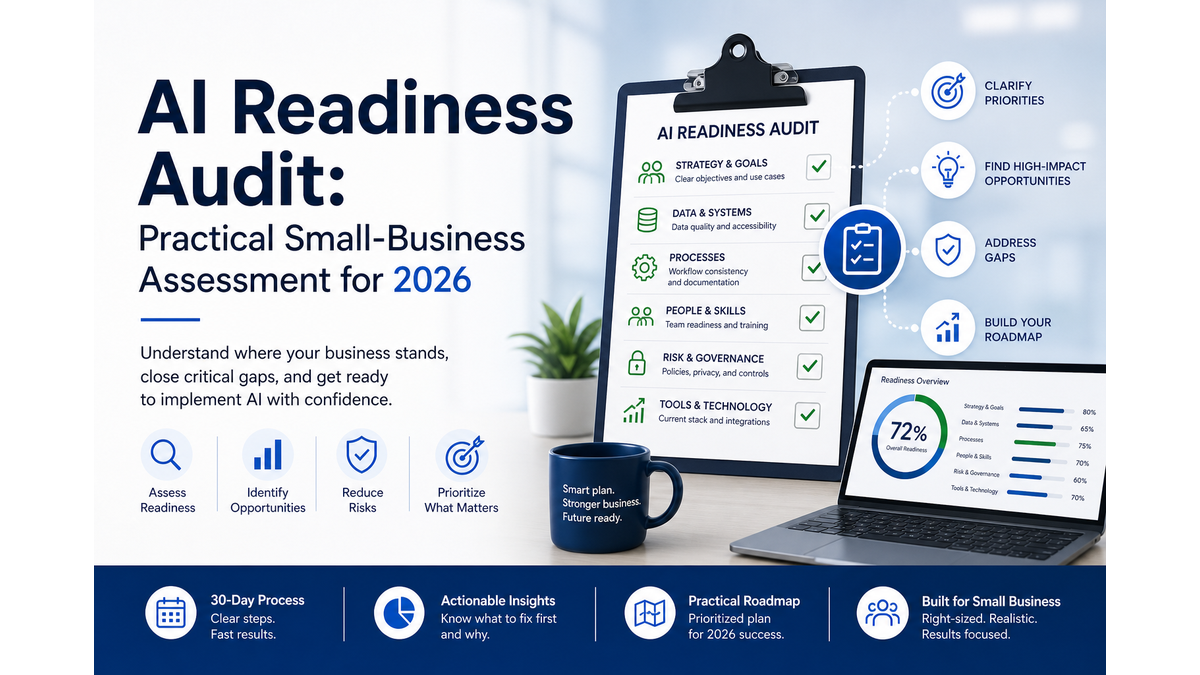
AI Readiness Audit: Practical Small-Business Assessment for 2026

An AI Readiness Audit is a structured assessment that examines whether your business’s workflows, data, people, governance, and leadership alignment are prepared to support AI before you spend a dollar on tools. It is not a software checklist. It is an honest look at the organizational conditions that determine whether AI will actually work inside your specific operation — or quietly fail after a promising demo.

Most small business owners in the South Bay and greater Los Angeles area are curious about AI. Many have already experimented with it. But curiosity and a few successful prompts are not the same as readiness. A proper AI Readiness Audit closes that gap by surfacing what needs to be in place before you commit to a workflow change, a new system, or a staff training program.

If you want a guided version of this process, AI Readiness Assessments from Roving Leads are built specifically for small businesses that want a clear answer, not a sales pitch. But this article gives you the full framework so you can evaluate your own situation first.


Local context matters too: a service business in Redondo Beach may have different lead-response, staffing, and customer-experience gaps than a back-office team with the same tool stack.

🔑 Key Takeaways

  • An AI Readiness Audit evaluates organizational conditions — not just technology — before AI adoption begins.
  • The Microsoft 2026 Work Trend Index confirms that the AI gap is most often an organizational readiness problem, not a tool problem.
  • Goldman Sachs research shows small businesses are adopting AI but still need training and support to make it work — exactly what a readiness audit surfaces.
  • The five audit areas are: workflows, data, people, governance, and leadership alignment.
  • A good AI Readiness Audit produces a written action plan, not just a score or a recommendation to buy something.
  • Skipping the audit phase is the most common reason AI projects stall or fail inside small businesses.
  • Local businesses in areas like Torrance, Redondo Beach, and across the South Bay can use an AI Readiness Audit to move from experimentation to reliable, repeatable AI use.

What An AI Readiness Audit Actually Checks

The phrase “AI readiness” gets used loosely, so it helps to be specific. An AI Readiness Audit is not asking whether you have heard of ChatGPT or whether your industry is using AI. It is asking whether your specific business — your team, your data, your processes, your decision-making culture — has the conditions that allow AI to produce consistent, trustworthy results.

Think of it like a building inspection before a renovation. The contractor does not start tearing down walls until they know what the structure can support. An AI Readiness Audit is that inspection for your business operations.

Here is what a thorough AI Readiness Audit actually examines:

  • Workflow documentation: Are your core processes written down or do they live only in someone’s head?
  • Data quality and access: Is the information AI would use clean, current, and accessible — or scattered across spreadsheets, inboxes, and memory?
  • Staff readiness: Does your team understand what AI can and cannot do, and do they have the skills to use it responsibly?
  • Governance and policy: Do you have any rules about how AI-generated content or decisions get reviewed before they reach customers?
  • Leadership alignment: Does ownership or management actively support AI adoption, or is it a side project with no real backing?
  • Risk and privacy exposure: Have you identified which workflows involve sensitive data that requires extra care before AI touches it?
  • Measurement baseline: Do you know what “better” looks like, so you can tell whether AI is actually helping after it is deployed?

An AI Readiness Audit that skips any of these areas is incomplete. You might still learn something useful, but you are leaving the most common failure points unchecked.

The NIST AI Risk Management Framework organizes AI governance around four functions: govern, map, measure, and manage. An AI Readiness Audit for a small business maps directly onto that structure — checking governance maturity, mapping current workflows, establishing measurement baselines, and identifying risk management gaps before any tool is introduced.

AI Readiness Audit diagnostic wheel showing workflow data people governance leadership risk and measurement
A useful AI Readiness Audit checks the whole operating system, not just the tools.

If you are building AI into client-facing workflows, content production, or lead follow-up, the Custom AI Workflow Systems service starts with exactly this kind of diagnostic before any build begins. That sequencing is intentional — and it matters.


Why Readiness Comes Before AI Tools

The instinct for most business owners is to start with the tool. They see a demo, hear about a competitor using AI, or get a recommendation from a vendor — and the next question is “which one do I buy?” An AI Readiness Audit deliberately interrupts that sequence, and for good reason.

The Microsoft 2026 Work Trend Index makes this point clearly: the gap between AI interest and AI results is most often an organizational readiness problem, not a technology problem. Culture, manager support, clear usage rules, governance maturity, and whether AI use is actually encouraged and recognized inside the organization — these are the variables that predict whether AI delivers value. An AI Readiness Audit checks all of them before a single tool is selected.

The same pattern shows up in small business research. Goldman Sachs’ 2026 small business AI report found that small businesses are genuinely embracing AI — but the businesses that struggle are the ones that adopted tools without addressing training, workflow ownership, and practical support structures. An AI Readiness Audit surfaces those gaps before they become expensive problems.

“The AI gap is most often an organizational readiness problem, not a tool problem. Culture, manager support, clear rules, and governance maturity are what separate AI that works from AI that disappoints.”

— Microsoft 2026 Work Trend Index

Consider a practical example. A service business in the South Bay decides to use AI to handle initial client inquiry responses. The tool is capable. But if the intake process is not documented, if staff do not know which responses need human review, and if there is no policy about what the AI is allowed to say on the company’s behalf — the tool will create more problems than it solves. An AI Readiness Audit would have caught all three of those gaps before deployment.

This is also why an AI Readiness Audit is not a one-time event for fast-growing businesses. As your workflows evolve, your team changes, or your AI use cases expand, the readiness conditions shift. Businesses that treat the audit as an ongoing practice — rather than a checkbox — tend to get compounding returns from AI over time.

For a broader look at how this fits into an overall AI strategy, the guide on AI Consulting for Small Business covers how readiness, tool selection, and implementation connect as a system rather than a sequence of isolated decisions.

If you are earlier in the process and want to understand what an AI consultant actually does during this kind of engagement, What Does an AI Consultant Do? walks through the practical scope of that work.


The Five Areas Every Small Business Should Audit

A complete AI Readiness Audit for a small business covers five distinct areas. Each one can be assessed independently, but they interact — a weakness in one area often reveals a related gap in another. Here is what each area involves and what evidence you are looking for.

AI Readiness Audit infographic showing workflows data people governance and leadership readiness areas
The strongest first AI projects usually sit where workflow, data, people, governance, and leadership are already aligned.

1. Workflow Readiness

AI works best when it is inserted into a process that is already defined. If your workflows are undocumented, inconsistent, or dependent on informal knowledge, AI will inherit that chaos rather than fix it.

An AI Readiness Audit in this area asks: Which workflows are candidates for AI? Are they documented in enough detail that a new team member — or an AI system — could follow them? Where are the decision points that require human judgment, and are those clearly identified?

The evidence you want to see: written process documentation, clear ownership for each workflow, and a list of tasks that are repetitive, rule-based, and time-consuming — because those are the highest-value targets for AI assistance.

2. Data Readiness

AI systems are only as reliable as the data they work with. An AI Readiness Audit in this area is not asking whether you have a lot of data — it is asking whether the data you have is clean, accessible, and appropriate for AI use.

Key questions: Where does your business data live? Is it consolidated or fragmented across multiple platforms? Is it current and accurate? Does any of it include personally identifiable information, health data, or financial records that require special handling before AI can touch it?

Data readiness is where many small businesses discover their first significant gap. The fix is usually not technical — it is organizational. It means deciding who owns data quality and building a habit of keeping records clean before AI is ever introduced.

3. People and Skills Readiness

An AI Readiness Audit of your team is not a test of technical sophistication. It is an assessment of whether your staff understands AI well enough to use it responsibly, recognize its errors, and take ownership of the outputs it produces.

Goldman Sachs’ research is direct on this point: small businesses that struggle with AI are not failing because the tools are bad. They are failing because staff were not prepared to work alongside AI with appropriate skepticism and skill. An AI Readiness Audit identifies which roles will interact with AI most directly and what training those roles need before deployment.

The Team Training and AI Workflow Rollout service is designed specifically for this gap — building the practical skills and confidence your team needs to make AI work in daily operations, not just in a demo environment.

4. Governance Readiness

Governance is the area most small businesses skip — and the one that creates the most risk. An AI Readiness Audit in this area asks whether you have any written policies about how AI is used inside your business.

That includes: What AI tools are approved for business use? What data can be entered into those tools? Who reviews AI-generated content before it is published or sent to a client? What happens when AI produces an error that reaches a customer?

The NIST AI Risk Management Framework’s “govern” function covers exactly this territory. An AI Readiness Audit that uses this framework checks whether your governance documentation is in place, whether it is understood by your team, and whether it is specific enough to actually guide behavior — not just exist as a policy document no one reads.

If your governance documentation is missing or thin, AI Governance Documents are a practical starting point for getting the right policies in place before AI use expands.

5. Leadership and Culture Readiness

The Microsoft 2026 Work Trend Index is emphatic: AI adoption succeeds when leadership actively supports it, recognizes AI use, and creates a culture where experimentation is encouraged and mistakes are treated as learning opportunities rather than failures.

An AI Readiness Audit in this area asks whether ownership and management are genuinely aligned behind AI adoption — not just interested in it. Is there a designated person responsible for AI initiatives? Is there budget allocated? Is there a plan for communicating changes to staff?

Without leadership alignment, even a technically perfect AI implementation will stall. An AI Readiness Audit surfaces this early, when it is still easy to address, rather than after a failed rollout.


How To Score AI Readiness Without Overcomplicating It

One of the most common objections to running an AI Readiness Audit is that it sounds complicated or time-consuming. It does not have to be. For a small business, a practical AI Readiness Audit can be completed in a focused half-day session if you know what you are looking for.

The goal is not a perfect score — it is an honest picture of where you stand across the five areas so you can prioritize what to address first. Here is a simple scoring approach that works without requiring a consultant or a complex tool.

Audit Area Not Ready (1) Partially Ready (2-3) Ready (4-5)
Workflow Documentation Processes exist only in memory; no documentation Some processes written; others informal Core workflows documented with clear ownership
Data Quality Data scattered, outdated, or inaccessible Some data consolidated; quality inconsistent Data clean, current, and accessible for AI use
People and Skills Team has no AI exposure or training Some staff experimenting; no structured skills Team trained on AI use, limits, and review process
Governance No AI policies exist Informal rules; nothing written or communicated Written policies covering tools, data, review, and errors
Leadership Alignment No clear owner; no budget; no plan Interest exists but no formal commitment Owner/manager leading AI adoption with resources allocated
Measurement Baseline No metrics tracked; no baseline exists Some metrics tracked; not tied to AI goals Clear metrics defined for evaluating AI impact

Score each area honestly. A total score below 12 suggests your business needs foundational work before AI tools are introduced. A score between 12 and 20 means you are partially ready — you can begin in specific areas while building readiness in others. A score above 20 means your business has the conditions in place to move forward with a structured AI implementation.

The score is a starting point, not a verdict. An AI Readiness Audit is most valuable when it leads to a specific action plan — not when it produces a number that sits in a drawer.

⚠️ Readiness Callout: The Hidden Gap

Most small businesses score reasonably well on workflow and data readiness — and poorly on governance and leadership alignment. That imbalance is exactly where AI projects fail. An AI Readiness Audit that only checks the technical side misses the organizational conditions that actually determine success. Make sure your audit covers all five areas before you draw any conclusions.

For businesses that want a more structured assessment with an outside perspective, professional AI Readiness Assessments provide a facilitated version of this process with a written findings report and a prioritized action plan.


What A Good AI Readiness Audit Should Produce

An AI Readiness Audit is only as useful as what it produces at the end. A vague summary of strengths and weaknesses is not enough. A good AI Readiness Audit should produce four specific outputs that your business can act on immediately.

Infographic showing AI Readiness Audit outputs including findings report gap priority list action plan and governance starter documents
The audit should end with decisions and deliverables, not a vague score.

1. A Written Findings Report

The findings report documents what the AI Readiness Audit discovered across each of the five areas. It should be specific enough that someone who was not in the room can understand exactly what was assessed, what was found, and why it matters.

Vague findings like “data quality needs improvement” are not useful. Specific findings like “client contact records are split across three platforms with no single source of truth, which prevents AI from accessing reliable customer history” give you something to act on.

2. A Prioritized Gap List

Not every gap identified in an AI Readiness Audit needs to be fixed before you can begin using AI. Some gaps are blockers — they will cause AI to fail if not addressed first. Others are risks — they should be addressed soon but will not prevent initial progress. And some are improvements — nice to have but not urgent.

A good AI Readiness Audit categorizes gaps this way so you can make smart sequencing decisions rather than trying to fix everything at once.

3. A 90-Day Action Plan

The action plan translates the gap list into specific steps, owners, and timelines. For a small business, a 90-day horizon is practical — long enough to make real progress, short enough to stay focused.

The action plan from an AI Readiness Audit should answer: What gets fixed first? Who is responsible? What does success look like at the 30-, 60-, and 90-day marks? What AI use cases are approved to begin once the blockers are resolved?

4. Governance Starter Documents

If the AI Readiness Audit reveals that governance documentation is missing — which it usually does for small businesses — the audit process should produce at least a starter set of policies. That includes an AI acceptable use policy, a data handling guideline for AI tools, and a review process for AI-generated outputs.

These do not need to be long or complex. They need to be specific enough that your team knows what is and is not allowed, and what to do when something goes wrong. The AI Governance Documents service builds these for small businesses that need them in place quickly and correctly.


Local Signs Your Business Is Ready For AI

Running an AI Readiness Audit in the abstract is useful. But it helps to see what readiness actually looks like in the kind of businesses that operate across the South Bay — the service providers, contractors, retail shops, real estate offices, and professional services firms that make up the local economy from Torrance to El Segundo.

Here are the practical signs that a local small business is genuinely ready for AI — not just interested in it:

  • You can describe your top three workflows in writing in under ten minutes, including who owns each step.
  • Your customer or client data is stored in one primary system, not spread across email threads, spreadsheets, and sticky notes.
  • At least one person on your team has used AI tools for a real work task — not just to play with — and can explain what worked and what did not.
  • You have a clear sense of which tasks take the most time relative to their value, and those tasks are repetitive enough that a rule-based system could handle them.
  • You are willing to write down a policy about AI use before you deploy it, even if that policy is simple.
  • Ownership is actively involved in the decision to adopt AI — not delegating it entirely to a staff member or an outside vendor.

None of these signs require technical sophistication. They require organizational clarity — the same clarity that makes any operational improvement work, whether it involves AI or not.

Businesses in Torrance and across the South Bay corridor often come to an AI Readiness Audit after a frustrating first attempt with AI tools — where the tool worked fine but the results were inconsistent or the team did not adopt it. In almost every case, the issue was organizational readiness, not the tool itself. The AI Readiness Audit is what makes the second attempt different from the first.

For businesses that are earlier in the process — still building the foundational habits that readiness requires — the South Bay Small-Business AI Starter Kit is a practical resource for getting oriented before a full AI Readiness Audit begins.

✅ Readiness Signal: The Documentation Test

Before scheduling a formal AI Readiness Audit, try this quick test: Pick your most time-consuming recurring task and write down every step it involves. If you can do that clearly in 15 minutes, you have the workflow clarity that AI needs to be useful. If you struggle to get past the first few steps, that gap is your first audit finding — and it is fixable before you spend anything on tools.

For businesses in Redondo Beach, Hermosa Beach, and the beach cities corridor, the Redondo Beach AI Consulting page covers how local service businesses in that area are approaching AI readiness in practice — including the specific workflow patterns that tend to be most AI-ready in that market.


Mistakes That Make AI Readiness Audits Useless

An AI Readiness Audit done poorly is not neutral — it is actively misleading. It can give a business false confidence that it is ready when it is not, or false discouragement that it is not ready when it actually is. Here are the most common mistakes that undermine the value of an AI Readiness Audit.

Treating It As A Technology Checklist

The most frequent mistake is running an AI Readiness Audit that only asks about tools, software, and integrations. “Do you have a CRM? Do you use cloud storage? Is your website on a modern platform?” These questions have value, but they miss the organizational conditions that actually determine AI success.

An AI Readiness Audit that skips culture, governance, leadership alignment, and staff readiness is checking the wrong things. You can have excellent technology infrastructure and still fail at AI if the organizational conditions are not in place.

Doing It Once And Never Revisiting

An AI Readiness Audit is a snapshot, not a permanent certification. Your business changes. Your team changes. The AI tools available to you change. A readiness assessment that was accurate 18 months ago may not reflect your current situation — especially if you have added staff, changed workflows, or started using new platforms.

Businesses that get the most value from an AI Readiness Audit treat it as an annual practice, or run a lighter version whenever a significant operational change occurs.

Letting It End With A Score Instead Of A Plan

A score without a plan is just a number. An AI Readiness Audit that produces a readiness percentage but no specific action steps has not actually helped the business move forward. The score is a diagnostic tool. The action plan is the point.

If your AI Readiness Audit ends with a summary and a recommendation to “consider AI tools when ready,” it has not done its job. Push for specificity: what needs to change, who is responsible, and what the timeline is.

Excluding Ownership From The Process

An AI Readiness Audit that is conducted entirely by a staff member or an outside consultant — without direct input from the business owner or senior leadership — will miss the leadership alignment dimension entirely. And as the Microsoft research confirms, that dimension is often the deciding factor in whether AI adoption succeeds.

Ownership does not need to run the audit. But they need to be in the room for the leadership and governance portions, or the findings in those areas will be incomplete.

Confusing Enthusiasm With Readiness

A team that is excited about AI is an asset. But enthusiasm is not the same as readiness. An AI Readiness Audit that scores “people readiness” based on how excited staff are — rather than whether they have the skills, training, and governance context to use AI responsibly — will produce an inflated score that leads to premature deployment.

Measure skills and structures, not sentiment. Enthusiasm can be channeled productively once the readiness conditions are in place.


Your Next Step After The Audit

Once your AI Readiness Audit is complete and you have a findings report, a prioritized gap list, and a 90-day action plan, the question becomes: what do you do with it?

The answer depends on what the audit found. Here is how to think about the most common post-audit paths.

If Your Score Is Low: Build Foundations First

A low readiness score is not a reason to delay AI indefinitely — it is a roadmap for what to build first. Start with workflow documentation, because that is the foundation everything else depends on. Then address data consolidation. Then governance. Leadership alignment can often be developed in parallel with these foundational steps.

For solopreneurs and very small teams, Solopreneur AI Coaching is a practical way to build these foundations without the overhead of a full consulting engagement.

If Your Score Is Moderate: Start In Your Strongest Area

A moderate readiness score usually means you have one or two areas that are genuinely ready and two or three that need work. The smart move is to begin AI deployment in the areas where you are already ready — capturing real value and building organizational confidence — while continuing to address the gaps in other areas.

This approach also gives you real-world evidence about what AI can do for your specific business, which makes the case for continued investment much easier to make internally.

If Your Score Is High: Move To Implementation Planning

A high readiness score means your business has the organizational conditions in place to move forward with structured AI implementation. The next step is identifying your highest-value use cases, selecting appropriate tools, and building the workflows that will make AI a reliable part of your operations.

The AI Automation Consulting service is designed for exactly this stage — translating readiness into working systems that produce measurable results. And if your use cases involve custom workflow automation, Custom AI Workflow Systems builds the specific integrations your business needs rather than forcing you into off-the-shelf solutions.

Decision tree showing low moderate and high AI readiness paths after an audit
Your readiness score should point to the next practical move.

Regardless of your score, the AI Readiness Audit gives you a clear, honest picture of where you stand. That clarity is worth more than any tool recommendation, because it means your next AI investment — whether in training, governance, workflow design, or technology — is aimed at the right target.

If you want to explore what a professional AI Readiness Audit looks like for your specific business, the AI Readiness Assessments service page covers the process, what is included, and how to get started. You can also contact Roving Leads directly with questions before committing to anything.


Free download

The South Bay Small-Business AI Starter Kit.

28 pages. Three free quick wins, five revenue areas, a self-assessment, and a simple roadmap for South Bay businesses trying to understand where AI actually makes money.

No spam, ever Unsubscribe in one click
Roving Leads - v2026
The South Bay AI Starter Kit
28 PAGES - FREE
PDF

FAQ – AI Readiness Audit

What is an AI Readiness Audit and why does a small business need one?

An AI Readiness Audit is a structured assessment of whether your business has the workflows, data, people, governance, and leadership alignment needed to support AI before tools are introduced. Small businesses need one because AI adoption without readiness produces inconsistent results, wasted investment, and staff frustration. The AI Readiness Audit surfaces the specific gaps that need to be addressed first, so that when AI is deployed, it works reliably rather than occasionally.

How long does an AI Readiness Audit take for a small business?

A focused AI Readiness Audit for a small business can be completed in a half-day to a full day, depending on the complexity of your operations and how much documentation already exists. A facilitated AI Readiness Audit with an outside consultant typically takes one to two structured sessions plus a report preparation period. The goal is not exhaustiveness — it is actionability. A useful AI Readiness Audit produces a clear picture and a prioritized action plan, not a 50-page document.

Can I run an AI Readiness Audit myself, or do I need a consultant?

You can run a self-directed AI Readiness Audit using the five-area framework described in this article, and many small business owners do exactly that as a starting point. The limitation of a self-directed AI Readiness Audit is that it is easy to overlook gaps in areas where you are not sure what “good” looks like — particularly governance and leadership alignment. A facilitated AI Readiness Audit with an experienced consultant adds outside perspective and ensures that the findings are specific and actionable rather than general. For businesses that want the facilitated version, AI Readiness Assessments are available as a structured engagement.

What is the difference between an AI Readiness Audit and an AI strategy?

An AI Readiness Audit is diagnostic — it tells you where you are. An AI strategy is directional — it tells you where you are going and how. The AI Readiness Audit comes first, because your strategy should be built on an honest assessment of your current conditions. A strategy built without a readiness audit is built on assumptions, and those assumptions are often wrong in ways that only become visible after a failed implementation. Think of the AI Readiness Audit as the foundation that makes your AI strategy realistic and executable.

How often should a business repeat an AI Readiness Audit?

For most small businesses, an annual AI Readiness Audit is a reasonable cadence. You should also consider a lighter-version AI Readiness Audit whenever a significant operational change occurs — a new hire in a key role, a major workflow change, a new AI tool being considered, or a change in the types of data your business handles. The AI Readiness Audit is a snapshot, not a permanent certification, and your readiness conditions change as your business evolves.

🏁 Bottom Line

An AI Readiness Audit is the most practical investment a small business can make before adopting AI — because it determines whether your next AI dollar will produce results or produce frustration. The research is consistent: the gap between AI interest and AI results is organizational, not technological. Workflows, data, people, governance, and leadership alignment are what make AI work inside a real business.

A good AI Readiness Audit does not tell you which tools to buy. It tells you whether your business is ready to use them well — and exactly what needs to change if it is not. That clarity is what separates businesses that get lasting value from AI from businesses that run expensive experiments and conclude that “AI just did not work for us.”

If you are ready to run a proper AI Readiness Audit for your South Bay business, start with a professional AI Readiness Assessment or reach out to discuss your situation before committing to any tools or systems.

The businesses that will get the most from AI in 2026 and beyond are not necessarily the ones with the most sophisticated tools. They are the ones that did the organizational work first — and an AI Readiness Audit is how that work begins.

How to Implement AI in a Small Business: Practical 2026 Rollout Guide

How to Implement AI in a Small Business starts with one decision: choose a real business problem before you choose a tool. That single shift separates the owners who see measurable returns from the ones who spend months experimenting and walk away frustrated. This guide gives you a practical, sequenced rollout plan built for South Bay and Los Angeles small businesses that want results in 2026, not a technology demo.

The guide covers readiness, pilot selection, human oversight, staff training, governance, and expansion. It is long because the topic deserves depth. Work through it in order, or jump to the section that matches where you are right now.

If you want a structured starting point before reading further, the South Bay Small-Business AI Starter Kit gives you a condensed checklist you can act on today.

The practical answer to How to Implement AI in a Small Business is to launch one controlled workflow, prove it, document it, and only then expand.

A useful plan for How to Implement AI in a Small Business should connect strategy to action. If you are still deciding which workflows make sense, the AI Automation for Small Businesses guide is a practical companion, and the first build should usually become a controlled Custom AI Workflow System, not a loose collection of disconnected prompts.

⚡ Key Takeaways

  • How to Implement AI in a Small Business is an operating-model decision, not a software purchase.
  • Start with a documented business problem. The tool comes second.
  • Run one pilot workflow before expanding. Scope creep kills early momentum.
  • Every AI output needs a human review gate until accuracy is proven.
  • Staff training is not optional. Goldman Sachs’ 2026 research confirms that small businesses embracing AI still fall short when training is skipped.
  • Governance documentation protects your business from liability, data leaks, and audit exposure.
  • A 30-day rollout plan is achievable for most small teams when the sequence is followed.

Start With A Business Problem, Not An AI Tool

In practice, How to Implement AI in a Small Business begins by naming one business problem clearly enough that success or failure can be measured.

The most common reason How to Implement AI in a Small Business goes wrong is that owners start with the tool. They see a demo, they buy a subscription, and then they spend weeks trying to find a use case that justifies the cost. That is backwards.

The right starting point is a list of your most expensive, most repetitive, or most error-prone business problems. Write them down. Rank them by the cost of getting them wrong and the time they consume each week. That list is your AI roadmap.

Common high-value problem categories for small businesses include: customer inquiry response time, lead follow-up delays, manual data entry, appointment scheduling friction, content production backlogs, and invoice or billing errors. Any of these can be addressed through How to Implement AI in a Small Business correctly, but only if the problem is defined before the solution is selected.

“Organizations are moving toward human-agent teams and redesigned workflows. AI implementation should be treated as operating-model design, not casual tool adoption.”

— Microsoft 2026 Work Trend Index

The Microsoft 2026 Work Trend Index frames this precisely: the shift to AI is not about adding a tool to an existing process. It is about redesigning how work gets done. For a small business, that means asking which workflows should be rebuilt around AI assistance, not just which tasks a chatbot can handle.

Once you have your problem list, filter it with three questions. First: is this problem repetitive enough that automation would save meaningful time each week? Second: is the output verifiable, meaning can a human check the AI’s work without significant effort? Third: does solving this problem directly affect revenue, customer satisfaction, or cost? Problems that pass all three filters are your best pilot candidates.

Decision matrix showing repetitive verifiable and revenue impact filters for choosing small business AI workflows
A good first AI project is repetitive, verifiable, and tied to a business outcome.

How to Implement AI in a Small Business with this problem-first approach also makes it easier to measure success later. When you know exactly what problem you were solving, you know exactly what metric to track. That clarity is what separates a pilot that earns budget approval from one that quietly gets abandoned.

Check Readiness Before You Build

For most owners, How to Implement AI in a Small Business depends less on novelty and more on whether the workflow, data, and team habits are ready.

How to Implement AI in a Small Business without a readiness check is like opening a restaurant without inspecting the kitchen. You may get through the first service, but the problems will surface fast and at the worst possible moment.

Readiness has four dimensions: data, process, people, and infrastructure. Each one can block a rollout if it is not addressed early.

Readiness Dimension What to Check Common Gap Fix Before Pilot
Data Is your data clean, accessible, and consistently formatted? Scattered spreadsheets, duplicate records Consolidate and deduplicate the data the pilot will touch
Process Is the target workflow documented step by step? Process lives in someone’s head Write a simple SOP before automating anything
People Does your team understand what AI will and will not do? Fear or over-trust, both cause errors Run a brief expectations session before go-live
Infrastructure Do your current tools support integration or API access? Legacy software with no integration path Identify integration method or plan a workaround

A formal AI Readiness Assessment walks through all four dimensions systematically and surfaces the gaps that would otherwise derail your pilot two weeks in. It is one of the highest-leverage investments you can make before spending anything on implementation.

Data readiness is usually the first blocker. How to Implement AI in a Small Business successfully requires that the AI has access to accurate, consistent inputs. If your customer records are split across three tools, your email history is in someone’s personal inbox, and your product catalog is a PDF from 2022, the AI will produce unreliable outputs regardless of how good the underlying model is.

Process readiness is equally important and often overlooked. If the workflow you want to automate is not documented, you cannot automate it reliably. Write the steps down first. That documentation also becomes your quality benchmark when you evaluate AI outputs later.

People readiness is where the Goldman Sachs 2026 small business AI report draws its sharpest conclusion: small businesses are embracing AI but falling short because training and support are not built into the rollout plan. Readiness is not just about systems. It is about whether your team knows what to do when the AI is wrong, when it is right, and when it is uncertain.

How to Implement AI in a Small Business without checking infrastructure readiness leads to integration failures that stall projects for months. Know whether your current software supports webhooks, APIs, or native integrations before you commit to a workflow design that depends on them.

Pick One Workflow For The First Pilot

The safest answer to How to Implement AI in a Small Business is to start with one workflow that can prove value without disrupting the whole company.

How to Implement AI in a Small Business at scale starts with a single workflow. Not three. Not a department-wide rollout. One workflow, chosen carefully, run for 30 days, measured honestly.

The pilot workflow should meet five criteria. It should be high-frequency, meaning it happens multiple times per week. It should be low-stakes enough that an AI error does not cause serious harm before a human catches it. It should have a clear input and a clear expected output. It should be owned by one person on your team. And it should have a baseline metric you can compare against after the pilot.

Good first-pilot candidates for most South Bay small businesses include: first-response emails to new inquiries, appointment confirmation and reminder sequences, social media caption drafts for review, internal meeting summary generation, and basic invoice or quote assembly from a template. Each of these is repetitive, verifiable, and directly connected to a business outcome.

⚠️ Pilot Scope Warning

The most common pilot failure is scope creep. You start with email responses, then someone suggests adding the CRM sync, then the reporting dashboard, then the chatbot. Suddenly the pilot is a full implementation and nothing is working well. Lock the scope on day one and enforce it. Expansion comes after the pilot proves value.

How to Implement AI in a Small Business through a disciplined pilot also builds internal credibility. When your team sees one workflow running smoothly and producing measurable results, the conversation about expanding shifts from “should we do this?” to “where do we do this next?” That shift in organizational confidence is worth more than any single efficiency gain.

For businesses that need help designing the right pilot workflow, AI Automation Consulting can map your current processes and identify the highest-value starting point based on your specific operations, not a generic template.

Document everything during the pilot. Log what inputs the AI receives, what outputs it produces, how often a human modifies the output, and how long the review takes. That documentation becomes your expansion playbook and your governance record simultaneously.

Single workflow AI pilot loop with input AI draft human review approved output logging measurement and adjustment
A first AI pilot should be small enough to review, measure, and improve quickly.

Design The Human Review Layer

A serious plan for How to Implement AI in a Small Business includes human review before customers, money, or compliance risk are affected.

How to Implement AI in a Small Business responsibly requires a human review layer in every workflow until accuracy is proven. This is not a sign that the AI is not working. It is the design principle that keeps your business protected while the system earns trust.

The NIST AI Risk Management Framework structures this through four functions: Govern, Map, Measure, and Manage. For a small business, that translates to: set clear rules for AI use, document where AI touches your workflows, track accuracy and errors, and assign someone to own the ongoing monitoring. The human review layer is the operational expression of all four functions at once.

Design your review layer before the pilot goes live. Decide who reviews AI outputs, how quickly they are expected to review them, what the escalation path is when something looks wrong, and what constitutes an acceptable output versus one that needs to be rewritten. Write those decisions down. They become your AI usage policy.

How to Implement AI in a Small Business without a review layer is how businesses end up sending incorrect quotes to clients, publishing factually wrong content, or responding to customer complaints with tone-deaf automated messages. The review layer is not overhead. It is quality control for a new kind of production system.

As accuracy improves over time, the review layer can shift. A workflow that starts with full human review of every output might move to spot-check review at 20% sampling after 60 days of strong performance. That progression should be documented and approved deliberately, not allowed to drift because people get busy.

Formal AI Governance Documents give your business a structured framework for these decisions, including review protocols, escalation procedures, data handling rules, and audit trails that protect you if questions arise later.

Train The Team Before The System Goes Live

A practical approach to How to Implement AI in a Small Business treats staff training as part of the system, not an optional meeting after launch.

How to Implement AI in a Small Business without training your team is one of the most reliable ways to waste the investment. The Goldman Sachs 2026 report is direct on this point: small businesses that embrace AI but skip structured training and support consistently underperform compared to those that build enablement into the rollout plan.

Training for a small business AI rollout does not need to be a multi-day workshop. It needs to cover three things: what the AI does in this specific workflow, what the team member’s role is in reviewing and approving outputs, and what to do when something looks wrong. That is it for the first pilot. Keep it focused.

The deeper training challenge is cultural, not technical. Some team members will over-trust AI outputs and stop reviewing carefully. Others will distrust every output and spend more time second-guessing than the workflow saves. Both patterns need to be addressed directly in training, with real examples from your own business context.

Team Training and AI Workflow Rollout services are designed specifically for small business teams that need practical, role-specific enablement rather than generic AI literacy courses. The goal is that every person who touches the workflow knows exactly what to do on day one.

How to Implement AI in a Small Business also requires training the owner or manager, not just the staff. Owners need to understand how to evaluate whether the AI is performing well, how to read the metrics the pilot produces, and how to make expansion decisions based on evidence rather than enthusiasm or frustration.

✅ Training Checklist for Pilot Go-Live

  • Every team member who touches the workflow has completed a role-specific walkthrough.
  • The review protocol is written down and accessible, not just explained verbally.
  • Everyone knows the escalation path when an AI output is wrong or uncertain.
  • The owner or manager has reviewed the baseline metrics and knows what success looks like.
  • A 30-day check-in is scheduled before the pilot ends.

For owners who are navigating How to Implement AI in a Small Business without a technical team, Solopreneur AI Coaching offers a structured path through the decisions and skills you need to run AI-assisted workflows without hiring a developer or a full consulting team.

Measure Results And Expand Carefully

The long-term answer to How to Implement AI in a Small Business is measure, improve, and expand only after the first pilot earns trust.

How to Implement AI in a Small Business at scale requires that you measure the pilot honestly before you expand. This sounds obvious, but the pressure to move fast often pushes owners to declare success before the data supports it, or to abandon a promising pilot because early results were messy.

Set your measurement criteria before the pilot starts. Choose two or three metrics that directly reflect the problem you were solving. If the pilot was about reducing response time on new inquiries, measure average response time before and after. If it was about reducing time spent on content drafts, measure hours per week. If it was about appointment confirmation rates, measure no-show rates. Tie the metric to the original problem statement.

Also measure what you did not intend to affect. Sometimes a workflow change that improves speed creates errors elsewhere. Sometimes it shifts workload in ways that create new bottlenecks. A 30-day pilot review should look at the whole system, not just the target metric.

How to Implement AI in a Small Business across multiple workflows requires a sequenced expansion plan. After the first pilot succeeds, identify the next two or three candidate workflows using the same problem-first filter. Do not run three new pilots simultaneously. Run one at a time, let it stabilize, then add the next. The compounding effect of well-run sequential pilots is far more powerful than a chaotic parallel rollout.

The Custom AI Workflow Systems service is designed for businesses that have proven a pilot and are ready to build more sophisticated, integrated automation across multiple workflows without rebuilding from scratch each time.

Expansion decisions should also revisit governance. Each new workflow that touches customer data, financial information, or public-facing content needs its own review protocol and its own entry in your AI usage documentation. How to Implement AI in a Small Business responsibly means that governance scales with the system, not just the capabilities.

AI implementation expansion roadmap showing three pilots evaluation checkpoints and full integration
Scale AI implementation only after each pilot proves value and passes a risk review.

Common AI Implementation Mistakes To Avoid

The easiest way to misunderstand How to Implement AI in a Small Business is to confuse tool access with implementation.

How to Implement AI in a Small Business is well-documented in theory. The mistakes that derail real rollouts are less often discussed. Here are the ones that show up most consistently in small business implementations.

  • Buying the tool before defining the problem. The most common mistake. The tool shapes the solution instead of the problem shaping the tool selection.
  • Skipping the readiness check. Dirty data and undocumented processes guarantee poor AI outputs. No model overcomes bad inputs.
  • Running too many pilots at once. Spreading attention across three simultaneous pilots means none of them get the focus they need to succeed.
  • Removing human review too early. Accuracy needs to be earned over time. Removing oversight before it is warranted is how errors reach customers.
  • Treating training as a one-time event. AI tools evolve. Workflows change. Training needs to be refreshed when either happens.
  • Ignoring governance until something goes wrong. By then, the documentation is reactive rather than protective. Build governance in from the start.
  • Measuring the wrong things. Tracking usage metrics like “prompts sent” instead of outcome metrics like “response time reduced” tells you nothing about whether How to Implement AI in a Small Business is actually working.
  • Letting enthusiasm drive expansion instead of data. The pilot results should drive the expansion decision, not the excitement of seeing the AI do something impressive in a demo.

How to Implement AI in a Small Business without falling into these patterns is easier when you have a structured framework and an outside perspective. The AI Consulting for Small Business guide covers the full landscape of what good implementation looks like and what to watch for at each stage.

One mistake that deserves special attention is the assumption that How to Implement AI in a Small Business is a one-time project. It is not. AI tools change. Your business changes. The workflows that work well today may need to be redesigned in six months. Build a review cadence into your plan from the beginning, not as an afterthought.

A Practical 30-Day Rollout Plan

This 30-day plan turns How to Implement AI in a Small Business into a sequence of decisions, tests, training, and measurement.

How to Implement AI in a Small Business in 30 days is achievable for most small teams when the sequence is followed and the scope is disciplined. This plan assumes you have completed the readiness check and selected your pilot workflow before day one.

Week Focus Key Actions Owner
Week 1 Foundation Document the target workflow SOP, clean the data the pilot will use, write the review protocol, set baseline metrics Owner + Workflow Lead
Week 2 Build and Train Configure the AI workflow, run team training session, complete a dry run with test inputs, document any adjustments needed Owner + Implementation Partner
Week 3 Live Pilot Go live with full human review on every output, log all outputs and review decisions, note any errors or edge cases Workflow Lead
Week 4 Measure and Decide Compare metrics against baseline, review error log, decide: expand, adjust, or pause, document governance record for the pilot Owner

Week one is the most important week. Owners who rush through foundation work to get to the “AI part” consistently struggle in weeks three and four. The SOP documentation, the data cleanup, and the review protocol are not prerequisites to the real work. They are the real work.

Week two training should be practical, not theoretical. Use real examples from your own business. Show the team what a good AI output looks like in your context, what a bad one looks like, and exactly what to do in each case. Abstract AI training does not prepare people for the specific workflow they will be managing.

Week three is where How to Implement AI in a Small Business becomes real. Expect some friction. Expect some outputs that need significant editing. That is normal in week one of a live pilot. Log everything without judgment. The logs are your data, and your data is your decision-making tool.

Week four is a business decision, not a technical one. Look at the metrics. Look at the error log. Ask whether the workflow is producing value relative to the time invested in review and management. If yes, plan the expansion. If not, diagnose the specific failure point before deciding whether to adjust or pause. How to Implement AI in a Small Business well means being willing to pause a pilot that is not working and fix the root cause before moving forward.

For businesses in the South Bay ready to run this plan with support, the AI Automation for Small Businesses resource covers the workflow patterns that produce the most consistent results for local operations in this market.

Owners who want a guided version of this 30-day plan, with checkpoints and accountability built in, can explore AI Consulting for Small Business to see how a structured engagement supports the rollout from readiness through expansion.

30 day AI rollout calendar showing foundation build and train live pilot and measure and decide phases
A 30-day rollout keeps the first AI project focused on decisions, adoption, and measurable progress.
Free download

The South Bay Small-Business AI Starter Kit.

28 pages. Three free quick wins, five revenue areas, a self-assessment, and a simple roadmap for South Bay businesses trying to understand where AI actually makes money.

No spam, ever Unsubscribe in one click
Roving Leads - v2026
The South Bay AI Starter Kit
28 PAGES - FREE
PDF

FAQ – How to Implement AI in a Small Business

How long does it realistically take to implement AI in a small business?

A focused first pilot can go from readiness check to live workflow in 30 days for most small businesses. Full implementation across multiple workflows, with governance and training built in, typically takes three to six months depending on the complexity of your operations and how many workflows you are targeting. How to Implement AI in a Small Business is not a one-week project, but it does not need to take a year either. The 30-day plan in this guide is realistic when the scope is disciplined and the foundation work is done in week one.

Do I need a technical background to implement AI in my small business?

No. How to Implement AI in a Small Business does not require coding skills or a technical background. It requires clear thinking about your business problems, a willingness to document your processes, and the discipline to follow a sequenced plan. The technical configuration of AI tools is something an implementation partner or consultant handles. Your job as the owner is to define the problem, own the governance decisions, and evaluate the results. That is a business skill, not a technical one.

What is the biggest risk of implementing AI in a small business?

The biggest operational risk is removing human review before accuracy is proven, which allows AI errors to reach customers, clients, or financial records unchecked. The biggest strategic risk is implementing AI in workflows that do not matter enough to justify the investment, which produces activity without returns. How to Implement AI in a Small Business safely means building the review layer in from day one and choosing pilot workflows that are directly connected to revenue, cost, or customer experience outcomes.

How do I know if my business is ready to implement AI?

Readiness comes down to four dimensions: clean and accessible data, documented processes, a team that understands what AI will and will not do, and software infrastructure that supports integration. If any of those four are missing, the first step is closing that gap, not selecting an AI tool. A formal AI Readiness Assessment surfaces exactly which gaps exist and what to address before building anything.

How much does it cost to implement AI in a small business?

Costs vary significantly based on the complexity of the workflows, whether you need custom integration work, and whether you are using off-the-shelf tools or purpose-built systems. A simple first pilot using existing software capabilities might cost very little beyond staff time. A custom multi-workflow system with governance documentation and training can range from a few thousand dollars to significantly more depending on scope. How to Implement AI in a Small Business cost-effectively means starting with the highest-value, lowest-complexity pilot and letting proven results justify the investment in more sophisticated systems.

⬛ Bottom Line

How to Implement AI in a Small Business is a business discipline, not a technology project. It starts with a real problem, runs through a readiness check, launches with a single disciplined pilot, protects outputs with a human review layer, trains the team before go-live, measures results honestly, and expands based on evidence.

The 30-day plan in this guide is achievable. The mistakes section tells you exactly what to avoid. The research from Microsoft, Goldman Sachs, and NIST gives you the framework to make decisions that hold up over time.

If you are ready to start and want a structured path through the decisions, reach out to Roving Leads or explore the full range of AI services for South Bay small businesses. How to Implement AI in a Small Business is a process. You do not have to figure it out alone.

AI Automation Consulting: Practical Workflow Systems for Small Businesses in 2026

AI Automation Consulting is the practice of auditing how a business actually operates, identifying where intelligent automation can reduce manual work or improve consistency, and then designing, building, and monitoring the systems that make that happen. It is not a software demo. It is not a list of apps to subscribe to. It is an operating model conversation that ends with working systems your team can use and trust.

For small business owners in the South Bay and greater Los Angeles area, that distinction matters enormously right now. AI tools are everywhere. Figuring out which ones belong in your business—and how to connect them into something that actually saves time—is a different problem entirely. That is the problem AI Automation Consulting is designed to solve.

If you are just getting oriented, the AI Automation for Small Businesses guide is a solid starting point before you engage any consultant. This article goes deeper: what a real engagement covers, what it should cost you in time and attention, and how to tell a good consulting partner from a vendor in disguise.

🔑 Key Takeaways

  • AI Automation Consulting is about workflow design and operating model decisions, not tool selection alone.
  • The audit comes before the automation—any consultant who skips this step is selling, not consulting.
  • Small businesses in 2026 need implementation support, not just another subscription. Goldman Sachs research confirms that training and support gaps are the primary barrier to AI ROI.
  • Risk management—privacy, accuracy, and documentation—is a core deliverable, not an afterthought.
  • The right AI Automation Consulting partner starts with your workflows, not their preferred software stack.
  • Payoff usually appears first in lead follow-up, client communication, scheduling, and content operations.

What AI Automation Consulting Actually Covers

The phrase gets used loosely, so it helps to be precise. AI Automation Consulting sits at the intersection of process improvement, technology integration, and change management. A consultant in this space is not primarily a software trainer. They are someone who maps how work flows through your business today and redesigns that flow so that intelligent systems handle the repeatable parts.

That redesign work is more consequential than it sounds. Microsoft’s 2026 Work Trend Index frames the current shift not as individual workers adopting chat tools, but as organizations moving toward human-agent teams with deliberately designed handoffs. For a small business, that means your consultant should be thinking about where a human decision is required, where an agent can act autonomously, and how those two modes connect cleanly.

AI Automation Consulting typically covers some combination of the following areas, depending on business size and maturity:

  • Workflow mapping and gap analysis — documenting current processes and identifying friction points where automation would have the highest leverage.
  • Automation architecture — deciding which tasks are appropriate for AI agents, which need human review, and how data moves between systems.
  • Build and integration — configuring or building the actual automations, connecting them to your existing tools, and testing them under real conditions.
  • Risk and governance setup — establishing policies, review gates, and documentation so the business stays compliant and the systems stay accurate.
  • Team training and rollout — making sure your staff can operate, override, and improve the systems without depending on the consultant indefinitely.
  • Monitoring and iteration — setting up the feedback loops that catch errors and surface improvement opportunities over time.

Notice that “pick the right AI tool” is not the top of that list. It is embedded inside architecture and build. A good AI Automation Consulting engagement starts with your business, not with a vendor’s feature sheet.

💡 Callout: If a consultant’s first question is “what tools are you currently using?” instead of “walk me through how a new lead becomes a paying client,” that is a signal they are optimizing for a tool sale, not a workflow improvement.

The scope of AI Automation Consulting also varies by business stage. A solopreneur running a service business has different needs than a 12-person team with multiple departments. Both benefit from the consulting model, but the deliverables look different. That is why an AI Readiness Assessment is often the right first step—it calibrates the engagement to where you actually are, not where a generic playbook assumes you are.

Infographic showing workflow mapping architecture build governance training and monitoring in an AI Automation Consulting engagement
AI Automation Consulting works best as a managed cycle, not a one-time tool install.

When A Small Business Needs AI Automation Consulting

Not every business needs a full AI Automation Consulting engagement on day one. But there are clear signals that you have moved past the “experiment with a chatbot” stage and into territory where structured consulting pays off.

The most common trigger is time: you or your team are spending significant hours each week on tasks that feel mechanical—sending follow-up emails, copying data between systems, formatting reports, answering the same questions repeatedly. When that pattern is consistent and the volume is high enough to hurt, AI Automation Consulting can reclaim those hours and redirect them toward work that actually requires a human.

The second trigger is inconsistency. If your client experience varies depending on who is working that day, or if things fall through the cracks when you are busy, automation can enforce the standard. AI Automation Consulting helps you bake your best process into a system instead of relying on memory and goodwill.

The third trigger is growth friction. Many South Bay small businesses hit a ceiling where they cannot take on more clients without hiring, but the revenue does not yet justify the headcount. AI Automation Consulting is often the bridge—it creates capacity without proportional cost.

“Small businesses are embracing AI but still need training and support to fully harness it.” — Goldman Sachs, 2026

That Goldman Sachs finding is worth sitting with. The barrier for most small businesses is not access to AI tools—it is the implementation gap. Owners subscribe to software, use 20% of its capability, and then blame AI when results are underwhelming. AI Automation Consulting closes that gap by providing the structured support that turns a tool subscription into a functioning system.

You probably do not need AI Automation Consulting yet if your processes are not documented, your team is fewer than two people and still figuring out the basics, or you are not sure what problem you are trying to solve. In those cases, a lighter-touch option like Solopreneur AI Coaching may be a better fit to get oriented before committing to a larger engagement.

For businesses that are ready, the payoff from AI Automation Consulting compounds. Systems built well in the first engagement become the foundation for more sophisticated automation later. The businesses that invest early tend to pull ahead of competitors who are still doing things manually.

The Workflow Audit Comes Before The Automation

This is the part of AI Automation Consulting that separates real practitioners from people who are essentially reselling software. Before a single automation is built, a competent consultant needs to understand how your business actually operates—not how you think it operates, and not how the org chart says it should.

The workflow audit is a structured discovery process. It typically involves interviews with the owner and key staff, observation of actual workflows in action, documentation of inputs, outputs, handoffs, and decision points, and identification of where time is lost, errors occur, or the experience degrades.

What comes out of a good audit is a prioritized map: here are the ten things that could be automated, here are the three that will have the highest impact, and here is the order in which to tackle them. That map is the foundation of the entire AI Automation Consulting engagement. Without it, you are guessing.

Workflow audit diagram showing small business lead intake from inquiry to booked appointment with human review points
A workflow audit shows where automation helps and where human review still belongs.

The audit also surfaces the constraints that shape what automation is actually feasible. Data quality issues, legacy software that does not integrate cleanly, staff capacity for change, and compliance requirements all affect what a consultant can responsibly recommend. Skipping the audit means those constraints show up as problems mid-build, which is expensive and disruptive.

📋 Callout: A workflow audit is not a sales call. It should produce a document you could hand to any competent consultant and get a similar diagnosis. If the audit output only makes sense inside that consultant’s proprietary system, ask why.

For businesses that want to do some of this work themselves before engaging a consultant, the South Bay Small-Business AI Starter Kit includes a self-guided workflow review that helps you identify your highest-leverage automation candidates. It is not a substitute for a professional audit, but it gets you to the first conversation with a much clearer picture of your own operations.

One more thing the audit does: it establishes a baseline. You cannot measure the ROI of AI Automation Consulting if you do not know what you were spending before. Time per task, error rates, follow-up lag, client satisfaction scores—whatever matters in your business, the audit captures it so you have something to compare against after implementation.

What A Practical AI Automation Engagement Looks Like

AI Automation Consulting engagements vary in length and scope, but a well-structured one tends to follow a recognizable arc. Here is what a practical engagement looks like for a South Bay small business with five to fifteen employees.

Phase What Happens Owner Time Required Typical Duration
Discovery & Audit Workflow mapping, interviews, baseline documentation 4–8 hours 1–2 weeks
Strategy & Architecture Prioritized automation roadmap, system design, risk review 2–4 hours 1 week
Build & Integration Automations configured, connected, and tested 2–3 hours (review & approval) 2–4 weeks
Training & Handoff Staff trained, documentation delivered, override procedures set 3–5 hours (team) 1 week
Monitoring & Iteration Performance review, error catches, refinement cycles 1–2 hours/month Ongoing

The total owner time commitment for the first phase of a well-run AI Automation Consulting engagement is typically ten to twenty hours spread over six to eight weeks. That is not trivial, but it is far less than the ongoing manual labor the systems replace.

The build phase is where the Custom AI Workflow Systems work happens—configuring agents, connecting APIs, writing the logic that governs how the automation behaves, and testing edge cases. This is technical work, but the consultant should be translating it into plain language at every review checkpoint so you understand what is running in your business.

Training is not optional. A system your team does not understand is a liability. Good AI Automation Consulting includes structured Team Training and AI Workflow Rollout so that your staff can operate the systems confidently, know when to override them, and can flag problems without needing to call the consultant every time something unexpected happens.

The monitoring phase is what separates a real AI Automation Consulting engagement from a one-time project. AI systems drift. Inputs change. Business conditions shift. A consultant who hands off and disappears has not actually solved your problem—they have created a new dependency. The best engagements include a defined monitoring cadence and clear criteria for when a human needs to intervene.

Roadmap showing a six to eight week AI Automation Consulting engagement from discovery to monitoring
A practical engagement should move from discovery to measurable results with owner checkpoints along the way.

Where AI Automation Consulting Usually Pays Off First

Every business is different, but AI Automation Consulting tends to deliver the fastest, most measurable ROI in a handful of recurring areas. These are not the only places automation creates value—they are just where the friction is usually highest and the automation is most straightforward to implement.

Lead follow-up and nurture. This is the single most common high-value target in AI Automation Consulting engagements with South Bay service businesses. Leads come in, get a manual response hours or days later, and convert at a fraction of what they could. Automated follow-up sequences—triggered immediately, personalized by lead source and inquiry type, and escalated to a human when the conversation gets complex—routinely double or triple contact rates. For more on this in a specific context, the AI Automation for Real Estate Agents guide shows how the same pattern applies in a high-volume lead environment.

Client onboarding and intake. The first week of a client relationship sets the tone for everything that follows. AI Automation Consulting can systematize the intake form, the welcome sequence, the document collection, the kickoff scheduling, and the internal handoff—so every new client gets the same excellent first experience regardless of how busy the team is.

Appointment scheduling and reminders. Manual scheduling is a time sink that compounds across dozens of clients. Automated scheduling, confirmation, and reminder sequences reduce no-shows, eliminate back-and-forth email chains, and free up the hours your front office spends on calendar management.

Content and communication operations. For businesses that rely on regular content—newsletters, social posts, review requests, service updates—AI Automation Consulting can build the pipeline that drafts, schedules, and distributes content consistently. This pairs naturally with ongoing SEO and Content Management work when the content strategy is already in place.

Internal reporting and data aggregation. Many small business owners spend hours each week pulling numbers from different systems and assembling them into a picture of how the business is doing. Automation can handle the aggregation and formatting, delivering a clean dashboard or report on a schedule so the owner can spend that time acting on the data instead of collecting it.

“The businesses that get the most from AI Automation Consulting are not the ones with the most sophisticated tech stacks. They are the ones with the clearest picture of where their time actually goes.”

It is also worth noting what AI Automation Consulting does not fix quickly: broken sales processes, unclear value propositions, or team culture problems. Automation amplifies what is already there. If the underlying process is broken, automating it makes it break faster and at scale. This is another reason the audit phase is non-negotiable.

Risks A Good Consultant Should Control

AI Automation Consulting done well is not just about building things that work—it is about building things that work safely, consistently, and in a way the business can stand behind. Risk management is a core deliverable, not a footnote.

The NIST AI Risk Management Framework organizes this work into four functions: Govern, Map, Measure, and Manage. For small businesses, that translates into practical questions your consultant should be answering throughout the engagement.

Govern: Who is accountable for each automated system? What policies govern how AI can and cannot be used in your business? What happens when a system produces an error that reaches a client? These questions need answers before anything goes live, not after the first incident. AI Governance Documents formalize these answers into a reference your team can actually use.

Map: Where does AI touch your data, your clients, and your operations? A competent AI Automation Consulting engagement produces a clear map of every point where an automated system makes a decision or sends a communication. That map is essential for compliance, for debugging, and for explaining your systems to clients who ask.

Measure: How do you know the automation is performing correctly? Accuracy rates, error logs, client complaint patterns, and output quality checks are all measurement mechanisms a good consultant builds into the system from the start. Measurement is what turns a one-time build into a system that improves over time.

Manage: What is the response plan when something goes wrong? Every AI system will eventually produce an output that is wrong, inappropriate, or outdated. A good AI Automation Consulting engagement includes defined escalation paths, override procedures, and rollback capabilities so that a problem is contained quickly and does not compound.

⚠️ Risk Callout: Privacy is a non-negotiable. Any AI system that processes client data—names, contact information, purchase history, health information—must be built with data handling policies that comply with applicable law. A consultant who does not raise this topic in the first conversation is not thinking about your liability.

For California businesses, this is especially relevant. State privacy law creates real obligations around how personal data is collected, processed, and stored. AI Automation Consulting that touches client data needs to account for these requirements at the architecture stage, not as a retrofit.

The risk conversation is also where AI Automation Consulting earns its fee most clearly. A poorly governed automation that sends incorrect information to clients, exposes private data, or makes decisions without appropriate human review can cost far more to remediate than the entire consulting engagement. Getting this right upfront is not conservative—it is smart business.

Infographic mapping NIST AI risk management functions to small business AI automation controls
Risk controls turn automation from a shortcut into a system the business can trust.

How To Choose The Right AI Automation Consulting Partner

The AI Automation Consulting market in 2026 is crowded and uneven. There are excellent practitioners, generalist agencies that have added “AI” to their service list, and software vendors who call their onboarding team a consulting practice. Knowing how to tell them apart will save you significant time and money.

Start with the questions they ask, not the answers they give. A consultant who leads with their tool stack or their case study deck before asking about your business is optimizing for their pitch, not your outcome. The first substantive conversation with a good AI Automation Consulting partner should feel like a diagnostic, not a sales presentation.

Ask to see their audit process. What does the workflow discovery look like? What do they deliver at the end of it? If the answer is vague or proprietary in a way that prevents you from taking that work elsewhere, that is a red flag. A real AI Automation Consulting engagement produces documentation that belongs to you.

Ask about governance and risk. A consultant who does not have a clear answer about how they handle data privacy, error management, and client-facing AI communications has not thought carefully enough about the systems they are building. This is especially important for businesses in regulated industries or those handling sensitive client information.

Ask about training and handoff. What does the engagement look like after the build is done? If the answer is “we monitor it for you indefinitely,” ask what happens if you want to bring that capability in-house. If the answer is “we hand it off and you are on your own,” ask what support looks like when something breaks. Neither extreme is ideal. Good AI Automation Consulting builds toward your independence while providing a safety net during the transition.

Look for demonstrated experience with businesses similar to yours. AI Automation Consulting for a restaurant has different priorities than AI Automation Consulting for a law firm or a real estate team. The AI Automation for Restaurants guide and the What Does an AI Consultant Do guide both illustrate how context shapes the consulting approach. A partner who has worked in your sector will ask better questions and make fewer costly assumptions.

Finally, check whether they are willing to start small. A reputable AI Automation Consulting partner will often recommend a scoped first engagement—an audit, a single workflow build, a readiness assessment—before committing to a large retainer. That sequencing protects you and demonstrates that the consultant is confident enough in their work to let results speak before asking for a long-term commitment.

If you are ready to explore what AI Automation Consulting could look like for your specific business, the best next step is a direct conversation. You can reach out here to talk through where you are and what a practical engagement might cover.
Free download

The South Bay Small-Business AI Starter Kit.

28 pages. Three free quick wins, five revenue areas, a self-assessment, and a simple roadmap for South Bay businesses trying to understand where AI actually makes money.

No spam, ever Unsubscribe in one click
Roving Leads - v2026
The South Bay AI Starter Kit
28 PAGES - FREE
PDF

FAQ — AI Automation Consulting

How much does AI Automation Consulting typically cost for a small business?

Cost varies significantly based on scope, business complexity, and the consultant’s model. A focused engagement—audit plus one or two workflow builds—typically runs from a few thousand dollars to around ten thousand dollars for a small business. Larger engagements with multiple departments, custom integrations, and ongoing monitoring can run higher. The more useful question is ROI: if AI Automation Consulting reclaims ten hours per week of staff time, what is that worth to your business annually? Most well-scoped engagements pay for themselves within two to four months.

How is AI Automation Consulting different from hiring a virtual assistant or a software vendor?

A virtual assistant handles tasks manually. A software vendor sells you a tool and expects you to figure out how to use it. AI Automation Consulting designs the system that sits between your business and the tools—the logic, the handoffs, the governance, and the training that makes automation actually work. The consultant’s job is to make your business more capable, not to create a dependency on their services or their preferred software. That is a fundamentally different relationship than either of the alternatives.

Do I need to have existing AI tools in place before starting an AI Automation Consulting engagement?

No. In fact, coming in without strong tool commitments gives a good consultant more flexibility to recommend the right architecture for your specific needs. If you already have tools in place, a competent AI Automation Consulting partner will work with what you have where possible and flag where a change would meaningfully improve outcomes. What you do need before starting is a reasonably clear picture of your core workflows and a willingness to document how work actually gets done—not how you think it should get done.

How long before I see results from AI Automation Consulting?

For straightforward workflow automations—lead follow-up sequences, scheduling, intake forms—results are often visible within the first two to four weeks after go-live. More complex builds with multiple integrations or significant change management requirements may take six to ten weeks before the system is running smoothly enough to measure clearly. The audit and strategy phases do not produce visible results on their own, but they are what make the build phase produce durable results instead of fragile ones. Patience during discovery pays off in the implementation.

What should I prepare before my first AI Automation Consulting conversation?

Three things will make that first conversation significantly more productive. First, a rough sense of where your team’s time goes each week—even an informal breakdown by category is helpful. Second, a description of your most frustrating recurring process: the thing that takes too long, happens inconsistently, or falls through the cracks most often. Third, any existing documentation you have about your workflows, even if it is incomplete. You do not need to have everything figured out—that is what the audit is for. But coming in with those three things signals to the consultant that you are ready to do the work, and it helps them give you a more accurate scope and timeline from the start.

🏁 Bottom Line

AI Automation Consulting in 2026 is not about adopting the latest tools—it is about redesigning how your business operates so that intelligent systems handle the repeatable work and your team focuses on what actually requires human judgment. The businesses that get this right are building durable competitive advantages. The ones that skip the audit, skip the governance, or treat automation as a one-time project are creating technical debt they will pay for later.

If you are a South Bay small business owner evaluating whether AI Automation Consulting is the right next step, start with an honest look at where your time goes and where your processes break down. The answers to those two questions will tell you more than any vendor demo. When you are ready to go deeper, reach out for a direct conversation—no pitch deck required.

AI Automation Consulting is a practical discipline, not a futuristic one. The businesses benefiting from it right now are not the largest or most technically sophisticated—they are the ones that took the time to understand their own workflows and found a consulting partner who started there too. That combination of self-knowledge and structured support is what turns AI from a subscription into a system that actually works.

What Does an AI Consultant Do? Practical Small-Business Guide for 2026

An AI consultant helps your business figure out which problems AI can actually solve, builds the workflows to solve them, protects your data along the way, and makes sure your team can use the result without breaking anything.

That is the short answer. But if you are a small business owner in the South Bay or greater Los Angeles area wondering whether hiring one is worth it, you deserve a longer, more honest explanation — one that does not assume you already know what a “workflow” or “agentic AI” means.

This guide walks through What Does an AI Consultant Do from every practical angle: what they look for, what they build, what they should never do, and how to decide whether your business actually needs one right now. If you want the broader decision framework first, the AI Consulting for Small Business guide is a useful companion.

🔑 Key Takeaways

  • What Does an AI Consultant Do goes far beyond recommending tools — it starts with mapping your existing workflows.
  • A good consultant finds the two or three processes where AI saves the most time before touching anything else.
  • Data protection, human review, and staff training are non-negotiable parts of any responsible engagement.
  • The Goldman Sachs 2026 Small Business survey found most small businesses are adopting AI but still need training and support to unlock real value.
  • The answer to What Does an AI Consultant Do is not one thing — it is a structured process that ends with measurable results.
  • You do not need enterprise budgets. Many South Bay small businesses start with a focused 30-day engagement.

What an AI Consultant Actually Does

When someone asks What Does an AI Consultant Do, the most common assumption is that the consultant shows up, recommends a few AI tools, and leaves. That is not consulting. That is a product demo.

A real AI consultant starts by understanding your business — not AI. They want to know where your time goes, where your leads fall through the cracks, where your team is doing repetitive work that a well-designed system could handle, and where a mistake would cost you a customer or a compliance problem.

Only after that diagnostic work does the question of tools even come up. And by that point, the tool choice is almost secondary to the workflow design around it.

Here is a practical breakdown of What Does an AI Consultant Do across a typical small-business engagement:

  • Workflow audit: Map every major business process — lead intake, customer follow-up, scheduling, content production, reporting — and identify where time is being lost or quality is inconsistent.
  • Use-case prioritization: Rank AI opportunities by effort versus impact. Not every process benefits from AI, and a good consultant tells you which ones do not.
  • Data and access review: Identify what data the AI will touch, who owns it, and what safeguards need to be in place before anything goes live.
  • Workflow redesign: Rebuild the target process so that AI handles the repetitive or pattern-matching parts while humans handle judgment, relationship, and exceptions.
  • Human review design: Define exactly where a human must check, approve, or override the AI output before it reaches a customer or decision-maker.
  • Staff training and rollout: Teach your team how to use the new system, what to watch for, and how to flag problems.
  • Measurement and iteration: Track whether the system actually improved the metric it was supposed to — response time, admin hours, lead conversion, error rate — and adjust.

That full picture is What Does an AI Consultant Do when the engagement is done right. You can explore how Roving Leads approaches this at the AI Consulting for Small Business service page.

The Thomson Reuters 2026 AI in Professional Services Report describes 2026 as the “strategic phase” of AI adoption — a moment when organizations stop experimenting and start redesigning workflows, reshaping value, and embedding AI into business strategy. What Does an AI Consultant Do in this phase is lead that redesign, not just hand you a subscription link.

AI consultant workflow map showing goals, audit, use cases, review, training, and measurement
A good consultant turns vague AI interest into a workflow map with review, training, and measurement built in.

The Problems an AI Consultant Should Look For First

Before any AI gets built or deployed, a skilled consultant is looking for specific patterns in your business. Understanding What Does an AI Consultant Do in the diagnostic phase is just as important as understanding what they build.

The most valuable problems to find are not always the most obvious ones. They tend to cluster in a few categories.

Repetitive, High-Volume, Low-Judgment Tasks

If someone on your team spends two hours a day copying information from one place to another, answering the same five questions in slightly different words, or formatting reports that follow a predictable structure — that is a strong AI candidate. What Does an AI Consultant Do here is confirm that the task is truly repetitive, not just apparently repetitive, and design a system that handles the pattern without losing the exceptions.

Response-Time Gaps That Cost You Business

Many South Bay small businesses lose leads simply because they cannot respond fast enough. A prospect fills out a form at 9 p.m. and gets a reply the next morning — by which point they have already called someone else. What Does an AI Consultant Do in this scenario is design a response workflow that acknowledges, qualifies, and routes the lead immediately, with a human following up in context rather than cold.

Inconsistent Quality Across Team Members

When the quality of customer communication, proposals, or service delivery depends entirely on which team member handles it, you have a process problem that AI can help standardize. What Does an AI Consultant Do is build a system that gives every team member a consistent starting point — not to replace their judgment, but to raise the floor.

Data That Exists But Is Never Used

Most small businesses are sitting on months or years of customer data, sales records, and service history that never gets analyzed. What Does an AI Consultant Do with that data is help you surface patterns — which customers churn, which services have the highest margin, which marketing channels actually convert — so decisions are based on evidence rather than instinct alone.

The Goldman Sachs 10,000 Small Businesses Voices report from March 2026 — based on a survey of 1,256 small business owners conducted in early 2026 — found that while small businesses are rapidly adopting AI, many remain early in integration and need training and support to unlock full value. That gap between interest and execution is exactly where a consultant earns their fee.

A structured AI Readiness Assessment is often the right first step — it surfaces these problem areas before any money is spent on building anything.

Microsoft 2026 Work Trend Index screenshot about AI agents and human agency
Microsoft?s 2026 Work Trend Index frames AI adoption as a work-design problem, not just a software problem.
Mark Kashef on why 2026 is shaping up to be a pivotal year for AI consulting — useful context for understanding the market you are navigating.

How an AI Consultant Turns Ideas Into Workflows

This is the part that separates a genuine AI consultant from someone who just knows how to use a few AI tools. What Does an AI Consultant Do in the build phase is translate a business problem into a structured, repeatable workflow that a real team can operate and trust.

The process usually follows a recognizable pattern, even if the specifics vary by business type.

Step one is process documentation. Before redesigning anything, the consultant documents how the process currently works — every step, every handoff, every decision point. This often reveals inefficiencies that have nothing to do with AI and can be fixed immediately.

Step two is identifying the AI insertion points. Not every step in a workflow benefits from AI. What Does an AI Consultant Do is find the specific moments where AI can draft, sort, classify, summarize, or respond — and leave the rest to humans. This is a precision exercise, not a wholesale replacement.

Step three is designing the human review layer. Every AI output that touches a customer, a financial record, or a compliance-sensitive decision needs a human checkpoint. The consultant defines what that checkpoint looks like, who owns it, and how long it should take. This is not optional — it is the difference between a system that builds trust and one that creates liability.

Step four is building and testing. The workflow gets built, tested with real data, and stress-tested for edge cases. What Does an AI Consultant Do during testing is specifically try to break the system — feeding it unusual inputs, ambiguous requests, and the kinds of things real customers actually send.

Step five is rollout with training. A workflow that your team does not understand or trust will not get used. What Does an AI Consultant Do at rollout is make sure every person who touches the system knows what it does, what it does not do, and what to do when something looks wrong.

The Microsoft 2026 Work Trend Index, which surveyed 20,000 AI-using workers across 10 markets, identified what it calls a “transformation paradox”: employees are ready to reinvent how they work, but the metrics, incentives, and norms around them still reinforce old workflows. What Does an AI Consultant Do is help break that paradox by redesigning not just the tools but the process, the roles, and the measures of success.

For businesses that need custom-built systems rather than off-the-shelf configurations, Custom AI Workflow Systems are the practical next step after the workflow design phase is complete.

Manual small-business process becoming an AI-assisted workflow with human review
AI consulting should turn messy work into a reviewed process, not just add another tool.

What an AI Consultant Should Not Do

Understanding What Does an AI Consultant Do also means understanding what a good one should refuse to do. If you are evaluating consultants, these are the red flags to watch for.

What a Good AI Consultant Does What a Bad AI Consultant Does
Starts with your business problem, not a tool Leads with a specific software platform on day one
Maps your workflows before recommending anything Skips discovery and jumps straight to implementation
Designs human review into every customer-facing output Promises fully automated outputs with no human check
Explains data handling and access controls clearly Glosses over what data the AI will access or store
Trains your team and documents the system Leaves you dependent on them for every change
Sets measurable success criteria before building Defines success as “the system is live”
Tells you when AI is not the right solution Applies AI to every problem regardless of fit
Provides governance documentation you can actually use Delivers a generic policy template and calls it done

One of the most important things What Does an AI Consultant Do involves is governance — the policies, documentation, and oversight structures that make AI use responsible and defensible. The NIST AI Risk Management Framework is useful here because it treats trustworthy AI as something organizations must govern, map, measure, and manage. For small businesses, that means AI consulting should include written policies, review steps, and clear ownership instead of informal tool use.

The NIST AI Risk Management Framework provides a voluntary but widely respected structure for thinking about AI risk. It organizes AI risk work around four functions: Govern, Map, Measure, and Manage. What Does an AI Consultant Do with a framework like this is translate it into plain-language policies and operating procedures that a 10-person business can actually follow.

If your consultant cannot explain how your AI use is governed, what data it touches, and who is accountable when something goes wrong — that is a problem. AI Governance Documents are a practical deliverable that every AI engagement should produce, not an optional add-on.

“The question is not whether AI will change your business. The question is whether the change will be intentional, documented, and reversible — or chaotic, undocumented, and dependent on a vendor you cannot control.”

— Roving Leads, AI Consulting for South Bay Small Businesses

How to Tell Whether You Need an AI Consultant

Not every business needs a consultant. What Does an AI Consultant Do is most valuable when the problem is real, the stakes are meaningful, and the internal capacity to solve it does not exist. Here is a honest framework for deciding.

You Probably Need a Consultant If…

  • You have tried one or two AI tools and gotten inconsistent or confusing results, and you are not sure why.
  • You know AI could help your business but you cannot identify where to start without risking something important.
  • You have staff who are using AI tools on their own, without any policy, training, or oversight in place.
  • You are spending more than five hours a week on tasks that feel like they should be automatable but you do not know how to automate them safely.
  • You have a customer-facing process — lead response, appointment booking, follow-up, support — that is slow, inconsistent, or understaffed.
  • You are about to hire someone primarily to handle repetitive administrative work and want to know if AI could reduce that need.
  • You operate in a regulated industry or handle sensitive customer data and want to make sure AI use does not create legal or compliance exposure.

You Can Probably Start Without a Consultant If…

  • You have a single, clearly defined, low-stakes task — like drafting social media captions — and you just need to learn how to prompt an AI tool well.
  • You are a solopreneur with no team, no customer data concerns, and no complex workflows to redesign.
  • You have already mapped your workflows, identified your use cases, and just need help with a specific technical implementation.

The honest answer to What Does an AI Consultant Do for a business that is not ready is: help them get ready. That might mean starting with an assessment rather than a full engagement. It might mean a single coaching session to clarify priorities. The point is that the value of consulting scales with the complexity of the problem — and for most South Bay small businesses with real operational challenges, that complexity is higher than it looks from the outside.

For a broader look at what AI automation can do for small businesses before you commit to a consulting engagement, the guide on AI Automation for Small Businesses is a useful starting point.

What to Expect From a First AI Consulting Engagement

If you have never worked with an AI consultant before, the first engagement can feel ambiguous. What Does an AI Consultant Do in those first weeks is establish a clear picture of where you are, where you want to go, and what the first realistic step looks like.

Here is what a well-structured first engagement typically looks like for a South Bay small business.

Week One: Discovery

The consultant interviews you and, where possible, your key team members. They are mapping your current workflows, identifying your biggest time sinks, and understanding your business goals. What Does an AI Consultant Do in discovery is listen more than talk. If they are pitching tools in week one, that is a warning sign.

Week Two: Workflow Mapping and Use-Case Prioritization

The consultant produces a documented map of your current processes and a ranked list of AI use cases — typically two to four — with a clear rationale for why those were chosen over others. What Does an AI Consultant Do here is also tell you what they are not recommending and why. That negative space is just as valuable as the positive recommendations.

Week Three: Pilot Build

The highest-priority use case gets built as a pilot — not a full deployment, but a working prototype that can be tested with real inputs. What Does an AI Consultant Do during the pilot build is document every decision: what the AI handles, what the human handles, what the failure modes look like, and how errors get caught.

Week Four: Training, Handoff, and Measurement Setup

Your team gets trained on the new workflow. The consultant documents the system so it does not live only in their head. Measurement baselines get established — response time before and after, admin hours before and after, lead conversion before and after. What Does an AI Consultant Do at handoff is make sure you could run this without them if you had to.

That last point matters more than most business owners realize. A consultant who creates dependency is not serving your interests. What Does an AI Consultant Do when the engagement is done right is leave you more capable, not more reliant.

Ongoing support — whether through a retainer, periodic check-ins, or staff training as your team grows — is a separate conversation. But the foundation should always be a business that understands its own AI systems. Team Training and AI Workflow Rollout is a core part of how Roving Leads structures every engagement for exactly this reason.

Thirty-day first AI consulting engagement roadmap for small businesses
A first engagement should move from discovery to one measured pilot before expanding.
Free download

The South Bay Small-Business AI Starter Kit.

28 pages. Three free quick wins, five revenue areas, a self-assessment, and a simple roadmap for South Bay businesses trying to understand where AI actually makes money.

No spam, ever Unsubscribe in one click
Roving Leads - v2026
The South Bay AI Starter Kit
28 PAGES - FREE
PDF

What Does an AI Consultant Do on a day-to-day basis-

On a typical working day, an AI consultant is doing some combination of workflow analysis, system design, client communication, testing, documentation, and training. What Does an AI Consultant Do varies by phase — discovery looks very different from build, which looks very different from rollout. The common thread is that every activity connects back to a specific business outcome the client is trying to achieve.

What Does an AI Consultant Do differently from a software developer-

A software developer builds what you specify. What Does an AI Consultant Do is help you figure out what to specify — and whether building it is the right move at all. Consultants work at the business strategy and process layer first, then bring in technical implementation. Many AI consulting engagements do not require custom software development at all; they involve configuring and connecting existing tools in a thoughtful workflow.

What Does an AI Consultant Do about data privacy and security-

Data privacy is a central part of responsible AI consulting, not an afterthought. What Does an AI Consultant Do in this area includes identifying what customer or business data the AI system will access, ensuring that access is limited to what is necessary, documenting data handling policies, and designing the system so that sensitive information is not inadvertently exposed to third-party AI platforms. The NIST AI RMF Playbook provides a useful framework for thinking about these risks systematically.

What Does an AI Consultant Do for a very small business or solopreneur-

For a solopreneur or very small team, What Does an AI Consultant Do is often more coaching than project management. The focus shifts to helping the owner identify the two or three highest-leverage AI habits or tools for their specific situation, building simple workflows they can operate themselves, and avoiding the trap of over-engineering something that should stay simple. Roving Leads offers a dedicated Solopreneur AI Coaching track for exactly this scenario.

What Does an AI Consultant Do that I cannot just learn from YouTube-

YouTube can teach you how a tool works. What Does an AI Consultant Do is apply that knowledge to your specific business context, with accountability for the outcome. The difference is the same as between watching a cooking tutorial and hiring a chef to design your restaurant’s menu. The tutorial is useful. The consultant is responsible for results. For business owners whose time is worth more than the hours it would take to learn, test, fail, and iterate — consulting is the faster path.

What Does an AI Consultant Do about AI tools that change or break-

AI tools change frequently — sometimes dramatically. What Does an AI Consultant Do to protect against this is design workflows that are not brittle. That means avoiding single points of failure, documenting the logic of the workflow separately from the specific tool, and building in a review process so that when a tool changes behavior, someone notices before it causes a problem. A well-designed AI workflow should survive a tool update without requiring a full rebuild.

What Does an AI Consultant Do to measure success-

What Does an AI Consultant Do at the measurement stage is establish a baseline before the system goes live — how long does the current process take, how many errors does it produce, how many leads fall through — and then track the same metrics after. Success is not “the AI is running.” Success is “response time dropped from 14 hours to 22 minutes” or “admin hours on reporting fell from 6 hours a week to 45 minutes.” Specific, measurable outcomes are the only honest way to evaluate whether the engagement delivered value.

What Does an AI Consultant Do if AI turns out not to be the right solution-

A trustworthy consultant tells you. What Does an AI Consultant Do when the diagnosis reveals that the real problem is a process issue, a staffing issue, or a communication issue — not an AI opportunity — is say so clearly and redirect the engagement accordingly. Applying AI to a problem that does not need it creates complexity without value. The best consultants are willing to lose the implementation revenue in order to give honest advice.

What Does an AI Consultant Do for businesses in specific South Bay industries-

What Does an AI Consultant Do varies by industry, but the core process — workflow audit, use-case prioritization, human review design, training, measurement — applies across restaurants, real estate, retail, professional services, and home services. The difference is in which workflows matter most and what the compliance and data considerations look like. Roving Leads works specifically with South Bay and Los Angeles small businesses and has experience across the industries most common in cities like Torrance, Redondo Beach, Carson, and the broader South Bay area.

📋 Bottom Line

What Does an AI Consultant Do is not a single thing. It is a structured process that starts with understanding your business, identifies where AI creates real value, builds workflows with human oversight built in, trains your team, and measures whether the result actually moved the needle.

For South Bay small businesses, the question is not whether AI is relevant — it is whether you have the time, knowledge, and risk tolerance to figure it out alone. For most owners, the answer is no, and that is a reasonable answer.

A focused, well-scoped consulting engagement pays for itself when it saves 10 hours a week, converts leads that were previously falling through, or prevents a data handling mistake that would have cost far more to fix. The key is finding a consultant who starts with your business problem and earns the trust to build from there.

If you are still working through whether this is the right move for your business, the AI Consulting for Small Business guide covers the broader decision framework in depth. And if you are ready to talk through your specific situation, the contact page is the fastest way to start that conversation with the Roving Leads team.

What Does an AI Consultant Do, at its best, is give you a clearer picture of your own business — and a practical path to making it run better. That is worth knowing before you decide whether to hire one.

AI Automation for Real Estate Agents: Practical Follow-Up Systems for 2026

AI Automation for Real Estate Agents is the fastest way a solo agent or small team can stop losing deals to slow follow-up — without hiring another assistant or paying for another lead source. The problem is not usually where your leads come from. The problem is what happens in the first five minutes after they arrive.

This article is a practical system guide, not a product list. If you are a solo agent, a two-person team, or a small brokerage in a competitive local market, you will find specific workflows here that you can build, test, and run — covering buyer inquiries, seller nurture, open house follow-up, showing requests, review collection, and compliance guardrails. AI Automation for Small Businesses covers the broader framework; this guide goes deep on the real estate use case specifically.

The goal is a follow-up system that works while you are in a showing, on a listing appointment, or off the clock — one that sounds like you, not like a chatbot from 2019.

Key Takeaways

  • Speed is the real problem. Conversion rates are 8× higher when a lead gets a response within five minutes. Most agents cannot do that manually, every time, for every lead.
  • The core system comes first. Before buying more leads, you need an instant response system, a CRM that is actually clean, and a follow-up sequence that runs without you.
  • Buyer and seller workflows are different. Buyer leads need speed and qualification. Seller leads need patience, consistency, and a nurture sequence that can run for 12–18 months.
  • Open house leads are the most wasted leads in real estate. A showing follow-up sequence built on AI Automation for Real Estate Agents can recover a significant portion of those conversations.
  • Compliance is not optional. Fair housing rules apply to automated messaging and AI-generated content. Every workflow needs a human review step and documented guardrails.

Why Real Estate Follow-Up Is the Best First Automation Target

AI Automation for Real Estate Agents works best when it is applied to a problem that is both high-frequency and high-stakes. Follow-up is exactly that. Every day, agents receive inquiries from Zillow, Realtor.com, their own website, open house sign-in sheets, and referrals — and a significant portion of those leads go cold before the agent ever responds.

According to lead response management research, conversion rates are 8× higher when a lead is contacted within five minutes of inquiry. In the same dataset, 77% of leads received no response at all. That is not a lead generation problem. That is a follow-up infrastructure problem.

AI Automation for Real Estate Agents lead routing workflow diagram from inquiry to CRM and agent handoff
A simple lead-routing workflow keeps new inquiries from sitting untouched.

The NAR lead generation data shows that social media (39%), CRM (23%), and local MLS (17%) are the top sources of quality leads. Notice what that list tells you: the leads are already coming from channels you have. The gap is not sourcing — it is what happens after the lead arrives.

AI Automation for Real Estate Agents targets that gap directly. An instant response system handles the first contact. A qualification sequence gathers basic information. A CRM that is actually maintained routes the lead to the right follow-up track. None of that requires you to be sitting at your desk at 9 PM when a buyer submits a showing request.

Why this matters for South Bay agents specifically: Markets like Torrance, Redondo Beach, and Manhattan Beach move fast. A buyer who submits an inquiry on a Thursday evening and does not hear back until Friday afternoon has already toured with another agent. AI consulting in Torrance and surrounding South Bay communities increasingly focuses on this exact problem — response speed in competitive inventory environments.

The NAR 2025 Technology Survey found that 82% of clients responded positively or very positively to tech use in the buying and selling process. Clients are not afraid of automation. They are frustrated by silence.

NAR 2025 Technology Survey screenshot showing real estate technology and AI adoption findings
NAR’s 2025 Technology Survey shows AI and CRM tools are already part of the agent workflow.

“The leads are already coming from channels you have. The gap is not sourcing — it is what happens after the lead arrives.”

The Core System Agents Need Before Buying More Leads

Before any agent invests in AI Automation for Real Estate Agents at a sophisticated level, there is a foundational layer that has to exist. Most agents skip it and go straight to buying tools. That is why their automation does not work — the pipes are broken before the water even flows.

The core system has four components. Build these first.

  1. An instant response system. When a lead comes in from any source — your website, a portal, a text, a form — something needs to respond within minutes, not hours. This is typically a combination of a voice agent or SMS bot that acknowledges the inquiry, confirms receipt, and asks one qualifying question. It does not need to be complex. It needs to be fast and consistent.
  2. A clean, maintained CRM. AI Automation for Real Estate Agents cannot function on top of a CRM full of duplicates, dead leads, and missing contact fields. Before you automate follow-up, you need a CRM cleanup pass. That means deduplicating contacts, tagging leads by source and status, and setting up basic pipeline stages. This is not glamorous work, but it is the foundation everything else runs on.
  3. A follow-up sequence by lead type. Buyer leads, seller leads, open house leads, and past clients all need different sequences. A buyer who just submitted a showing request needs a response in minutes and a qualification call within the hour. A seller who downloaded your home valuation guide needs a 12-touch nurture sequence over six months. Treating them the same way is why most follow-up fails.
  4. A human review checkpoint. Every automated workflow needs at least one point where a human — you or a team member — reviews what went out and confirms the lead is being handled correctly. AI Automation for Real Estate Agents is not a set-it-and-forget-it system. It is a system that handles the volume so you can focus on the conversations that actually close.

If you are not sure whether your current setup is ready for automation, an AI Readiness Assessment can help you identify exactly where the gaps are before you invest in building anything new.

Automation Area Response Speed Goal AI Role Human Role Risk Level
Buyer Inquiry Response Under 5 minutes Instant acknowledgment, qualification questions Follow-up call, showing booking Medium
Seller Nurture First touch same day Long-sequence email/SMS, market updates Listing appointment, pricing conversation Medium-High
Open House Follow-Up Within 2 hours of event Thank-you sequence, interest survey Hot-lead call, showing scheduling Low-Medium
Showing Request Immediate confirmation Booking confirmation, reminder sequence Showing, post-showing debrief Low
Review Request Within 48 hours of close Automated request, reminder follow-up Personal thank-you, referral ask Low
Compliance Review Before any content goes live Draft generation, flagging Final review, approval, publishing High

Buyer Lead Automation Without Sounding Robotic

The biggest fear agents have about AI Automation for Real Estate Agents is that their follow-up will sound like a form letter. That fear is valid — but it is a design problem, not an automation problem. A poorly written sequence sounds robotic whether a human sends it or a system does.

Good buyer lead automation starts with voice and tone. Write your sequences the way you actually talk. Use the buyer’s name. Reference the specific property or neighborhood they asked about. Ask one question per message, not five. These are not AI tricks — they are basic communication principles that automation makes consistent.

Buyer lead follow-up sequence for AI Automation for Real Estate Agents
Buyer automation should move one step at a time: acknowledge, qualify, inform, invite, and check in.

Here is what a functional buyer lead sequence looks like in practice for AI Automation for Real Estate Agents:

Minute 0–5: An instant response system sends a text or email acknowledging the inquiry. It confirms you received their request and asks one qualifying question — typically timeline or financing status. This is not a sales pitch. It is a handshake.

Hour 1: If the lead has not responded, a second touch goes out — slightly different wording, same tone. If they have responded, the system routes them to a “warm lead” track and flags them for a personal call from you.

Day 2–3: A follow-up message references the original property or search area and offers something useful — a neighborhood guide, a list of comparable recent sales, or a simple question about what they are looking for. The goal is to stay relevant, not to push.

Day 7 and beyond: Leads who have not converted to a showing get moved to a longer nurture track. This is where AI Automation for Real Estate Agents earns its keep — maintaining contact with 40 or 50 leads simultaneously, each at their own pace, without you manually tracking every one.

The research from the lead response management study also found that making seven or more contact attempts yields 15% more connections than stopping at two or three. Most agents give up after one or two touches. Automation makes persistence possible without making it feel desperate.

One important note on qualification: AI Automation for Real Estate Agents can gather basic information — timeline, financing, property type — but it should not make assumptions about a buyer’s financial situation or push toward a specific price range based on demographic signals. That is where fair housing risk begins. Keep qualification questions factual and open-ended.

Seller Nurture Automation for Long, Uneven Timelines

Seller leads are fundamentally different from buyer leads, and AI Automation for Real Estate Agents has to treat them that way. A buyer who submits a showing request is usually ready to act within days or weeks. A seller who downloads a home valuation report might be 14 months away from listing. The nurture timeline is long, the touchpoints need to be genuinely useful, and the sequence cannot feel like a drip campaign from 2015.

The NAR/RPR 2026 AI survey found that 71% of agents cite saving time as the top value of AI — and seller nurture is exactly where that time savings compounds. Staying in consistent contact with 30 potential sellers over 12 months is nearly impossible to do manually without something slipping. A well-built seller nurture workflow handles the consistency so you can focus on the conversations that actually move toward a listing appointment.

A practical seller nurture workflow for AI Automation for Real Estate Agents looks like this:

Month 1: A welcome sequence that delivers on whatever they opted in for — a valuation, a market report, a neighborhood guide. Two to three touches, spaced a few days apart. The goal is to establish that you are a useful resource, not a salesperson.

Months 2–6: Monthly market updates specific to their neighborhood or zip code. These do not need to be long. A short email with two or three data points — median days on market, list-to-sale ratio, recent comparable sales — is more valuable than a newsletter nobody reads. AI Automation for Real Estate Agents can generate the draft; you review and approve before it sends.

Months 7–12+: Quarterly check-ins that invite a conversation without demanding one. A simple “Are you still thinking about making a move in the next year” message, personalized with their name and neighborhood, keeps the relationship warm without being pushy. When they are ready, you are the agent they think of first.

If you are building custom workflows for seller nurture, Custom AI Workflow Systems can help you design sequences that match your voice and your market — not a generic template that sounds like every other agent in your zip code.

Open House and Showing Follow-Up That Does Not Fall Apart

Open house leads are the most consistently wasted leads in residential real estate. An agent hosts 30 people on a Sunday afternoon, collects sign-in sheets, and then spends Monday morning in back-to-back calls — and by Tuesday, half those contacts have never heard from anyone. AI Automation for Real Estate Agents solves this specific problem better than almost any other application in the industry.

Open house follow-up automation workflow for real estate agents
Open house follow-up works better when every visitor enters a same-day sequence.

The showing follow-up sequence for AI Automation for Real Estate Agents needs to start the same day — ideally within two hours of the open house ending. Here is what that looks like in practice:

Same day: A thank-you message goes to every sign-in contact. It references the specific property, thanks them for coming, and asks one question — “Was this property a fit, or are you still looking” That single question sorts your leads into two buckets: interested in this property, or still searching.

Day 2: Contacts who said they are still searching get a follow-up that offers to send them similar listings. This is not a hard sell — it is a useful next step. Contacts who expressed interest in the property get a personal call from you, flagged by the system.

Day 5–7: A second automated touch for non-responders. Different subject line, slightly different angle. Some people just miss the first message.

Week 2 and beyond: Non-converting open house leads roll into your standard buyer nurture sequence. They do not disappear — they just move to a slower track.

Showing request follow-up works similarly. When a buyer tours a property, an automated post-showing sequence goes out within a few hours — a simple “What did you think” message that invites feedback and keeps the conversation open. This is where AI Automation for Real Estate Agents captures conversations that would otherwise just go quiet.

The same principle applies to review request workflows. Within 48 hours of a closing, an automated sequence reaches out to the client with a thank-you and a direct link to leave a review. A second reminder goes out five days later if they have not responded. This alone can double the number of reviews an agent collects annually — without any additional manual effort.

“Open house leads are the most consistently wasted leads in residential real estate. A showing follow-up sequence built on AI Automation for Real Estate Agents can recover a significant portion of those conversations — often from people who were genuinely interested but simply never heard back.”

Compliance review guardrail card for AI Automation for Real Estate Agents
Real estate automation needs clear boundaries for judgment, advertising, and fair housing risk.

What Not to Automate in Real Estate

AI Automation for Real Estate Agents is not a replacement for judgment. There are specific areas where automation creates more risk than it solves — and knowing where to draw that line is as important as knowing what to build.

The NAR/RPR 2026 AI survey found that 49% of agents cite compliance and legal risk as a top concern, 47% worry about market-data misinterpretation, and 28% flag fair housing as a specific concern. Those numbers reflect real risk, not theoretical worry.

⚠️ Fair Housing and AI: What Every Agent Needs to Know

The HUD 2024 AI/Fair Housing guidance makes clear that the Fair Housing Act applies when AI or algorithms are used in tenant screening and housing advertising — including algorithmic ad targeting. If your automated system is sending different messages to different demographic groups, or if your ad targeting is using AI in ways that create disparate impact, you have a compliance problem. This is not a hypothetical. Agents using AI Automation for Real Estate Agents need documented guardrails, not just good intentions.

HUD AI Fair Housing guidance screenshot for real estate advertising and screening algorithms
HUD guidance makes clear that AI and algorithms can still trigger fair housing obligations.

Here is what should not be fully automated in a real estate practice:

Pricing conversations. An AI system can pull comparable sales data and generate a draft CMA. It should not deliver that CMA to a seller without your review. Market-data misinterpretation — flagged by 47% of agents in the NAR survey — is a real risk when automated systems present pricing information without context.

Listing descriptions without review. The NAR 2025 survey found that 46% of agents are already using AI-generated content for listing descriptions. That is a reasonable use of the technology — but every listing description needs a human review before it goes live. AI can get facts wrong, use language that creates fair housing exposure, or simply miss something that matters to buyers in your specific market.

Negotiation communication. Offer and counteroffer communication should never be automated. The stakes are too high, the nuance is too important, and the liability is too real.

Any message that implies a legal or financial commitment. Automated systems should not make representations about what a buyer qualifies for, what a property will appraise at, or what a seller can expect to net. These are conversations for you, not your workflow.

Building proper guardrails into your AI Automation for Real Estate Agents system is not just good practice — it is risk management. AI Governance Documents can help you establish written policies for how AI is used in your practice, what requires human review, and how you handle errors when they occur.

This is also where AI Automation for Real Estate Agents differs from, say, AI Automation for Restaurants — where the compliance stakes around automated messaging are lower. In real estate, the regulatory environment around fair housing, advertising, and client communication means every automated workflow needs a compliance review step built in from the start.

That is why AI Automation for Real Estate Agents should be judged by business behavior, not software novelty. If the system helps you respond faster, follow up longer, document handoffs, and protect client trust, it is doing the job.

A 30-Day Rollout Plan for AI Automation for Real Estate Agents

Most agents who try to implement AI Automation for Real Estate Agents all at once end up with a half-built system that creates more confusion than it solves. A phased rollout over 30 days is more realistic and more likely to stick.

30-day rollout timeline for AI Automation for Real Estate Agents
A 30-day rollout keeps the first automation focused enough to test and improve.

Week 1 — Foundation: Audit your CRM. Remove duplicates. Tag existing leads by source, status, and type. Identify which leads are buyer, seller, open house, or past client. This is the unglamorous work that makes everything else function. If your CRM is a mess, AI Automation for Real Estate Agents will automate the mess — not fix it.

Week 2 — Instant Response: Build and test your instant response system for new buyer inquiries. Set up the first-touch acknowledgment, the qualification question, and the routing logic that separates warm leads from cold ones. Test it yourself by submitting a fake inquiry through your own website. See what the experience actually feels like from the buyer’s side.

Week 3 — Buyer and Open House Sequences: Build your buyer nurture sequence (5–7 touches over 14 days) and your open house follow-up sequence (same-day through week 2). Write the messages in your own voice. Have someone who knows you read them and tell you if they sound like you. Adjust accordingly.

Week 4 — Seller Nurture and Compliance Review: Build the first 90 days of your seller nurture sequence. Set up your review request workflow. Then do a compliance pass on every automated message: Does anything in these sequences create fair housing risk Does anything make a representation you cannot stand behind Add a human review checkpoint to any sequence that touches pricing, financing, or property-specific claims.

After 30 days, you will have a working system — not a perfect one. The first version of any AI Automation for Real Estate Agents setup will need refinement. Check your open rates, response rates, and conversion data at 60 and 90 days and adjust from there.

If you want help building this system with someone who understands both the technical side and the real estate context, AI Consulting for Small Business is a good starting point — or you can work through the specifics with Solopreneur AI Coaching if you are a solo agent who wants to build it yourself with guidance.

Already have a team If you are rolling out AI Automation for Real Estate Agents across a small brokerage or team, the adoption challenge is as much about training as it is about technology. Team Training and AI Workflow Rollout covers how to get your agents and staff actually using the system — not just having it sit unused in the background.

📊 By the Numbers: AI in Real Estate Right Now

  • 92% of agents are using AI now or plan to (NAR/RPR 2026)
  • 82% of clients responded positively to tech use in the transaction (NAR 2025)
  • 46% of agents are already using AI-generated content for listing descriptions (NAR 2025)
  • 20% use AI daily; 32% have not started yet — the gap is closing fast
  • higher conversion rate when a lead is contacted within 5 minutes vs. 6+ minutes
  • 77% of leads in the studied dataset received no response at all
Free download

The South Bay Small-Business AI Starter Kit.

28 pages. Three free quick wins, five revenue areas, a self-assessment, and a simple roadmap for South Bay businesses trying to understand where AI actually makes money.

No spam, ever Unsubscribe in one click
Roving Leads - v2026
The South Bay AI Starter Kit
28 PAGES - FREE
PDF

Automation test before launch

Before you turn anything on, ask whether AI Automation for Real Estate Agents responds faster, keeps better records, protects the client experience, and creates cleaner handoffs. If AI Automation for Real Estate Agents only adds another inbox, it is not ready. If AI Automation for Real Estate Agents sends messages you would not personally stand behind, it is not ready. If AI Automation for Real Estate Agents cannot explain what happened to a lead, it is not ready. Strong AI Automation for Real Estate Agents makes the real agent more present, not less accountable.

FAQ – AI Automation for Real Estate Agents

How quickly should an automated system respond to a new lead

Within five minutes is the target. Lead response management research shows that conversion rates are 8× higher when a lead is contacted within five minutes of inquiry. An instant response system — even a simple acknowledgment text — satisfies that window and keeps the lead engaged until you can make personal contact. AI Automation for Real Estate Agents makes that five-minute window achievable even when you are in a showing or off the clock.

Will automated follow-up messages sound generic to my leads

Only if they are written generically. The technology does not determine the tone — your writing does. Messages that use the lead’s name, reference the specific property or neighborhood they inquired about, and ask one clear question at a time will not feel like spam. The key is writing your sequences in your own voice before you automate them. AI Automation for Real Estate Agents handles the delivery and timing; you control the words.

Does AI Automation for Real Estate Agents create fair housing risk

It can, if you are not careful. The HUD 2024 AI/Fair Housing guidance confirms that the Fair Housing Act applies to AI-assisted advertising and tenant screening. Automated systems that send different messages to different demographic groups, or that use algorithmic ad targeting in ways that create disparate impact, create real legal exposure. Every AI Automation for Real Estate Agents workflow should include a human review step for any content that touches advertising, property descriptions, or lead qualification — and you should have written policies documenting how AI is used in your practice.

How many follow-up touches should a buyer lead sequence include

Research suggests that seven or more contact attempts yields 15% more connections than stopping at two or three. For buyer leads, a practical sequence runs 5–7 touches over the first 14 days, then transitions to a slower monthly nurture track for leads who have not converted. The goal is persistence without pressure — staying present and useful until the buyer is ready to move. AI Automation for Real Estate Agents makes that kind of sustained follow-up possible across a large number of leads simultaneously.

What is the difference between buyer lead automation and seller nurture automation

Buyer lead automation is built for speed and short timelines. A buyer who submits a showing request needs a response in minutes and a qualification conversation within hours. Seller nurture automation is built for patience and long timelines. A seller who downloads a home valuation report might be 12–18 months from listing. The sequences are different in length, frequency, content, and tone. AI Automation for Real Estate Agents needs to treat these as two separate systems — not one generic drip campaign applied to everyone.

Do I need a technical background to set up AI Automation for Real Estate Agents

No. The foundational systems — instant response, CRM cleanup, follow-up sequences — can be built with tools that do not require coding. What you do need is clarity about your workflow before you start building. Most agents who struggle with implementation are not stuck on the technology — they are stuck on not knowing what they want the system to do. Starting with an AI Readiness Assessment or working through 1-on-1 AI Coaching can help you get clear on the design before you invest in the build.

Bottom Line

AI Automation for Real Estate Agents is not about replacing the relationship — it is about protecting the relationship from falling through the cracks. The leads are already coming in. The question is whether your system is fast enough, consistent enough, and smart enough to keep them engaged until you can show up in person. A well-built follow-up system — instant response, clean CRM, buyer sequences, seller nurture, open house recovery, review requests, and compliance guardrails — is the infrastructure that makes every other part of your business work better. Build the system once. Let it run. Focus your time on the conversations that actually close.

Ready to Build Your Follow-Up System

AI Automation for Real Estate Agents is not a single tool you buy — it is a system you design around how your business actually works. The agents who get the most out of it are the ones who start with a clear picture of their current workflow, identify the specific gaps where leads are falling through, and build incrementally rather than trying to automate everything at once.

If you are a solo agent or small team in the South Bay — whether you are working in Manhattan Beach, Redondo Beach, Torrance, or anywhere else in the area — the market moves fast enough that a slow follow-up system is a competitive disadvantage you cannot afford to carry into 2026.

The South Bay Small-Business AI Starter Kit is a good place to begin if you want a structured overview of what AI Automation for Real Estate Agents looks like in practice. If you are ready to talk through your specific situation, reach out directly — or start with a project intake to share what you are working with and what you want to build.

The follow-up problem is solvable. The system exists. The only question is whether you build it before your competition does.

AI Automation for Restaurants: Practical Systems for Real Guest Demand in 2026

AI Automation for Restaurants means using AI to capture guest demand, route routine questions, protect staff time, and turn missed moments into measurable revenue without making hospitality feel robotic. For a small restaurant, the best starting point is not a tool list; it is the work customers already expect you to handle quickly.

That matters because restaurants are entering 2026 with demand still alive, costs still tight, and technology no longer optional. The National Restaurant Association 2026 State of the Restaurant Industry report projects $1.55 trillion in restaurant and foodservice sales, while also noting pressure around costs, traffic, productivity, digital ordering, automation, and data analytics.

For a South Bay restaurant owner, the question is not whether AI sounds impressive. The question is whether AI Automation for Restaurants can keep a real booking, catering lead, review recovery, or repeat guest from slipping through the cracks. If you want the broader small-business foundation first, the Roving Leads guide to AI Automation for Small Businesses explains the same idea outside the restaurant context.

Key Takeaways

  • AI Automation for Restaurants should start with revenue leaks: missed calls, slow catering follow-up, unanswered reviews, and inconsistent search information.
  • The reader does not need a vendor list first. They need to understand the capability their restaurant is missing.
  • A voice agent can help only when it captures the right details and hands off real opportunities clearly.
  • The best restaurant automation protects staff attention instead of creating another screen to manage.
  • Owners should measure bookings, response time, review recovery, repeat visits, and staff burden before expanding.

Why AI Automation for Restaurants Matters in 2026

Decision card showing restaurant automation capability areas: lost demand, slow follow-up, search friction, and staff load.

AI Automation for Restaurants matters because operators are being asked to do more with the same staff, tighter margins, and guests who expect instant answers. The work that should move first is the work already leaking money.

The restaurant industry is not short on technology. It is short on calm, useful systems that fit the way a real shift works. A POS, reservation platform, website, phone, delivery app, and review profile can all be technically “connected” while the manager still spends Sunday night chasing missed messages.

That is the real business case. AI Automation for Restaurants should help the restaurant protect demand it already earned: the person who called after seeing a menu, the company office asking about lunch catering, the loyal guest who left a review after a rough night, or the family checking whether a table is available before they drive over.

This is why the public article should not hand the reader a stack of apps. The useful answer is the operating diagnosis. The exact build depends on call volume, reservation behavior, POS setup, review velocity, catering value, delivery mix, and who on the team has authority to approve exceptions.

Reader-first rule

The goal is not to sell a restaurant on AI. The goal is to help the owner spot where the current operation is losing demand, then decide whether the missing capability is worth building.

That is the lens this article uses. AI Automation for Restaurants is strongest when it helps a guest get a useful answer, helps staff avoid repetitive interruption, and gives the owner cleaner information. It is weakest when it turns into another dashboard nobody has time to check.

Start With Missed Demand, Not Software

Diagram showing how a restaurant missed call becomes captured intent and owner review.

The first practical use of AI Automation for Restaurants is missed-demand capture. If the phone rings during service, the website form is vague, or catering requests arrive in three different places, the restaurant needs a way to collect intent before the opportunity goes cold.

This is where a voice agent can make sense. Not a gimmick, not a replacement for hospitality, and not a bot that argues with guests. You need a voice agent that can answer routine questions, capture name and contact details, identify whether the request is a table, catering, private event, takeout issue, or allergy question, and route only the right items to a person.

The same logic applies to web chat and SMS. The restaurant does not need “AI everywhere.” It needs a guest intake path that respects the rush. If a Redondo Beach cafe gets calls about weekend brunch availability, or a Torrance restaurant gets catering questions during lunch, the system should separate useful demand from noise without making staff decode a messy transcript later.

The capability should also know when to stop. If the guest asks about a severe allergy, a private buyout, a refund, a special accommodation, or a complaint, AI Automation for Restaurants should capture the issue and escalate it. A restaurant earns trust by knowing which moments need a person.

There is a temptation to make the voice agent sound impressive. That is backwards. The best version sounds useful, brief, and easy to escape. It should ask fewer questions than a nervous employee, not more.

Restaurant automation should feel like a better host stand, not a colder restaurant.

That is why the first internal link in a restaurant article should not be a service pitch. It should help the reader understand the bigger operating pattern. The broader Roving Leads article on AI Consulting for Small Business is useful here because the decision is really about business fit, not novelty.

The Restaurant Capabilities Worth Building First

The right first build depends on where the restaurant is losing time or demand today. AI Automation for Restaurants should match the pain, not the trend.

For most independent restaurants, the highest-value capabilities are familiar: call capture, catering follow-up, review response support, menu and hours accuracy, waitlist messaging, private-event qualification, and simple reporting. None of those require the owner to reveal the exact tool stack to the public. They require a clear operational shape.

AI Automation for Restaurants should also respect priority. A ten-dollar takeout question and a two-thousand-dollar catering inquiry should not create the same manager alert. The system needs enough structure to tell the difference without pretending to be the owner.

Restaurant symptomCapability neededWhat to measure
Phone rings during lunch rushCall capture and guest intent routingMissed-call recovery, bookings saved, catering inquiries captured
Catering leads sit until tomorrowStructured follow-up with owner reviewResponse time, quote completion, booked catering value
Reviews pile up unansweredReview triage and response draftingResponse coverage, repeated complaints, recovery opportunities
Menu, hours, and booking info disagree onlineSearch presence maintenanceProfile accuracy, search actions, direct orders

Notice what is missing from that table: vendor names, prompt recipes, and step-by-step configuration. A public article should give the reader enough clarity to recognize the problem and judge the opportunity, while leaving the implementation details for a real conversation.

  • If calls are being missed, the restaurant needs intake and routing.
  • If reviews are unanswered, the restaurant needs triage and response support.
  • If catering is slow, the restaurant needs structured follow-up and owner review.
  • If search visibility is weak, the restaurant needs cleaner public information and better answer-ready content.
  • If staff hate the system, the restaurant needs a smaller rollout with fewer interruptions.

Where Search, Menus, and AI Answers Connect

Screenshot of Google Business Profile Help showing restaurant menu editor information.
Source screenshot: Google Business Profile Help.

AI Automation for Restaurants is not only about internal operations. It also affects how easily guests can find accurate answers before they ever call.

Google’s own restaurant Business Profile guidance explains that restaurants can show menu information directly on Search and Maps through their Business Profile. That matters because guests often decide from search results, map listings, reviews, photos, hours, menus, and booking links before they reach the restaurant website.

This is where the line between local SEO, GEO, and operations gets practical. If the menu is outdated, the hours are wrong, the reservation path is unclear, or the website does not answer common guest questions, AI systems and search engines have less reliable material to work with. The Roving Leads guide to GEO SEO for Local Business covers this answer-ready visibility problem in more depth.

AI Automation for Restaurants can support that visibility by keeping recurring facts organized. Common questions about parking, dietary options, catering minimums, reservation rules, private events, happy hour, delivery radius, and holiday hours should not live only in one person’s head.

The restaurant still needs human taste and judgment. AI can help keep the facts consistent, draft answer-ready content, and flag stale information. It should not invent specials, rewrite the brand voice into generic copy, or answer policies the owner has not approved.

What the restaurant needs

A restaurant needs consistent public facts, searchable menu context, clear booking paths, and answers to the questions guests ask before choosing where to eat.

For South Bay restaurants, this can be a real local advantage. A guest searching from Manhattan Beach, Hermosa Beach, Redondo Beach, or Torrance may never type “AI” into Google. They will search for a table, catering, takeout, private dining, or a specific dish. AI Automation for Restaurants helps only if the restaurant has the public facts and follow-up paths to catch that intent.

Protect Staff From Bad Automation

Restaurant counter staff context image showing why automation should reduce interruptions during service.
Photo source: Ignat Kushnarev on Unsplash. Used under the Unsplash License.

Bad AI Automation for Restaurants makes the team busier. Good automation removes repetitive interruption and leaves judgment with the people who understand the restaurant.

A host should not have to copy messages from one app into another. A manager should not have to read twenty weak AI summaries to find one catering request. A server should not have to apologize because a bot promised something the kitchen cannot deliver.

The owner-review layer is the safeguard. AI can draft, classify, remind, and route. The restaurant still decides what gets confirmed, comped, escalated, or ignored. That is especially important for hospitality because tone, timing, and context matter.

AI Automation for Restaurants should also be introduced in language staff can trust. “This catches missed calls while you are serving guests” is different from “this monitors your work.” “This drafts review replies for owner approval” is different from “this handles customer complaints.” The same workflow can land well or badly depending on how it is framed.

Staff should know the boundaries. They should know what guests will hear, what gets logged, who reviews exceptions, and how to report a bad answer. That keeps the rollout from feeling like a surprise dropped into the middle of a shift.

Field note

If automation creates more staff anxiety than it removes, the system is too big, too vague, or pointed at the wrong job.

This is also why training matters even when the article does not pitch a training service. The restaurant needs a simple agreement about who sees what, what AI is allowed to answer, when a human steps in, and how mistakes get corrected. Without that agreement, automation becomes another source of shift drama.

How to Measure Whether It Is Working

Screenshot of Square restaurant trends article discussing automation and restaurant operating trends.
Source screenshot: Square The Bottom Line restaurant trends article.

AI Automation for Restaurants should be judged by business outcomes, not by how futuristic the system sounds. The owner should know what changed after the automation went live.

Useful measurements include recovered missed calls, catering inquiries captured, average response time, booking completion, review response coverage, repeat-guest follow-up, and staff interruptions removed. The National Restaurant Association’s 2026 press release describes digital ordering, payments, loyalty, automation, and targeted marketing as ways operators are removing friction and strengthening guest engagement. The restaurant still has to connect those ideas to its own numbers.

A small restaurant does not need a giant transformation plan to start. It needs one measurable workflow with a before number and an after number. If a restaurant missed twenty-two calls last week, recovered six real inquiries this week, and booked two catering conversations that would have been lost, the owner has a real signal.

The first month should be a learning period, not a victory lap. AI Automation for Restaurants improves when the owner reviews which requests were classified correctly, which alerts were noisy, which answers were too vague, and which guest moments still needed a person sooner.

The worst metric is “the system is live.” That tells the owner nothing. A useful metric says the restaurant answered faster, captured more demand, reduced a repetitive task, or found a new pattern in guest questions.

The Square restaurant trends coverage also points toward restaurants using technology to meet customer expectations around ordering, payments, loyalty, and convenience. That aligns with the practical rule: automation should reduce friction for guests and staff at the same time.

Bottom line on ROI

If the system cannot show saved demand, saved time, or better guest follow-up, it is not mature enough to expand.

A South Bay Restaurant Rollout That Does Not Feel Forced

A sensible rollout for AI Automation for Restaurants starts small enough that staff can trust it. Pick one leak, one location, one owner-approved rule set, and one measurement window.

For example, a neighborhood restaurant in Redondo Beach might start with missed-call capture because dinner service overwhelms the phone. A busier operation in Torrance might start with catering qualification because corporate orders are more valuable than one-off questions. Those are local examples, not city-name stuffing. The point is that different restaurants leak revenue in different places.

The rollout should be boring on purpose. Define what AI may answer, what it may collect, what it must never promise, and when a person reviews the request. Then inspect the first week of transcripts, notes, and outcomes before adding more.

A good first workflow is narrow enough to explain in one sentence. “Capture missed catering calls and notify the owner with the guest’s name, date, budget signal, and urgency.” That is a usable restaurant capability. “Automate the business with AI” is not.

Once that first workflow proves itself, the restaurant can add a second capability. Review follow-up might come next. Search information maintenance might come next. Private-event qualification might come next. AI Automation for Restaurants should expand because the numbers say it earned more responsibility.

That approach also builds trust with the reader. Roving Leads is based in the South Bay, but a useful article should not pretend every restaurant has the same problem. The About page gives readers more context on the local operator behind the advice, and the article itself should earn the conversation before asking for it.

Free download

The South Bay Small-Business AI Starter Kit.

28 pages. Three free quick wins, five revenue areas, a self-assessment, and a simple roadmap for South Bay businesses trying to understand where AI actually makes money.

No spam, ever Unsubscribe in one click
Roving Leads - v2026
The South Bay AI Starter Kit
28 PAGES - FREE
PDF

FAQ: AI Automation for Restaurants

What is AI Automation for Restaurants?

AI Automation for Restaurants is the use of AI-assisted systems to capture demand, answer routine questions, route guest requests, support review follow-up, and reduce repetitive staff work. The practical goal is not to replace hospitality. The goal is to keep guest opportunities from slipping away when the team is busy.

What should a restaurant automate first?

A restaurant should automate the clearest revenue leak first. For many owners, that is missed-call capture, catering follow-up, review triage, or menu and hours accuracy. The right first move depends on where the restaurant is losing money or staff attention today.

Can AI answer restaurant phone calls?

Yes, AI can answer restaurant phone calls when the system has narrow rules, clear escalation points, and a human review process. It should capture guest intent, contact details, timing, and request type. It should not promise exceptions, discounts, or availability unless the restaurant has approved that behavior.

Will AI Automation for Restaurants replace staff?

Good AI Automation for Restaurants should protect staff, not replace them. The best systems remove repetitive interruptions, organize requests, and make handoffs clearer. Guests still need human hospitality for judgment, tone, exceptions, service recovery, and the parts of dining that make a restaurant memorable.

How does restaurant AI help local SEO?

Restaurant AI helps local SEO when it supports accurate public information, answer-ready content, better review response, and cleaner guest paths from search to booking or ordering. It does not replace local SEO. It gives the restaurant a better system for keeping search-visible facts and follow-up consistent.

How do I know if restaurant automation is worth it?

Restaurant automation is worth it when it improves a measurable business number. Track recovered missed calls, response time, booked catering leads, direct reservations, review coverage, repeat visits, or staff interruptions removed. If the result cannot be measured, the rollout is too vague.

Bottom Line

AI Automation for Restaurants is worth pursuing when it makes the restaurant calmer, faster to respond, and better at keeping demand it already earned. If the system makes the staff manage more screens, it is the wrong system.

Start with one leak. Measure it honestly. If the restaurant can recover demand without flattening the guest experience, AI Automation for Restaurants becomes a practical operating advantage instead of another technology project.

The clearest test is simple: AI Automation for Restaurants should make the next busy shift easier to manage and the next valuable guest request harder to miss.

What is the one restaurant process that eats the most staff time during service? We would love to hear it. Drop a comment below.

About Dave and Roving Leads: Dave works with South Bay small businesses on practical AI workflows, search visibility, and operational systems that respect the way real owners work. Learn more about the local perspective on the Roving Leads About page or start a conversation through Contact.

AI Consulting for Small Business: Essential Guide to Getting Real ROI From AI (2026)

AI Consulting for Small Business is the practice of hiring an expert — or a firm — to help you figure out which AI tools and workflows actually fit your operation, then implementing them in a way that saves time or makes money without creating new headaches.

Most small business owners have tried at least one AI tool by now. But trying ChatGPT for five minutes and getting real results from AI are two very different things. This guide covers what AI Consulting for Small Business actually involves, how to know if you need it, what it costs, and how to avoid the mistakes that waste both time and money.

We work with small businesses across the South Bay — from retail shops in Redondo Beach to service businesses in Torrance — and the same questions come up every time. This article answers them straight.

Key Takeaways

  • AI Consulting for Small Business is most valuable when you have a clear, repetitive problem — not when you’re just curious about AI in general.
  • The businesses getting real ROI started with one process, not a company-wide overhaul.
  • Most small businesses don’t need custom software — they need someone to configure the tools that already exist.
  • AI won’t fix a broken process. It’ll make a broken process fail faster and at scale.
  • The right consultant doesn’t sell you tools — they help you decide which ones are worth paying for and which ones you can skip.

What AI Consulting for Small Business Actually Means (And What It Doesn’t)

Clean workflow diagram showing the phases of a real AI consulting engagement
A real AI consulting engagement moves from diagnosis to a small measurable rollout.

AI Consulting for Small Business is not about building robots or training machine learning models. For 95% of small businesses, it means identifying which tasks in your operation could be handled — fully or partially — by existing AI tools, then setting those tools up to actually work.

A good AI consultant doesn’t walk in with a predetermined solution. They ask questions about your workflows, your bottlenecks, your staff capacity, and your revenue model before recommending anything. That diagnostic step is where most of the value lives.

What it’s NOT: a vendor pitching you software subscriptions you don’t need, a tech agency building a custom app for a problem that a $20/month tool already solves, or a vague strategy session that leaves you more confused than when you started.

Reality Check: If a consultant leads with tool recommendations before understanding your business, walk out. The tool is never the first conversation — the problem is.

The most common deliverables from AI Consulting for Small Business include a process audit, a prioritized list of automation opportunities, tool recommendations with honest cost-benefit breakdowns, and hands-on help implementing the first one or two wins. Some firms also offer AI Staff Training so your team doesn’t sabotage good tools through underuse or misuse.

How to Know If Your Business Is Ready for AI Consulting for Small Business

Not every business needs a consultant. If you have one employee and you love fiddling with new tools, you can probably figure this out yourself with some patience. But if time is your scarcest resource — which it is for most small business owners — getting professional guidance pays for itself quickly.

Here are the clearest signs you’re ready:

– You’re doing the same task manually more than five times a week
– You’ve tried AI tools but can’t get consistent, usable output
– Your team wastes time on admin that pulls them away from revenue-generating work
– You’re worried about falling behind competitors who are moving faster on AI
– You have no idea where to even start evaluating AI tools for your industry

A formal AI Readiness Assessment can answer these questions with specifics rather than guesses. It maps your current state against what’s realistically achievable, so you’re not chasing tools that don’t fit.

68%

of small business owners say they don’t have the knowledge to use AI effectively in their business

Source: U.S. Chamber of Commerce Small Business Report

That statistic matters because it’s not an indictment of small business owners — it’s an indictment of how AI tools are marketed. They’re sold as plug-and-play when the reality is messier. AI Consulting for Small Business exists to close exactly that gap.

How Small Business Owners Should Adopt AI Automation

The Highest-ROI Use Cases for AI Consulting for Small Business

Public U.S. Chamber article screenshot about small businesses using AI
Public U.S. Chamber source showing how small businesses are using AI in practice.

Not all AI use cases are equal. Some look impressive in demos and deliver nothing in practice. The ones that consistently produce measurable ROI for small businesses tend to fall into a handful of categories.

Customer Communication and Follow-Up

Responding to leads, sending follow-up emails, handling routine customer questions — this is where small businesses lose the most money through slow response times. AI Consulting for Small Business almost always starts here because the ROI shows up in weeks, not months.

A well-configured AI can draft responses, route inquiries, or trigger follow-up sequences without anyone on your team touching a keyboard. This is why AI Consulting for Small Business often starts with lead response automation. For a service business in Torrance running on a two-person team, that’s a game-changer.

Content and Marketing

AI can write first drafts of emails, social posts, product descriptions, and blog content — but only if you know how to prompt it correctly and review what it produces. Unguided, most businesses either over-rely on raw AI output (and publish garbage) or give up after one bad result.

SEO & Content Management combined with AI tools can significantly reduce the time it takes to maintain a consistent content presence. The key word is “combined.” AI Consulting for Small Business — AI without strategy is just noise.

Scheduling, Admin, and Operations

Appointment booking, invoice follow-ups, internal reporting, data entry — these are pure time sinks. AI tools can handle large portions of these tasks at a fraction of the cost of hiring. For solo operators, this is often the difference between working 60 hours a week and 45. AI Consulting for Small Business helps identify which of these admin tasks to automate first.

Quick Win: Start with one recurring task that takes 3+ hours per week and has clear, consistent inputs. That’s your first automation target — not your most complex problem.

What AI Consulting for Small Business Costs — And What Drives the Price

Pricing for AI Consulting for Small Business varies widely, and that’s not a dodge — it’s because the scope varies widely. Here’s an honest breakdown of what you’ll typically encounter.

Service Type Typical Range Best For
AI Readiness Assessment $500-$1,500 Owners who aren’t sure where to start
1-on-1 AI Coaching $150-$300/session Hands-on learners who want to build skills
Full AI Consulting Engagement $2,000-$8,000 Businesses ready to implement across multiple areas
Custom AI Agents $3,000-$15,000+ Businesses with specific, complex automation needs
AI Staff Training $500-$2,500 Teams of 2-15 people needing structured onboarding

The biggest price driver isn’t the number of hours — it’s the complexity of your workflows and how much custom configuration is required. A Redondo Beach restaurant automating reservation reminders is a very different project than a professional services firm automating client intake, billing, and reporting.

Money Leak: Paying for five AI tool subscriptions you’re not using is more expensive than paying a consultant once to tell you which two you actually need. Audit your SaaS stack before you add anything new.

Not sure where AI fits in your business? Our AI Consulting service maps your operations, identifies the highest-ROI opportunities, and gives you a clear action plan. See what’s included ->

How to Choose the Right AI Consulting for Small Business Provider

This market is full of people who learned ChatGPT six months ago and now call themselves AI consultants. Vetting matters more here than in almost any other category of professional services.

Questions to Ask Before Hiring Anyone

These aren’t trick questions — they’re basic due diligence that separates practitioners from people who’ve read a lot of LinkedIn posts about AI:

1. Can you show me a specific example of a workflow you automated for a business similar to mine?
2. What tools do you have financial incentives to recommend, and which ones don’t you?
3. What happens if the implementation doesn’t produce the results you’re projecting?
4. How do you handle AI governance and data privacy for client businesses?
5. Do you offer training for my team, or does everything live in your head?

A consultant who stumbles on any of these questions is telling you something important. Good AI Consulting for Small Business providers have clear answers to all five without hesitation.

Red Flags That Should End the Conversation

Guaranteed ROI promises are a red flag in AI Consulting for Small Business. AI performance depends on your data quality, your team’s adoption rate, and your processes — no honest consultant can guarantee specific numbers upfront. Run from anyone who does.

Also be wary of consultants who can’t explain their recommendations in plain English. If they’re hiding behind jargon, they’re either confused themselves or hoping you won’t ask follow-up questions. Neither is a good sign.

Field Note: We’ve had prospects come to us after paying another consultant $4,000 for a “strategy deck” that recommended tools available on a Google search. Deliverables matter. Ask for them in writing before you sign anything.

AI Consulting for Small Business vs. Doing It Yourself

Public Zapier AI page screenshot showing a real automation platform example
Public Zapier AI page: a real automation platform example for the DIY-versus-consultant decision.

There’s a real argument for DIY — especially if you’re a solopreneur with time to experiment, a modest budget, and genuine curiosity about how these tools work. We offer Solopreneur AI Coaching specifically for people in that category who want guidance without a full engagement.

But DIY has real costs that are easy to undercount. AI Consulting for Small Business exists because those costs are often invisible until they’ve already been paid. The hours spent testing tools that don’t work, the opportunity cost of slow implementation, the mistakes that create data problems or customer experience issues downstream — these add up fast. For a business owner billing $150/hour in their own right, three months of trial and error could cost more than a solid consulting engagement.

“Small businesses that work with outside advisors grow 4x faster and have higher revenue growth rates than those that don’t seek outside help.” Small Business Administration, SBA Business Guide

The DIY vs. hire decision really comes down to this: how much is your time worth, and how much runway do you have to figure it out? If the answer is “my time is expensive and I need results in 90 days,” hire a professional. If the answer is “I have six months and I genuinely enjoy this stuff,” start with 1-on-1 AI Coaching and build your own capability.

Protecting Your Business: AI Governance and Risk Management

Public NIST AI Risk Management Framework screenshot for AI governance
Public NIST AI Risk Management Framework page for the governance and risk section.

This is the part of AI Consulting for Small Business that most businesses skip — and then regret. AI tools process data. Sometimes that data includes customer information, financial records, or proprietary business processes. If you don’t have policies governing how your team uses AI, you’re exposed.

Any good AI Consulting for Small Business engagement includes governance basics. AI governance for small businesses doesn’t need to be a 50-page legal document. It needs to answer four questions clearly:

– What data are employees allowed to input into AI tools?
– Which AI tools are approved for business use, and which aren’t?
– Who is responsible for reviewing AI-generated output before it reaches customers?
– What happens when something goes wrong?

Owner Decision: Before you deploy any AI tool that touches customer data, get a basic policy document in place. It doesn’t have to be long — it has to be clear. AI Governance Documents are something we build specifically for small businesses at a price point that makes sense.

The McKinsey State of AI report consistently shows that businesses with formal AI governance protocols report fewer implementation failures and better ROI. For large enterprises, that means legal teams and compliance officers. For small businesses, it means a one-page policy and a monthly check-in.

What a Real AI Consulting for Small Business Engagement Looks Like

Let’s make this concrete. Here’s what a typical engagement with a small business looks like from start to finish — no fluff.

Week 1-2: Discovery
The consultant interviews the owner and any key team members, reviews current tools and workflows, and identifies where time and money are leaking. This is the foundation. Skip it and everything downstream is guesswork.

Week 3: Prioritization
Not everything can be automated, and not everything should be. A good consultant ranks opportunities by impact and implementation difficulty, then recommends starting with the highest-impact, lowest-complexity options. For a service business in the South Bay, that might mean starting with AI-assisted appointment reminders before touching anything more complex.

Weeks 4-8: Implementation
This is where tools get configured, tested, and handed off. It includes documentation so your team knows how to use what was built — because AI Staff Training is not optional. Tools that don’t get used don’t produce ROI.

Ongoing: Governance and Iteration
Good implementations get reviewed, refined, and extended over time. The best AI Consulting for Small Business relationships are ongoing, not one-and-done. Custom AI Agents may be added later as your processes become more sophisticated. The first engagement is rarely the last conversation.

Tool Pick: For most small businesses starting out, a combination of ChatGPT (or Claude), Zapier or Make for automation, and your existing CRM handles 80% of the most valuable use cases. You don’t need exotic tools — you need the right configuration and prompting strategy.

FAQ — AI Consulting for Small Business

How much does AI Consulting for Small Business typically cost?

Expect to pay $500-$1,500 for a standalone readiness assessment, $2,000-$8,000 for a full consulting engagement, and $150-$300 per session for ongoing coaching. Pricing depends on scope, business complexity, and how much implementation support you need. Avoid anyone who quotes a price before understanding your business — that’s a sign they’re selling a package, not a solution.

What’s the difference between an AI consultant and a software vendor?

A software vendor sells you their tool. An AI consultant is supposed to be tool-agnostic — they recommend whatever fits your situation, even if that means recommending something they don’t sell. Ask any consultant upfront whether they receive commissions or referral fees from any of the tools they recommend. The honest ones will tell you clearly. If they dodge the question, that’s your answer.

How long does it take to see results from AI Consulting for Small Business?

For well-scoped, straightforward projects — like automating appointment reminders or setting up AI-assisted email drafts — you can see measurable time savings within 30 days. More complex implementations, like integrating AI across multiple departments or building custom workflows, typically take 60-90 days before results are clear. Anyone promising results faster than that without knowing your business is overselling.

Do I need to be tech-savvy to work with an AI consultant?

No. A good consultant translates technical concepts into plain English and builds systems your team can actually use. If you’re walking out of meetings confused, that’s a consultant problem, not a you problem. You should understand exactly what was built, why it was built that way, and how to maintain it — without needing a computer science degree.

Can AI really help a small business compete with larger companies?

Yes — and this is one area where small businesses have a genuine structural advantage. Large companies have legacy systems, slow approval processes, and change management nightmares. A small business can implement an AI workflow in two weeks that a large enterprise would spend six months debating. The speed advantage is real, but only if you actually move.

What should I have ready before my first AI consulting session?

Come with a list of the five tasks that eat the most time in your week, a rough sense of your current tool stack (what software you’re already paying for), and one or two processes that have clear, repeatable steps. You don’t need anything polished. The consultant’s job is to help you see structure in what feels like chaos — but knowing your own pain points saves everyone time.

Bottom Line

AI Consulting for Small Business is worth it when you have a real problem, a willingness to change how your team works, and a consultant who starts with your business rather than their favorite tool. It is not worth it if you’re chasing novelty, expecting overnight results, or hoping AI will fix processes that are broken for reasons that have nothing to do with technology. The businesses getting real ROI from AI aren’t the ones with the most sophisticated tools — they’re the ones who started with the right problem and stayed disciplined about implementation. Pick one process, fix it properly, and build from there.

Ready to Stop Guessing and Start Getting Results?

Getting started with AI Consulting for Small Business doesn’t have to be complicated — but it does have to be deliberate. If you’re a small business owner in Redondo Beach, Torrance, or anywhere in the South Bay, we’re here to help you figure out where AI actually fits — and where it doesn’t. Start with our AI Readiness Assessment if you want a structured starting point, or reach out directly if you’d rather just talk it through. Either way, the goal is the same: real ROI, not impressive demos.

What’s the one process in your business that eats the most time? We’d love to hear — drop a comment below.

Want to talk this through with someone who’s done it?

AI Automation for Small Businesses: Proven Workflow ROI in 2026

AI Automation for Small Businesses means using software to handle repetitive, time-sensitive, or error-prone tasks so the owner and team can focus on work that actually requires a human. It is not about buying a stack of tools. It is about picking one real bottleneck, mapping the steps that already exist, and deciding whether AI can do those steps faster, more consistently, or without you watching. If you need a structured starting point, a Roving Leads AI Readiness Assessment maps those workflows before anyone buys another tool.

The first thing to automate is almost always lead response or appointment follow-up. Those two tasks are time-sensitive, repetitive, and directly tied to revenue. Everything else comes after.

Key Takeaways
  • AI Automation for Small Businesses works best when it targets one bottleneck at a time, not an entire operation.
  • Audit the workflow before choosing any tool. Automating a broken process makes the problem faster, not smaller.
  • Lead response, appointment reminders, review requests, and intake cleanup are the highest-value starting points for most local service businesses.
  • Some tasks should not be automated. Client relationships, custom quotes, and anything requiring judgment belong with a human.
  • You do not need a large budget to start. You need a clear process and one reliable tool.

What AI Automation for Small Businesses Actually Means

AI Automation for Small Businesses is not a product category. It is a decision about which parts of your daily operations can run without you making a judgment call every time. The “AI” part means the software can read, write, sort, or respond in ways that used to require a person. The “automation” part means it does that without you clicking a button each time.

In practice, AI Automation for Small Businesses looks like this: a new lead fills out a form on your website at 10 p.m. Instead of waiting until you check email the next morning, an AI-powered system sends a personalized reply within two minutes, logs the contact in your CRM, and flags the lead for your review. You wake up to a qualified conversation already started. That is the whole idea behind Roving Leads AI Consulting: fit the workflow first, then pick the tool.

It does not look like replacing your staff with robots. It does not look like a chatbot that frustrates customers. And it definitely does not look like paying for six subscriptions that none of your team actually uses.

Workflow diagram showing a lead response automation from website form to booked call
Lead response workflow diagram showing how a missed inquiry becomes a booked call
Stat Block: Where Small Businesses Stand on AI Right Now
  • 58% of U.S. small businesses now use generative AI, up from 40% in 2024. (U.S. Chamber, August 2025)
  • 96% of small businesses plan to adopt emerging technologies in the near term.
  • 77% of AI-using small businesses say restrictions on AI would hurt their growth, operations, and bottom line.
  • 88% of organizations surveyed by McKinsey use AI in at least one function. (McKinsey State of AI 2025)
  • 62% are at least experimenting with AI agents, but most have not scaled AI across their operations.
Public U.S. Chamber article screenshot about small businesses using AI
Public U.S. Chamber article screenshot used as a source reference for small-business AI adoption.

The U.S. Chamber CO notes that while many small businesses are experimenting with AI, most are still early and need practical guidance rather than more tools. That matches what many South Bay owners are dealing with: the interest is real, but the starting point is not obvious.

Audit the Workflow Before You Touch a Tool

This is the step most business owners skip, and it is the reason most AI Automation for Small Businesses projects fail or get abandoned. If you automate a broken process, you get a faster broken process. The tool is not the problem. The missing map is.

Before you sign up for anything, write down the exact steps that happen from the moment a lead contacts you to the moment they pay you. Not the steps you wish happened. The steps that actually happen today, including the gaps where things fall through.

A Torrance home-services contractor was losing quotes because follow-up emails were going out days after the site visit, sometimes not at all. The problem was not that he needed an AI tool. The problem was that there was no defined follow-up step in his process. Once we mapped the gap, AI Automation for Small Businesses gave him a triggered follow-up sequence that went out within 24 hours of every estimate, every time, without him thinking about it.

A useful small-business operations reminder: audit the process before you automate it.

The OECD’s 2025 SME AI adoption report confirms this directly: barriers for small businesses are not just about cost or tool access. They are about skills, data readiness, and implementation capability. In plain terms, most small businesses do not fail at AI because the tools are bad. They fail because they did not know what they were automating or why.

A simple workflow audit takes 30 to 60 minutes with a whiteboard or a notes app. Ask three questions for each task you are considering automating:

  • Does this task happen the same way every time, or does it require judgment?
  • What is the cost of a mistake here — to the customer, to revenue, or to your reputation?
  • How much of your time or your team’s time does this consume each week?

If the task is repetitive, low-risk, and time-consuming, it is a candidate for AI Automation for Small Businesses. If it requires nuance, trust, or creative judgment, it probably is not.

Decision map for choosing what to automate now, improve first, or keep human
Decision map showing what to automate now, improve first, or keep human

The Six Areas Where AI Automation for Small Businesses Pays Off

Based on what McKinsey identifies as the highest-value use cases and what we see working for South Bay service businesses, these six areas are where AI Automation for Small Businesses delivers real, measurable returns.

1. Lead Response

Speed matters more than most owners realize. A lead who fills out a form and gets a response within five minutes is dramatically more likely to convert than one who waits two hours. AI Automation for Small Businesses can handle that first response instantly, qualify the lead with some questions, and route the conversation to you only when it is worth your time.

A restaurant owner in Redondo Beach told us that catering inquiries coming in after 8 p.m. were going unanswered until the next morning. By the time staff replied, the customer had already booked somewhere else. An AI-powered response system now handles every after-hours inquiry, confirms availability, and sends a catering menu with a booking link. The owner reviews confirmed leads in the morning. The lost-lead problem is gone.

2. Quote Follow-Up

Sending a quote and waiting is one of the most common revenue leaks in service businesses. AI Automation for Small Businesses can trigger a follow-up message at a set interval after a quote is sent, remind the prospect of a deadline, and flag stalled quotes for your personal attention. This is not pushy. It is professional, and it closes deals that would otherwise disappear.

3. Appointment Reminders

No-shows cost money. A wellness clinic was losing appointment slots to last-minute cancellations because reminders were being sent manually, inconsistently, or not at all. Automated reminders sent 48 hours and 2 hours before each appointment cut their no-show rate significantly. The same system now sends a review request 24 hours after each visit. Reviews went up. Manual admin time went down.

4. Review Requests

Most satisfied customers do not leave reviews because no one asks them at the right moment. AI Automation for Small Businesses can trigger a review request at exactly the right time after a service is completed, with a direct link to your Google Business Profile. This is one of the highest-ROI automations available to local service businesses because reviews directly affect search visibility and trust, especially when the workflow supports a broader GEO SEO for Local Business plan.

5. Inbox and Admin Cleanup

A professional-services office was spending hours each week processing intake forms, summarizing meeting notes, and routing action items to the right people. AI Automation for Small Businesses now handles intake triage, generates meeting summaries from transcripts, and drafts follow-up emails for human review. The team does not spend less time working. They spend more time on work that requires them.

6. Reporting and Visibility

Many small business owners do not have a clear picture of what is happening in their business until something goes wrong. AI Automation for Small Businesses can pull data from your CRM, booking system, or point-of-sale and generate a weekly summary that tells you what happened, what is pending, and what needs attention. You stop managing by gut feeling and start managing by fact.

Public Google Business Profile Help screenshot about getting reviews on Google
Public Google Business Profile Help page showing why review-request automation belongs inside a real visibility workflow.
Pull Quote
“High performers redesign workflows and track value. They do not just add AI tools on top of existing processes.”
— McKinsey State of AI 2025
Public Think Digital summary screenshot of McKinsey State of AI 2025 research
Public Think Digital summary of McKinsey State of AI 2025 research on AI agents and workflow change.

The best automation is not the fanciest one. It is the one that removes a real delay between customer interest and business follow-through.

Roving Leads

What Not to Automate

AI Automation for Small Businesses has real limits, and ignoring them is how businesses damage customer relationships or create compliance problems. Here is what should stay with a human.

  • Custom or complex quotes. If a quote requires a site visit, a conversation, or judgment about scope, a human needs to write it. An AI can draft a template or send the follow-up. It should not estimate the job.
  • Sensitive client conversations. Complaints, refund requests, and anything involving a frustrated customer need a real person. An AI response to an upset client can make the situation worse fast.
  • Regulated communications. If your business is in healthcare, finance, or law, any automated communication touching client data or advice needs legal review before it goes near an AI system. This is where AI Governance Documents matter.
  • Hiring and performance decisions. Do not use AI to screen candidates or evaluate employees without explicit policy and legal review.
  • Anything you have not tested manually first. If you do not know what a good output looks like, you cannot tell when the AI is getting it wrong.

The Business.com 2026 SMB AI Outlook found that many owners worry about using too much AI or adopting tools they do not need. That concern is healthy. The answer is not to avoid AI Automation for Small Businesses. The answer is to be deliberate about where you apply it.

ROI Comparison: Common AI Automations for Small Businesses

This table is a starting point, not a guarantee. Your numbers will depend on your volume, your current process, and how well the automation is built. Use it to prioritize where to start.

ROI chart comparing common small business automations
ROI comparison chart for common small business automations
AutomationSetup DifficultyRisk if Done WrongRevenue / Time ValueBest Starting Point?
Lead response (after-hours)Low to MediumLow (can review before sending)High — directly recovers lost leadsYes
Quote follow-up sequenceLowLowHigh — closes deals already in pipelineYes
Appointment remindersLowLowMedium-High — reduces no-showsYes
Review request triggersLowLowMedium — builds long-term visibilityYes
Intake form triage and routingMediumMedium (needs testing)Medium — saves admin hoursAfter basics are working
Meeting note summariesLowLow (human reviews output)Medium — saves 30–60 min per meetingAfter basics are working
Weekly reporting dashboardsMedium to HighLowMedium — improves owner visibilityLater stage
AI-generated marketing contentLowMedium (needs brand voice review)Medium — saves writing timeAfter basics are working
Custom AI agent for complex workflowsHighMedium (requires proper build)High — scales operations significantlyWhen basics are proven

DIY vs. Hiring Help: When Each Makes Sense

AI Automation for Small Businesses does not always require outside help. Some owners can set up a basic lead-response sequence in an afternoon using tools like Zapier, Make, or a CRM with built-in automation. If you are comfortable with software, you have a clear process documented, and the stakes of a mistake are low, starting yourself is reasonable. When the workflow needs custom logic across multiple tools, Custom AI Workflow Systems are the better conversation.

But there are clear signals that it is time to bring in someone who does this for a living. Solo owners who still want to learn the system as they build can use Solopreneur AI Coaching instead of guessing alone.

  • You have tried to set something up and it broke, or it works inconsistently.
  • The workflow involves multiple tools that need to talk to each other.
  • You are in a regulated industry and need to be careful about what the AI says or stores.
  • You want a custom system that fits your business specifically, not a generic template.
  • You do not have time to troubleshoot. You need it to work.

Public Zapier AI page screenshot showing a real automation platform example
Public Zapier AI page screenshot: a real automation platform example for the DIY section, not a fake dashboard.

If your automation has to touch customer data, staff behavior, or more than one software system, slow down and get the structure right before you build. That is where outside help earns its keep.

A Safe 30-Day Rollout for AI Automation for Small Businesses

If you are ready to start, here is a practical sequence that does not require a large budget or a technical team. It is designed for a service business with one to ten people. For teams where multiple people will use the workflow, Team Training and AI Workflow Rollout helps make the rollout stick.

  • Week 1: Audit one workflow. Write down every step from first contact to closed sale or completed service. Identify the single biggest gap where time is lost or leads fall through.
  • Week 2: Choose one automation that addresses that gap. Set it up, test it with real but low-stakes scenarios, and review every output manually for the first week.
  • Week 3: Measure. Count how many leads got a faster response, how many appointments were confirmed, or how many follow-ups went out. Compare to the week before.
  • Week 4: Decide whether to keep it, adjust it, or move to the next bottleneck. Do not add a second automation until the first one is stable.
30-day rollout checklist diagram for a safe automation launch
Checklist diagram for a safe 30-day automation rollout

This approach is slower than buying a full platform and turning everything on at once. It is also the approach that actually works. McKinsey’s research on AI at scale confirms that organizations seeing real returns from AI are the ones that redesign workflows deliberately and track value at each step, not the ones that adopt the most tools the fastest.

If you want to see how this looks outside a generic tool demo, our Case Studies page shows practical examples of AI Automation for Small Businesses in local service-business workflows.

Callout: What to Expect from AI Automation for Small Businesses in Year One

Most businesses that implement AI Automation for Small Businesses thoughtfully see time savings in admin and follow-up within the first 60 days. Revenue impact from lead response and quote follow-up typically shows up within 90 days. Broader operational changes — reporting, intake, team workflows — take longer to build and stabilize. Set expectations accordingly. AI Automation for Small Businesses is not a switch you flip. It is a system you build.

Where to Go from Here

AI Automation for Small Businesses is not going to slow down. The U.S. Chamber data shows adoption jumping 18 percentage points in a single year. The businesses that figure out how to use AI well — not just which tools to buy, but how to redesign their workflows around AI — are going to have a real operational advantage over the ones that are still doing everything manually.

That does not mean you need to move fast. It means you need to move deliberately. One bottleneck, one automation, one measurement cycle. Then the next one.

If you want help figuring out where to start, Roving Leads works with South Bay service businesses, solopreneurs, and local teams to map what they have, identify what is worth automating, and build systems that actually hold up. You can also explore the full Roving Leads AI services page to see the available ways to work together.

And if you are not sure where you stand yet, start by choosing the one workflow that costs you the most time or lost revenue. That is the honest first step.

Bottom Line

AI Automation for Small Businesses is worth doing. It is not worth rushing. The businesses that see real results are the ones that started with a workflow audit, picked one high-value bottleneck, built something simple, measured it, and then moved to the next thing. The ones that bought a platform and turned everything on at once are usually the ones who gave up after 90 days. Start with lead response or appointment follow-up. Get that working. Then build from there. If you want help, we are here.
Free download

The South Bay Small-Business AI Starter Kit.

28 pages. Three free quick wins, five revenue areas, a self-assessment, and a simple roadmap for South Bay businesses trying to understand where AI actually makes money.

No spam, ever Unsubscribe in one click
Roving Leads - v2026
The South Bay AI Starter Kit
28 PAGES - FREE
PDF

Frequently Asked Questions About AI Automation for Small Businesses

What is the best first automation for a small service business?

Lead response is almost always the highest-value starting point. If a potential customer contacts you and does not hear back quickly, they move on. An automated response that goes out within minutes of a new inquiry — even just to confirm receipt and set expectations — recovers leads that would otherwise be lost. Quote follow-up is a close second, especially for contractors, consultants, and any business that sends proposals.

How much does AI Automation for Small Businesses cost to set up?

It depends entirely on what you are building. A basic lead-response sequence using tools you may already have can cost very little to set up. A custom AI workflow system built around a specific multi-step process is a larger investment. Most small service businesses start with a focused automation that costs from hundreds of dollars to thousands of dollars to build properly, depending on complexity. The more important question is what the automation is worth if it works — recovered leads, closed quotes, and saved admin hours add up quickly.

Do I need technical skills to use AI Automation for Small Businesses?

Not necessarily. Many of the tools available today are designed for non-technical users. If you can set up a Google Form or use a CRM, you can probably set up a basic automation. Where it gets more complex is when you need multiple tools to work together, when you are in a regulated industry, or when you need a custom-built system. That is when working with someone who specializes in AI Automation for Small Businesses saves time and prevents expensive mistakes.

Will AI Automation for Small Businesses replace my staff?

No. AI Automation for Small Businesses handles repetitive, time-sensitive tasks so your staff can focus on work that requires judgment, relationships, and expertise. In most small businesses, the effect is that the same team can handle more volume without burning out, not that headcount goes down. The clinic example above is typical: the admin team did not shrink. They stopped spending time on reminder calls and started spending it on patient care.

How do I know if my business is ready for AI automation?

You are ready if you have at least one repetitive task that happens consistently, costs you time or money when it is missed, and does not require a judgment call every time it runs. You are not ready if your processes are not documented, if you are still figuring out your core service delivery, or if you do not have a way to measure whether the automation is working. An AI Readiness Assessment can help you answer this question with specifics rather than guesswork.

What is an AI agent and do I need one?

An AI agent is a system that can take a sequence of actions based on inputs, not just send a single automated message. For example, an agent might receive a new lead, check your calendar for availability, send a personalized reply with booking options, and log the interaction in your CRM — all without human input. McKinsey reports that 62% of organizations are at least experimenting with AI agents, but most have not scaled them. For most small businesses, basic automations come first. Custom AI Workflow Systems are the right conversation when your basic automations are working and you are ready to handle more complexity.

Is AI Automation for Small Businesses safe for customer data?

It can be, but it requires deliberate choices about which tools you use, what data you share with them, and how you store and protect customer information. This is especially important in healthcare, legal, and financial services. Before you connect any AI tool to customer data, read the privacy policy, understand where the data goes, and consider whether you need formal AI Governance Documents to protect your business and your clients.

Where can I learn more about AI Automation for Small Businesses?

Our Learn AI blog covers practical AI topics for small businesses on a regular basis. You can also contact us directly to schedule a free 20-minute chat about your specific situation. If you want to explore what working together looks like, the Project Intake page is the fastest way to get started.

Ready to find your first automation?

Start with a free 20-minute conversation. We will look at your current workflow, identify the one bottleneck worth automating first, and tell you exactly what it would take to fix it. No sales pitch. No tool recommendations before we understand your business.
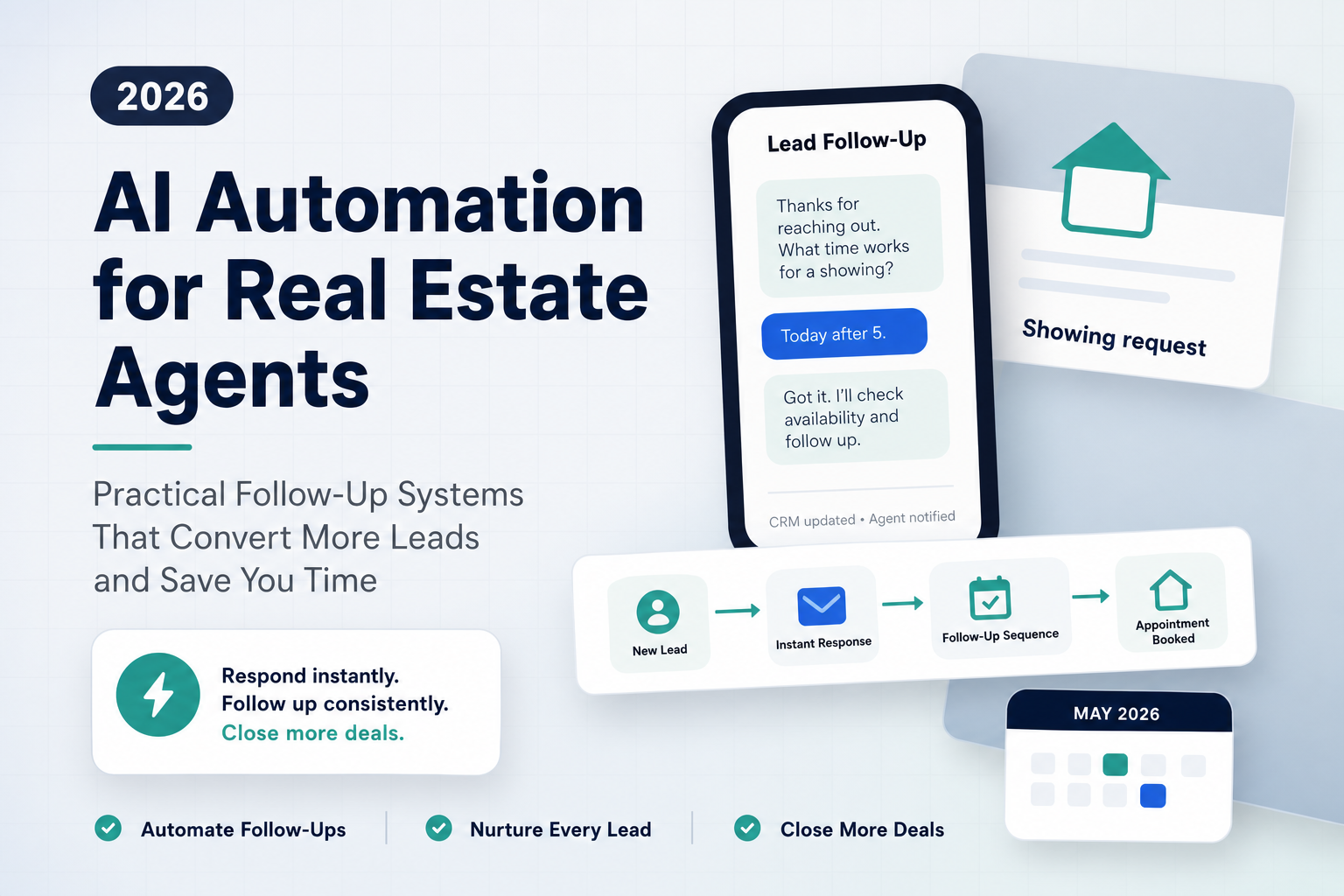
Start with an AI Readiness Assessment   Schedule a Free Chat