
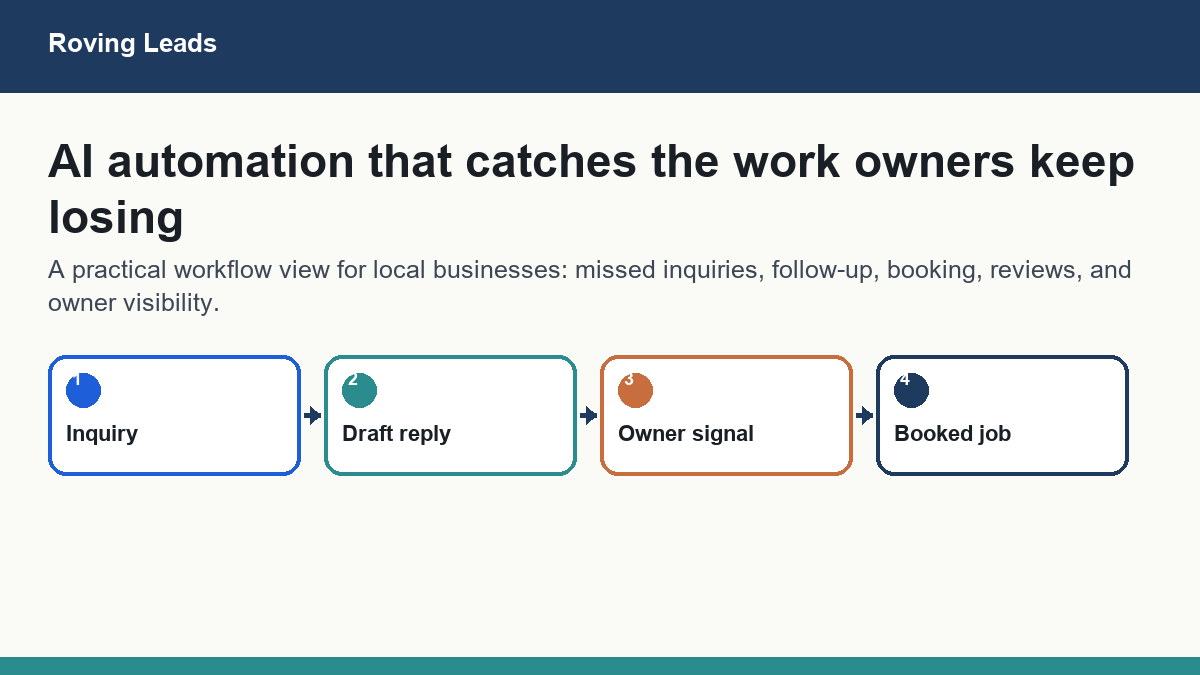
AI Automation for Small Businesses means using software to handle repetitive, time-sensitive, or error-prone tasks so the owner and team can focus on work that actually requires a human. It is not about buying a stack of tools. It is about picking one real bottleneck, mapping the steps that already exist, and deciding whether AI can do those steps faster, more consistently, or without you watching. If you need a structured starting point, a Roving Leads AI Readiness Assessment maps those workflows before anyone buys another tool.
The first thing to automate is almost always lead response or appointment follow-up. Those two tasks are time-sensitive, repetitive, and directly tied to revenue. Everything else comes after.
- AI Automation for Small Businesses works best when it targets one bottleneck at a time, not an entire operation.
- Audit the workflow before choosing any tool. Automating a broken process makes the problem faster, not smaller.
- Lead response, appointment reminders, review requests, and intake cleanup are the highest-value starting points for most local service businesses.
- Some tasks should not be automated. Client relationships, custom quotes, and anything requiring judgment belong with a human.
- You do not need a large budget to start. You need a clear process and one reliable tool.
What AI Automation for Small Businesses Actually Means
AI Automation for Small Businesses is not a product category. It is a decision about which parts of your daily operations can run without you making a judgment call every time. The “AI” part means the software can read, write, sort, or respond in ways that used to require a person. The “automation” part means it does that without you clicking a button each time.
In practice, AI Automation for Small Businesses looks like this: a new lead fills out a form on your website at 10 p.m. Instead of waiting until you check email the next morning, an AI-powered system sends a personalized reply within two minutes, logs the contact in your CRM, and flags the lead for your review. You wake up to a qualified conversation already started. That is the whole idea behind Roving Leads AI Consulting: fit the workflow first, then pick the tool.
It does not look like replacing your staff with robots. It does not look like a chatbot that frustrates customers. And it definitely does not look like paying for six subscriptions that none of your team actually uses.

- 58% of U.S. small businesses now use generative AI, up from 40% in 2024. (U.S. Chamber, August 2025)
- 96% of small businesses plan to adopt emerging technologies in the near term.
- 77% of AI-using small businesses say restrictions on AI would hurt their growth, operations, and bottom line.
- 88% of organizations surveyed by McKinsey use AI in at least one function. (McKinsey State of AI 2025)
- 62% are at least experimenting with AI agents, but most have not scaled AI across their operations.

The U.S. Chamber CO notes that while many small businesses are experimenting with AI, most are still early and need practical guidance rather than more tools. That matches what many South Bay owners are dealing with: the interest is real, but the starting point is not obvious.
Audit the Workflow Before You Touch a Tool
This is the step most business owners skip, and it is the reason most AI Automation for Small Businesses projects fail or get abandoned. If you automate a broken process, you get a faster broken process. The tool is not the problem. The missing map is.
Before you sign up for anything, write down the exact steps that happen from the moment a lead contacts you to the moment they pay you. Not the steps you wish happened. The steps that actually happen today, including the gaps where things fall through.
A Torrance home-services contractor was losing quotes because follow-up emails were going out days after the site visit, sometimes not at all. The problem was not that he needed an AI tool. The problem was that there was no defined follow-up step in his process. Once we mapped the gap, AI Automation for Small Businesses gave him a triggered follow-up sequence that went out within 24 hours of every estimate, every time, without him thinking about it.
The OECD’s 2025 SME AI adoption report confirms this directly: barriers for small businesses are not just about cost or tool access. They are about skills, data readiness, and implementation capability. In plain terms, most small businesses do not fail at AI because the tools are bad. They fail because they did not know what they were automating or why.
A simple workflow audit takes 30 to 60 minutes with a whiteboard or a notes app. Ask three questions for each task you are considering automating:
- Does this task happen the same way every time, or does it require judgment?
- What is the cost of a mistake here — to the customer, to revenue, or to your reputation?
- How much of your time or your team’s time does this consume each week?
If the task is repetitive, low-risk, and time-consuming, it is a candidate for AI Automation for Small Businesses. If it requires nuance, trust, or creative judgment, it probably is not.

The Six Areas Where AI Automation for Small Businesses Pays Off
Based on what McKinsey identifies as the highest-value use cases and what we see working for South Bay service businesses, these six areas are where AI Automation for Small Businesses delivers real, measurable returns.
1. Lead Response
Speed matters more than most owners realize. A lead who fills out a form and gets a response within five minutes is dramatically more likely to convert than one who waits two hours. AI Automation for Small Businesses can handle that first response instantly, qualify the lead with some questions, and route the conversation to you only when it is worth your time.
A restaurant owner in Redondo Beach told us that catering inquiries coming in after 8 p.m. were going unanswered until the next morning. By the time staff replied, the customer had already booked somewhere else. An AI-powered response system now handles every after-hours inquiry, confirms availability, and sends a catering menu with a booking link. The owner reviews confirmed leads in the morning. The lost-lead problem is gone.
2. Quote Follow-Up
Sending a quote and waiting is one of the most common revenue leaks in service businesses. AI Automation for Small Businesses can trigger a follow-up message at a set interval after a quote is sent, remind the prospect of a deadline, and flag stalled quotes for your personal attention. This is not pushy. It is professional, and it closes deals that would otherwise disappear.
3. Appointment Reminders
No-shows cost money. A wellness clinic was losing appointment slots to last-minute cancellations because reminders were being sent manually, inconsistently, or not at all. Automated reminders sent 48 hours and 2 hours before each appointment cut their no-show rate significantly. The same system now sends a review request 24 hours after each visit. Reviews went up. Manual admin time went down.
4. Review Requests
Most satisfied customers do not leave reviews because no one asks them at the right moment. AI Automation for Small Businesses can trigger a review request at exactly the right time after a service is completed, with a direct link to your Google Business Profile. This is one of the highest-ROI automations available to local service businesses because reviews directly affect search visibility and trust, especially when the workflow supports a broader GEO SEO for Local Business plan.
5. Inbox and Admin Cleanup
A professional-services office was spending hours each week processing intake forms, summarizing meeting notes, and routing action items to the right people. AI Automation for Small Businesses now handles intake triage, generates meeting summaries from transcripts, and drafts follow-up emails for human review. The team does not spend less time working. They spend more time on work that requires them.
6. Reporting and Visibility
Many small business owners do not have a clear picture of what is happening in their business until something goes wrong. AI Automation for Small Businesses can pull data from your CRM, booking system, or point-of-sale and generate a weekly summary that tells you what happened, what is pending, and what needs attention. You stop managing by gut feeling and start managing by fact.

“High performers redesign workflows and track value. They do not just add AI tools on top of existing processes.”
— McKinsey State of AI 2025

The best automation is not the fanciest one. It is the one that removes a real delay between customer interest and business follow-through.
Roving Leads
What Not to Automate
AI Automation for Small Businesses has real limits, and ignoring them is how businesses damage customer relationships or create compliance problems. Here is what should stay with a human.
- Custom or complex quotes. If a quote requires a site visit, a conversation, or judgment about scope, a human needs to write it. An AI can draft a template or send the follow-up. It should not estimate the job.
- Sensitive client conversations. Complaints, refund requests, and anything involving a frustrated customer need a real person. An AI response to an upset client can make the situation worse fast.
- Regulated communications. If your business is in healthcare, finance, or law, any automated communication touching client data or advice needs legal review before it goes near an AI system. This is where AI Governance Documents matter.
- Hiring and performance decisions. Do not use AI to screen candidates or evaluate employees without explicit policy and legal review.
- Anything you have not tested manually first. If you do not know what a good output looks like, you cannot tell when the AI is getting it wrong.
The Business.com 2026 SMB AI Outlook found that many owners worry about using too much AI or adopting tools they do not need. That concern is healthy. The answer is not to avoid AI Automation for Small Businesses. The answer is to be deliberate about where you apply it.
ROI Comparison: Common AI Automations for Small Businesses
This table is a starting point, not a guarantee. Your numbers will depend on your volume, your current process, and how well the automation is built. Use it to prioritize where to start.

| Automation | Setup Difficulty | Risk if Done Wrong | Revenue / Time Value | Best Starting Point? |
|---|---|---|---|---|
| Lead response (after-hours) | Low to Medium | Low (can review before sending) | High — directly recovers lost leads | Yes |
| Quote follow-up sequence | Low | Low | High — closes deals already in pipeline | Yes |
| Appointment reminders | Low | Low | Medium-High — reduces no-shows | Yes |
| Review request triggers | Low | Low | Medium — builds long-term visibility | Yes |
| Intake form triage and routing | Medium | Medium (needs testing) | Medium — saves admin hours | After basics are working |
| Meeting note summaries | Low | Low (human reviews output) | Medium — saves 30–60 min per meeting | After basics are working |
| Weekly reporting dashboards | Medium to High | Low | Medium — improves owner visibility | Later stage |
| AI-generated marketing content | Low | Medium (needs brand voice review) | Medium — saves writing time | After basics are working |
| Custom AI agent for complex workflows | High | Medium (requires proper build) | High — scales operations significantly | When basics are proven |
DIY vs. Hiring Help: When Each Makes Sense
AI Automation for Small Businesses does not always require outside help. Some owners can set up a basic lead-response sequence in an afternoon using tools like Zapier, Make, or a CRM with built-in automation. If you are comfortable with software, you have a clear process documented, and the stakes of a mistake are low, starting yourself is reasonable. When the workflow needs custom logic across multiple tools, Custom AI Workflow Systems are the better conversation.
But there are clear signals that it is time to bring in someone who does this for a living. Solo owners who still want to learn the system as they build can use Solopreneur AI Coaching instead of guessing alone.
- You have tried to set something up and it broke, or it works inconsistently.
- The workflow involves multiple tools that need to talk to each other.
- You are in a regulated industry and need to be careful about what the AI says or stores.
- You want a custom system that fits your business specifically, not a generic template.
- You do not have time to troubleshoot. You need it to work.

If your automation has to touch customer data, staff behavior, or more than one software system, slow down and get the structure right before you build. That is where outside help earns its keep.
A Safe 30-Day Rollout for AI Automation for Small Businesses
If you are ready to start, here is a practical sequence that does not require a large budget or a technical team. It is designed for a service business with one to ten people. For teams where multiple people will use the workflow, Team Training and AI Workflow Rollout helps make the rollout stick.
- Week 1: Audit one workflow. Write down every step from first contact to closed sale or completed service. Identify the single biggest gap where time is lost or leads fall through.
- Week 2: Choose one automation that addresses that gap. Set it up, test it with real but low-stakes scenarios, and review every output manually for the first week.
- Week 3: Measure. Count how many leads got a faster response, how many appointments were confirmed, or how many follow-ups went out. Compare to the week before.
- Week 4: Decide whether to keep it, adjust it, or move to the next bottleneck. Do not add a second automation until the first one is stable.

This approach is slower than buying a full platform and turning everything on at once. It is also the approach that actually works. McKinsey’s research on AI at scale confirms that organizations seeing real returns from AI are the ones that redesign workflows deliberately and track value at each step, not the ones that adopt the most tools the fastest.
If you want to see how this looks outside a generic tool demo, our Case Studies page shows practical examples of AI Automation for Small Businesses in local service-business workflows.
Most businesses that implement AI Automation for Small Businesses thoughtfully see time savings in admin and follow-up within the first 60 days. Revenue impact from lead response and quote follow-up typically shows up within 90 days. Broader operational changes — reporting, intake, team workflows — take longer to build and stabilize. Set expectations accordingly. AI Automation for Small Businesses is not a switch you flip. It is a system you build.
Where to Go from Here
AI Automation for Small Businesses is not going to slow down. The U.S. Chamber data shows adoption jumping 18 percentage points in a single year. The businesses that figure out how to use AI well — not just which tools to buy, but how to redesign their workflows around AI — are going to have a real operational advantage over the ones that are still doing everything manually.
That does not mean you need to move fast. It means you need to move deliberately. One bottleneck, one automation, one measurement cycle. Then the next one.
If you want help figuring out where to start, Roving Leads works with South Bay service businesses, solopreneurs, and local teams to map what they have, identify what is worth automating, and build systems that actually hold up. You can also explore the full Roving Leads AI services page to see the available ways to work together.
And if you are not sure where you stand yet, start by choosing the one workflow that costs you the most time or lost revenue. That is the honest first step.
AI Automation for Small Businesses is worth doing. It is not worth rushing. The businesses that see real results are the ones that started with a workflow audit, picked one high-value bottleneck, built something simple, measured it, and then moved to the next thing. The ones that bought a platform and turned everything on at once are usually the ones who gave up after 90 days. Start with lead response or appointment follow-up. Get that working. Then build from there. If you want help, we are here.
The South Bay Small-Business AI Starter Kit.
28 pages. Three free quick wins, five revenue areas, a self-assessment, and a simple roadmap for South Bay businesses trying to understand where AI actually makes money.
 PDF
PDF
Frequently Asked Questions About AI Automation for Small Businesses
What is the best first automation for a small service business?
Lead response is almost always the highest-value starting point. If a potential customer contacts you and does not hear back quickly, they move on. An automated response that goes out within minutes of a new inquiry — even just to confirm receipt and set expectations — recovers leads that would otherwise be lost. Quote follow-up is a close second, especially for contractors, consultants, and any business that sends proposals.
How much does AI Automation for Small Businesses cost to set up?
It depends entirely on what you are building. A basic lead-response sequence using tools you may already have can cost very little to set up. A custom AI workflow system built around a specific multi-step process is a larger investment. Most small service businesses start with a focused automation that costs from hundreds of dollars to thousands of dollars to build properly, depending on complexity. The more important question is what the automation is worth if it works — recovered leads, closed quotes, and saved admin hours add up quickly.
Do I need technical skills to use AI Automation for Small Businesses?
Not necessarily. Many of the tools available today are designed for non-technical users. If you can set up a Google Form or use a CRM, you can probably set up a basic automation. Where it gets more complex is when you need multiple tools to work together, when you are in a regulated industry, or when you need a custom-built system. That is when working with someone who specializes in AI Automation for Small Businesses saves time and prevents expensive mistakes.
Will AI Automation for Small Businesses replace my staff?
No. AI Automation for Small Businesses handles repetitive, time-sensitive tasks so your staff can focus on work that requires judgment, relationships, and expertise. In most small businesses, the effect is that the same team can handle more volume without burning out, not that headcount goes down. The clinic example above is typical: the admin team did not shrink. They stopped spending time on reminder calls and started spending it on patient care.
How do I know if my business is ready for AI automation?
You are ready if you have at least one repetitive task that happens consistently, costs you time or money when it is missed, and does not require a judgment call every time it runs. You are not ready if your processes are not documented, if you are still figuring out your core service delivery, or if you do not have a way to measure whether the automation is working. An AI Readiness Assessment can help you answer this question with specifics rather than guesswork.
What is an AI agent and do I need one?
An AI agent is a system that can take a sequence of actions based on inputs, not just send a single automated message. For example, an agent might receive a new lead, check your calendar for availability, send a personalized reply with booking options, and log the interaction in your CRM — all without human input. McKinsey reports that 62% of organizations are at least experimenting with AI agents, but most have not scaled them. For most small businesses, basic automations come first. Custom AI Workflow Systems are the right conversation when your basic automations are working and you are ready to handle more complexity.
Is AI Automation for Small Businesses safe for customer data?
It can be, but it requires deliberate choices about which tools you use, what data you share with them, and how you store and protect customer information. This is especially important in healthcare, legal, and financial services. Before you connect any AI tool to customer data, read the privacy policy, understand where the data goes, and consider whether you need formal AI Governance Documents to protect your business and your clients.
Where can I learn more about AI Automation for Small Businesses?
Our Learn AI blog covers practical AI topics for small businesses on a regular basis. You can also contact us directly to schedule a free 20-minute chat about your specific situation. If you want to explore what working together looks like, the Project Intake page is the fastest way to get started.
Start with a free 20-minute conversation. We will look at your current workflow, identify the one bottleneck worth automating first, and tell you exactly what it would take to fix it. No sales pitch. No tool recommendations before we understand your business.
Start with an AI Readiness Assessment Schedule a Free Chat